Sony BDV-L800/BDV-L800M [GB] 4-279-075-31 (1)
08
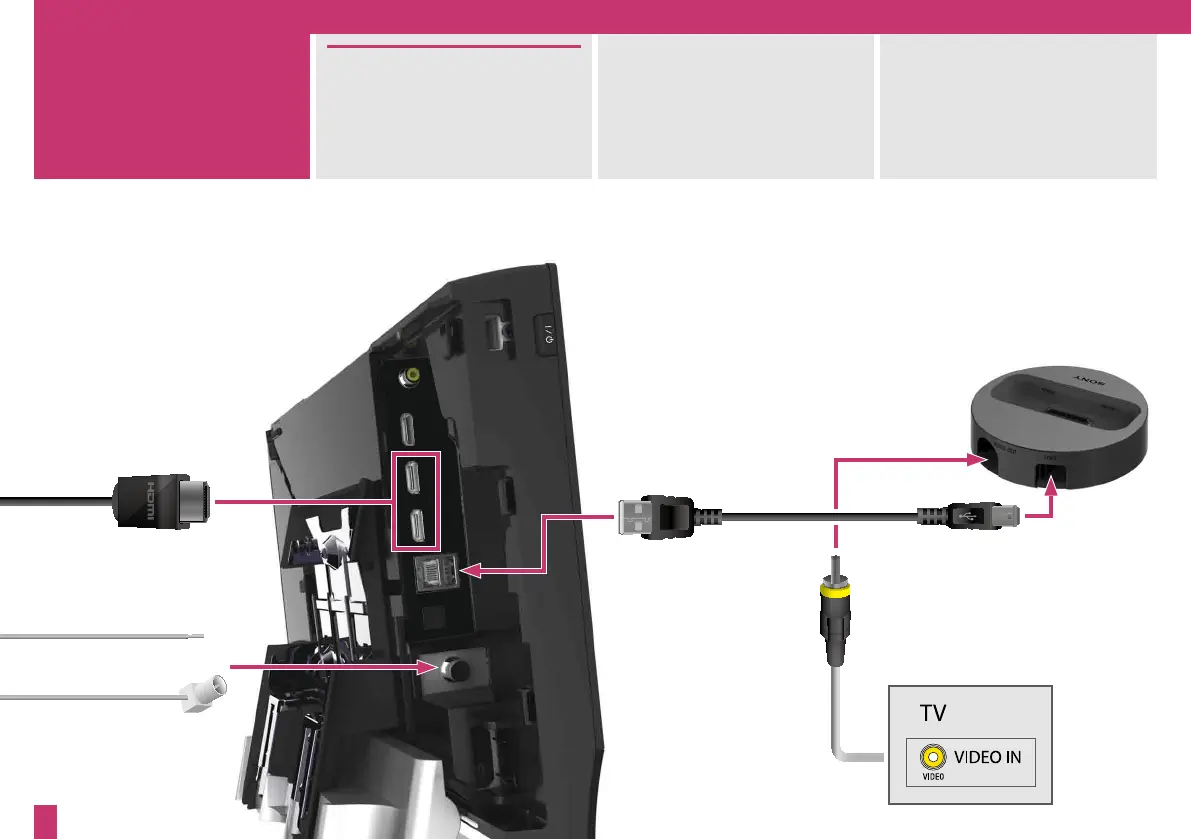
To connect your set-top box,
game console or digital satellite
receiver, simply connect with an
HDMI cable.
For FM radio, connect the supplied
wire antenna (aerial) into the inner
socket and extend it for the best
reception.
Alternatively, connect your own
external antenna (aerial).
You can also connect your iPod or
iPhone to the system and your TV
via the supplied dock.
or
3



 To Next Page