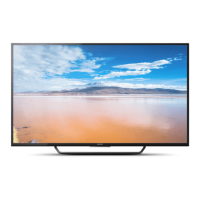
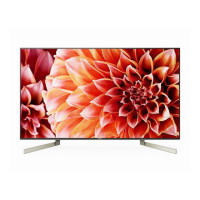
This document is a user manual for a Sony BRAVIA Television, specifically models KD-49X8000D and KD-43X8000D. It provides detailed information on the television's features, installation, usage, and troubleshooting.
Function Description
The Sony BRAVIA Television is a high-definition display device designed for home entertainment. It features an LCD (Liquid Crystal Display) panel with LED backlighting, offering a vertical resolution of 2,160 lines (for 4K content) and supporting various video and audio input formats. The television integrates smart TV capabilities, allowing access to online services like Google Play and Netflix (depending on region/country/TV model). It also supports wireless connectivity via Wi-Fi and Bluetooth, enabling interaction with mobile devices and other compatible equipment. The TV can be controlled using a remote control with voice function and includes features like a digital program guide, content discovery, and BRAVIA Sync for integrated control of compatible devices.
Important Technical Specifications
- Panel System: LCD (Liquid Crystal Display) Panel, LED Backlight
- TV System:
- Analogue: I, D/K, B/G, M
- Digital: DTMB
- Colour System: PAL, SECAM, NTSC3.58, NTSC4.43
- Channel Coverage:
- Analogue: UHF/VHF/Cable
- Digital: UHF
- Sound Output: 10 W + 10 W
- Wireless Technology:
- Protocol: IEEE802.11ac/a/b/g/n
- Bluetooth Version: 4.1
- Input/Output Jacks:
- Antenna (aerial)/cable: 75 ohm external terminal for VHF/UHF
- VIDEO IN 1: Video/Audio input (mini jack)
- /COMPONENT IN: YPBPR (Component Video) supporting 1080p (50, 60 Hz), 1080i (50, 60 Hz), 720p (50, 60 Hz), 576p, 576i, 480p, 480i. Audio input (phono pin jack).
- VIDEO IN 2: Video input (common phono pin with Y input)
- HDMI IN 1, 2, 3, 4: Support 4K resolution, HDCP 2.2-compatible.
- Video: 4096 x 2160p (50, 60 Hz), 4096 x 2160p (24 Hz), 3840 x 2160p (50, 60 Hz), 3840 x 2160p (24, 25, 30 Hz), 1080p (30, 50, 60 Hz), 1080/24p, 1080i (50, 60 Hz), 720p (30, 50, 60 Hz), 720/24p, 576p, 576i, 480p, 480i, PC Formats. (Note: 3840 x 2160p is displayed when 4096 x 2160p is input. HDMI IN 2 / 3 only for certain 4K resolutions).
- Audio: 5.1 channel linear PCM (32, 44.1, 48, 88.2, 96, 176.4 and 192 kHz, 16, 20 and 24 bits), Dolby Digital, Dolby Digital Plus and DTS.
- ARC (Audio Return Channel): HDMI IN 3 only. (Two channel linear PCM, Dolby Digital, Dolby Digital Plus, DTS).
- DIGITAL AUDIO OUT (OPTICAL): Digital optical jack (Two channel linear PCM, Dolby Digital, DTS).
- AUDIO OUT (Stereo mini jack): Headphone, Audio output, Subwoofer.
- USB 1, 2: Support High Speed USB (USB2.0).
- USB 3: Support Super Speed USB (USB3.0).
- LAN: 10BASE-T/100BASE-TX connector.
- DC IN 19.5 V: (models with supplied AC adapter only) AC adapter input.
- Power Requirements:
- Except models with supplied AC adapter: 220 V - 240 V AC, 50 Hz
- Models with supplied AC adapter only: 19.5 V DC with AC adapter
- Rating: Input 220 V - 240 V AC, 50 Hz
- Screen Size (measured diagonally) (Approx.):
- KD-49X8000D: 49 inches / 123.2 cm
- KD-43X8000D: 43 inches / 108.0 cm
- Display Resolution: 3,840 pixels (horizontal) × 2,160 lines (vertical)
- Output Rating:
- USB 1/2: 5 V, 500 mA MAX
- USB 3: 5 V, 900 mA MAX
- Dimensions (Approx.) (w × h × d):
- With Table-Top Stand:
- KD-49X8000D: 1,093 × 686 × 216 mm
- KD-43X8000D: 960 × 612 × 216 mm
- Without Table-Top Stand:
- KD-49X8000D: 1,093 × 639 × 44 mm
- KD-43X8000D: 960 × 564 × 45 mm
- Mass (Approx.):
- With Table-Top Stand:
- KD-49X8000D: 14.2 kg
- KD-43X8000D: 13.2 kg
- Without Table-Top Stand:
- KD-49X8000D: 13.2 kg
- KD-43X8000D: 12.3 kg
- Operating Temperature: 0 °C - 40 °C
- Operating Humidity: 10% - 80% RH (non-condensing)
Usage Features
- Remote Control: The TV comes with a remote control that includes number buttons, input select, voice function (microphone), TV standby, digital/analogue switch, exit, info/text reveal, action menu, back, home, discover, volume control, channel selection, jump function, muting, audio language selection, media playback controls, subtitle settings, wide mode, and SYNC MENU.
- On-TV Controls: Basic controls (Power, Volume +/-, Channel +/-) are located on the rear of the TV.
- Illumination LED: A multi-color LED indicates the TV's status (white for power on/picture off/software update, cyan for wireless mobile device connection, amber for timer set). This LED can be turned off via settings.
- Installation Options: The TV can be installed on a table-top stand or wall-mounted using a Sony Wall-Mount Bracket (SU-WL450). Specific instructions are provided for both standard and slim wall-mounting, including screw specifications and required clearances for ventilation.
- Connectivity: Multiple HDMI, USB, and analogue inputs allow connection to various external devices such as digital cameras, camcorders, DVD players, VCRs, game consoles, and home audio systems. LAN port for wired network connection.
- Picture Quality: Supports both Standard Definition (SD) and High Definition (HD) videos, including 4K resolution.
- Audio Output: Connect to headphones, external audio systems, or subwoofers via the audio out jack or optical digital audio out. HDMI IN 3 supports Audio Return Channel (ARC).
- Smart TV Features: Access to Google Play for apps and content, and Netflix for streaming.
- Voice Function: Use the microphone button on the remote for voice commands and searches.
- Help Guide: An on-screen Help Guide provides detailed information on using the TV's features, accessible via the HELP button on the remote.
- Software Updates: The TV supports software updates via digital broadcasting or the internet to ensure optimal performance.
Maintenance Features
- Cleaning:
- Always unplug the TV before cleaning.
- Gently wipe the screen and cabinet with a soft cloth to remove dust.
- For persistent dust, use a soft cloth slightly moistened with a diluted mild detergent solution.
- Never spray water or detergent directly onto the TV.
- Avoid abrasive pads, alkaline/acid cleaners, scouring powder, volatile solvents (alcohol, benzene, thinner, insecticide), or prolonged contact with rubber/vinyl materials.
- Do not touch the TV with hands covered in chemical substances like hand cream or sunblock.
- Ventilation:
- Ensure adequate space around the TV for air circulation (as specified in the manual: 10 cm on sides, 30 cm at top, 10 cm at bottom for wall-mount; 10 cm on sides, 30 cm at top, 6 cm at bottom for stand).
- Never cover ventilation holes or insert objects into the cabinet.
- Periodic vacuuming of ventilation openings is recommended.
- Power Cord Care:
- Handle the AC power cord and outlet carefully to prevent fire or electric shock.
- Use only Sony-supplied AC power cords.
- Insert the plug fully into the outlet.
- Unplug the cord before working on or moving the TV.
- Keep the cord away from heat sources.
- Clean the plug regularly.
- Do not pinch, bend, twist, modify, or place heavy objects on the AC power cord.
- Do not pull on the cord itself when disconnecting.
- Avoid connecting too many appliances to one outlet.
- Battery Replacement: Replace remote control batteries when the remote does not function. Observe correct polarity and do not mix battery types. Dispose of batteries environmentally.
- Troubleshooting: The manual provides a troubleshooting section for common issues like no picture/sound, tuning problems, remote control malfunction, forgotten PIN codes, and TV overheating. It also advises on how to perform a simple reset and when to contact service personnel.
- Storage: If not using the TV for several days, disconnect it from the AC power outlet. Store removed screws in a safe place, away from children, during wall-mount installation.
- Environmental Considerations: The LCD screen contains a small amount of liquid crystal; dispose of it according to local ordinances and regulations.

 Need help?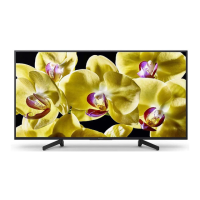



 To Next Page
 General