EasyManua.ls Logo

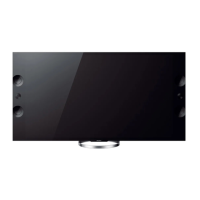
Sony Bravia KD-65X9005A - User Manual

Sony Bravia KD-65X9005A
108 pages
Print Icon
To Next Page IconTo Next Page
Loading...
Reference Guide
GB
Guide de référence
FR
Guía de referencia
ES
Referentiehandleiding
NL
Referenzleitfaden
DE
Guia de referência
PT
Guida di riferimento
IT
Referensguide
SE
Referencevejledning
DK
Viiteopas
FI
Referanseveiledning
NO
Instrukcja
PL
Referenční příručka
CZ
Referenčná príručka
SK
Referencia útmutató
HU
Ghid de referinţă
RO
Справочно ръководство
BG
Οδηγός αναφοράς
GR
Başvuru Kılavuzu
TR
Справочное руководство
RU
Довідник
UA
LCD TV
Reference
Guide
KD-65X9005A / 55X9005A

Questions and Answers

  • L
    Laura BriggsAug 15, 2025
    What to do if the illumination LED is flashing red on my Sony Bravia KD-65X9005A?
    • S
      shawbrianAug 15, 2025
      If the illumination LED on your Sony LCD TV is flashing red, immediately turn off the TV by pressing the power button, disconnect the AC power cord, and then contact your dealer or a Sony service center, providing them with the number of times the indicator flashed.
  • M
    Meredith RosalesAug 17, 2025
    Why is there no picture and sound on my Sony Bravia KD-65X9005A LCD TV?
    • J
      Jessica JohnstonAug 18, 2025
      If your Sony LCD TV screen is dark and there is no sound, first check the connection of the antenna or cable. If the connection is correct, ensure the TV is connected to AC power and then press the power button on the TV or remote.
  • X
    xavierayalaAug 21, 2025
    Why is my Sony Bravia KD-65X9005A LCD TV remote not working?
    • M
      Matthew HicksAug 21, 2025
      If your Sony LCD TV remote is not working, try replacing the batteries first. If that doesn't work, your TV might be in SYNC mode. Press the SYNC MENU button, select 'TV Control', and then choose 'Home (Menu)' or 'Options' to control the TV.
  • S
    Sheila SnyderAug 25, 2025
    How to reset the parental lock password on Sony Bravia KD-65X9005A LCD TV?
    • J
      Jeremy HillAug 25, 2025
      If you've forgotten the Parental Lock password on your Sony LCD TV, you can enter '9999' as the PIN code. This PIN code is always accepted.
  • I
    igillAug 28, 2025
    Why some programs cannot be tuned on my Sony Bravia KD-65X9005A?
    • T
      Timothy BassAug 28, 2025
      If you are unable to tune into some programs on your Sony LCD TV, it could be due to a short-circuited satellite cable or connection problems. Check the cable connection and then turn the TV off using the Mains power On/Off switch, and then turn it back on. If the frequency you entered is out of range, consult the satellite broadcasting company.
  • B
    bianca34Aug 31, 2025
    What to do if Sony LCD TV screen is frozen?
    • N
      nicholas48Aug 31, 2025
      If your Sony LCD TV freezes (audio or video), shows a blank screen, or doesn't respond to buttons, perform a simple reset. Unplug the AC power cord for two minutes, and then plug it back in.
  • J
    jonathanevansSep 4, 2025
    What to do if no cable TV services are found on Sony Bravia KD-65X9005A LCD TV?
    • S
      Sara OsborneSep 4, 2025
      If your Sony LCD TV can't find Cable TV services or programs, check the cable connection and tuning configuration. As another option, attempt the 'Digital Auto Tuning' by choosing 'Antenna' instead of 'Cable'.
  • R
    rtorresSep 7, 2025
    Why does my Sony Bravia KD-65X9005A LCD TV get hot?
    • J
      jenniferfisherSep 7, 2025
      When a Sony LCD TV is used for a long time, the TV surroundings become warm. This is normal, and you may feel the heat when touching the area.
  • C
    Charlotte JohnsonSep 10, 2025
    How to turn off the illumination LED on Sony LCD TV?
    • J
      John HallSep 10, 2025
      If you don't want the illumination LED on your Sony LCD TV to light up, you can turn it off. Press the HOME button, then go to 'Settings' > 'System Settings' > 'General Set-up' > 'Illumination LED' > 'Off'.

Summary

Trademark Information

Notes on Digital TV Function

Troubleshooting

Common Troubleshooting Issues

Addresses forgotten parental lock, frozen screens, and unresponsive buttons or remote.

Indicator and Button Information

Covers warm TV surrounds, button locations, and illumination LED status and control.

Specifications

System and Connectivity

Details on TV system, channel coverage, sound output, and input/output connectors.

Accessories and Environment

Information on accessories, 3D glasses, operating temperature, and humidity.

Power and Other Specifications

Power Details

Covers power requirements, energy efficiency, consumption, and standby power.

Physical and Display Specs

Details on screen size, display resolution, physical dimensions, and mass.

Sony Bravia KD-65X9005A Specifications

General IconGeneral
Screen Size65 inches
Display TypeLCD
HDR SupportNo
Smart TVYes
HDMI Ports4
USB Ports3
3DYes
Built-in Wi-FiYes
Sound Output20W
Resolution3840 x 2160
Speakers2 x 10W
Refresh RateMotionflow XR 800Hz

Related product manuals