
 Need help?
Do you have a question about the Sony Bravia KD-65X7007F and is the answer not in the manual?
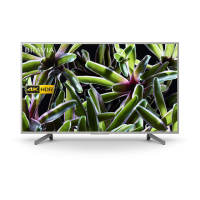
This document provides operating instructions for a Sony BRAVIA Television, specifically models KD-65X7007F, 55X7007F, 49X7007F, and 43X7007F. It covers setup, basic operation, troubleshooting, and important safety information.
The Sony BRAVIA Television is designed to provide a high-quality viewing experience with various connectivity options and smart features. It functions as a primary display for broadcast television, external media devices, and internet-based content. The television supports multiple input sources, including HDMI for high-definition devices, USB for media playback, and traditional antenna/cable connections. It also features network connectivity for accessing online services like YouTube and Netflix, and for receiving software updates. The TV is equipped with an audio output for connecting external sound systems or headphones, enhancing the audio experience.
The manual guides users through the initial setup process, emphasizing safety precautions during installation. It details how to connect the TV to the internet, which is crucial for utilizing its smart features and accessing online content. The connection diagram illustrates various ports and their corresponding devices, such as HDMI for set-top boxes or gaming consoles, USB for digital cameras or storage media, and audio outputs for sound systems.
Operating the TV is straightforward, with controls available on both the TV unit and the remote control. The TV unit has basic buttons for power, volume adjustment, and input/channel selection. The remote control offers a comprehensive set of buttons for navigating menus, selecting channels, adjusting volume, accessing smart features, and controlling playback of media. Tactile dots on key buttons like number 5, CH/PROG +, and AUDIO assist users in operating the remote without looking.
The remote control is a central interface for the TV. It includes:
The TV's network features allow users to connect to the internet via wired LAN or wireless (IEEE802.11b/g/n). This enables access to various online services and applications, enhancing the entertainment options beyond traditional broadcasting.
For wall-mount installation, the manual provides detailed instructions on preparing the TV, including detaching the table-top stand and attaching specific parts for the wall-mount bracket. It emphasizes using Sony-recommended accessories like the SU-WL450 Wall-Mount Bracket and advises professional installation due to the TV's weight and the need for wall strength assessment.
The manual strongly emphasizes safety, covering various aspects from installation to daily use. It warns against placing the TV in unstable locations, exposing it to extreme temperatures or moisture, and blocking ventilation holes. Users are advised to handle the AC power cord carefully, avoiding pinching, bending, or placing heavy objects on it, and to unplug it before cleaning or moving the TV.
Instructions for handling and cleaning the TV screen and cabinet are provided to prevent material degradation. Users should gently wipe the screen and cabinet with a soft cloth, using a diluted mild detergent solution if dust is persistent. It explicitly warns against spraying water or detergent directly onto the TV, or using abrasive pads, alkaline/acid cleaners, or volatile solvents, as these can cause damage. Regular vacuuming of ventilation openings is recommended to ensure proper airflow.
A dedicated troubleshooting section helps users diagnose and resolve common issues. It covers scenarios such as the LED indicator flashing red (indicating a potential problem requiring service), no picture or sound, double images, snow/noise on screen, distorted pictures, and remote control malfunction. For critical issues, users are advised to turn off the TV, unplug the AC power cord, and contact qualified service personnel.
The manual includes notes on the disposal of batteries and the LCD screen, encouraging users to follow local ordinances and regulations for environmentally friendly disposal. It also mentions that the TV is not disconnected from the AC source as long as it is plugged in, even when turned off, suggesting unplugging for environmental and safety reasons if not used for several days.
 General
| Screen Size | 65 inches |
|---|---|
| Display Technology | LCD |
| HDR Support | HDR10, HLG |
| Smart TV | Yes |
| Operating System | Android TV |
| HDMI Ports | 3 |
| USB Ports | 2 |
| Backlight Type | Direct LED |
| Wi-Fi | Yes |
| Ethernet | Yes |
| Smart Features | Google Assistant, Chromecast built-in |
| Bluetooth | Yes |
| Resolution | 3840 x 2160 (4K) |
| Audio Output | 20W |
| Dimensions (W x H x D) without stand | 80 mm |



 To Next Page