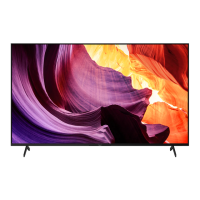
This document is a reference guide for Sony BRAVIA televisions, specifically models KD-85X8500F, 75X8500F, 65X8500F, 55X8577F, 55X8500F, 49X8500F, and 43X8500F. It provides essential information for installation, operation, troubleshooting, and maintenance of these TV sets.
Function Description
The Sony BRAVIA televisions are designed for home entertainment, offering a range of features for viewing digital and analogue television broadcasts, connecting external devices for video and audio playback, and accessing online services. The TVs feature an LCD (Liquid Crystal Display) panel with LED backlighting, providing high-resolution picture quality.
Key functions include:
- Television Viewing: Supports various analogue (B/G, I, D/K, M) and digital (DVB-T/DVB-T2) TV systems, with UHF/VHF/Cable channel coverage.
- Smart TV Capabilities: Access to online services like Google Play and Netflix (on limited region/country/TV models), and various applications. Voice Search functionality is available via the remote control.
- Connectivity: Extensive input/output options for connecting a wide array of external devices, including HDMI devices, USB storage media, audio systems, and older video equipment.
- Audio Output: Stereo sound output with 10 W + 10 W speakers, and options for external audio systems via HDMI ARC, optical digital output, or headphone/audio out jack.
- Wireless Connectivity: Integrated Wi-Fi (IEEE802.11ac/a/b/g/n) for network access and Bluetooth Version 4.1 for connecting compatible devices.
- Wall-Mount Installation: Designed to be installed with optional Sony Wall-Mount Brackets (SU-WL500 for KD-85/75X8500F; SU-WL450 for other models) for space-saving setup.
- Troubleshooting & Help: Built-in Help menu and Help Guide accessible via the remote control for self-service troubleshooting and detailed information.
Important Technical Specifications
System:
- Panel System: LCD (Liquid Crystal Display) Panel, LED Backlight
- TV System: Analogue (B/G, I, D/K, M), Digital (DVB-T/DVB-T2)
- Colour System: PAL/SECAM/NTSC3.58/NTSC4.43
- Sound Output: 10 W + 10 W
- Wireless Technology: Protocol IEEE802.11ac/a/b/g/n, Bluetooth Version 4.1
- Display Resolution: 3,840 pixels (horizontal) × 2,160 lines (vertical)
Input/Output Jacks:
- Antenna (aerial)/cable: 75 ohm external terminal for VHF/UHF
- COMPONENT IN: YPBPR (Component Video) input (1080p, 1080i, 720p, 576p, 576i, 480p, 480i) with audio input (phono pin jack).
- VIDEO IN: Video input (common phono pin with Y input).
- HDMI IN 1/2/3/4: Supports 4K resolution, HDCP 2.2-compatible.
- Video formats: 4096 x 2160p (50, 60 Hz, 24 Hz), 3840 x 2160p (50, 60 Hz, 24, 25, 30 Hz), 1080p (30, 50, 60 Hz), 1080/24p, 1080i (50, 60 Hz), 720p (30, 50, 60 Hz), 720/24p, 576p, 576i, 480p, 480i, PC Formats.
- HDMI IN 2/3 supports 18 Gbps with [Enhanced format] setting.
- HDMI IN 3 ARC (Audio Return Channel) for routing TV audio to an audio system.
- Audio formats: 5.1 channel linear PCM (32-192 kHz 16/20/24 bits), Dolby Digital, Dolby Digital Plus, DTS.
- DIGITAL AUDIO OUT (OPTICAL): Digital optical jack (Two channel linear PCM: 48 kHz 16 bits, Dolby Digital, DTS).
- AUDIO OUT ⏚/⏚ (Stereo mini jack): Headphone, Audio output, Subwoofer.
- USB 1, 2, SS USB 3: USB 1 and 2 support High Speed USB (USB 2.0) (5 V, 500 mA MAX). USB 3 supports Super Speed USB (USB 3.1 Gen 1) (5 V, 900 mA MAX).
- LAN: 10BASE-T/100BASE-TX connector.
- DC IN 19.5 V: For models with supplied AC adapter only.
- IR BLASTER: IR Blaster Cable input (mini jack) (only on limited region/country/TV model).
Power and Others:
- Power Requirements: 110 V - 240 V AC, 50/60 Hz (except models with supplied AC adapter). Models with supplied AC adapter: 19.5 V DC with AC adapter, rating: Input 100 V – 240 V AC, 50/60 Hz.
- Operating Temperature: 0 °C - 40 °C
- Standby Power Consumption: 0.50 W (after necessary internal processes).
Dimensions (Approx.) (w × h × d) and Mass (Approx.):
- KD-85X8500F:
- With Table-Top Stand: 1,911 × 1,176 × 429 mm, 46.2 kg
- Without Table-Top Stand: 1,911 × 1,098 × 73 mm, 44.1 kg
- KD-75X8500F:
- With Table-Top Stand: 1,673 × 1,031 × 371 mm, 40.1 kg
- Without Table-Top Stand: 1,673 × 963 × 54 mm, 38.9 kg
- KD-65X8500F:
- With Table-Top Stand: 1,450 × 900 × 315 mm, 26.5 kg
- Without Table-Top Stand: 1,450 × 836 × 52 mm, 25.6 kg
- KD-55X8577F / KD-55X8500F:
- With Table-Top Stand: 1,231 × 776 × 315 mm, 20 kg
- Without Table-Top Stand: 1,231 × 713 × 52 mm, 19.1 kg
- KD-49X8500F:
- With Table-Top Stand: 1,098 × 703 × 279 mm, 13.7 kg
- Without Table-Top Stand: 1,098 × 644 × 58 mm, 13.2 kg
- KD-43X8500F:
- With Table-Top Stand: 965 × 628 × 279 mm, 11.3 kg
- Without Table-Top Stand: 965 × 569 × 58 mm, 10.8 kg
Usage Features
- Remote Control: The supplied remote control allows navigation of on-screen menus, channel selection, volume adjustment, input source selection, access to smart TV features (Google Play, Netflix), and voice search. It also includes dedicated buttons for ACTION MENU, GUIDE, APPS, HOME, HELP, and SYNC MENU.
- On-TV Controls: A single multi-function button on the TV allows for power on/off, volume adjustment, channel selection, and input source selection.
- Illumination LED: The TV features an illumination LED that lights up or blinks to indicate the TV's status.
- IR Blaster (optional): For certain models, an optional IR Blaster cable can be connected to control external set-top boxes (cable/satellite boxes) using the Sony remote control.
- Wall-Mounting: The TV can be wall-mounted using specific Sony Wall-Mount Brackets, with detailed instructions provided for screw types and mounting hook locations.
- Table-Top Stand: The TV comes with a table-top stand, which can be detached for wall-mounting.
- Software Updates: The TV supports system software updates to improve performance and add new features. Users are recommended to update the TV software when prompted.
- Parental Lock: A parental lock feature is available for broadcast content, with a default PIN code of 9999.
- Energy Efficiency: The product is ENERGY RATING qualified in the default mode, designed to meet ENERGY RATING requirements while maintaining optimum picture quality. Energy consumption varies based on settings and usage.
Maintenance Features
- Cleaning: The screen surface and cabinet should be cleaned gently with a soft cloth. For persistent dust, a soft cloth slightly moistened with a diluted mild detergent solution can be used. Abrasive pads, alkaline/acid cleaners, scouring powder, volatile solvents, or chemical substances like hand cream should not be used.
- Ventilation: Proper ventilation is crucial. Users should never cover ventilation holes or insert anything into the cabinet. Adequate space around the TV is recommended, especially for wall-mounted installations. Periodic vacuuming of ventilation openings is advised.
- AC Power Cord Handling: The AC power cord (mains lead) should be handled with care to prevent fire, electric shock, or damage. It should not be pinched, bent, twisted excessively, or have heavy objects placed on it. The plug should be fully inserted into the outlet and cleaned regularly.
- Battery Replacement: Remote control batteries should be replaced when the remote control does not function. Correct polarity must be observed, and different types of batteries or old and new batteries should not be mixed.
- Troubleshooting Guide: The manual includes a troubleshooting section for common issues like black screen, no sound, frozen picture, or network loss, guiding users to restart the TV, refer to the Help menu, perform software updates, or contact Sony support.
- Safe Transporting: When transporting the TV, all cables should be disconnected. Two or more people are required for larger models. The TV should be held firmly from the bottom, avoiding stress on the LCD panel and frame. Original carton and packing material are recommended for repairs or moving.
- Environmental Considerations: The LCD screen contains liquid crystal, and disposal should follow local ordinances and regulations. The TV set and its components comply with hazardous substances restrictions for electrical and electronic equipment in applicable regions.

 Need help?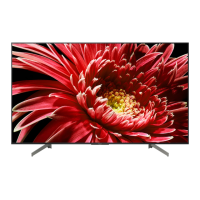



 To Next Page
 General