
 To Next Page
J
Justin KnightAug 7, 2025
What to do if Sony TV does not turn on after plugging in?
- GGeorge DavidsonAug 7, 2025
If your Sony TV doesn't turn on immediately after plugging it in, wait for about one minute and then try operating it again.

What to do if Sony TV does not turn on after plugging in?
If your Sony TV doesn't turn on immediately after plugging it in, wait for about one minute and then try operating it again.
What to do if my Sony Bravia XBR-85X81CH TV does not respond or the picture is frozen?
If your Sony TV is unresponsive or the picture is frozen, restart it by pressing the power button on the remote for about five seconds. The TV should restart. If this doesn't work, unplug the AC power cord, press and release the power button on the TV, wait two minutes, and then plug the AC power cord back in.
How to reset restricted profile password on Sony Bravia XBR-85X81CH?
If you have forgotten the restricted profile password on your Sony TV, you should perform the force factory data reset.
Why is my Sony Bravia XBR-85X81CH TV not able to turn on after plugging in?
If your Sony TV doesn't turn on immediately after plugging it in, it may be because the system is initializing. Wait about one minute and then try operating it again.
What to do if I forgot the parental lock password on my Sony Bravia XBR-85X81CH TV?
If you've forgotten your parental lock password on your Sony TV, enter '4357' for the PIN. This will allow you to then enter a new PIN for the parental lock feature.
How to reset parental lock password on Sony TV?
If you've forgotten the parental lock password on your Sony TV, enter 4357 for the PIN and then enter a new PIN.
What to do if I forgot the restricted profile password on Sony TV?
If you have forgotten the restricted profile password on your Sony TV, perform the force factory data reset.
 General
| Screen Size | 85 inches |
|---|---|
| Display Technology | LED |
| Display Type | LCD |
| HDR | Yes (HDR10, HLG) |
| Smart TV | Yes |
| Operating System | Android TV |
| Audio Output | 20W |
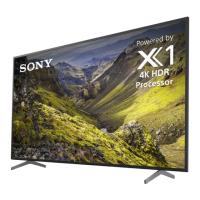
| Processor | 4K HDR Processor X1 |
| Smart Features | Google Assistant, Chromecast built-in |
| HDMI Ports | 4 |
| USB Ports | 2 |
| Bluetooth | Yes |
| Resolution | 3840 x 2160 |
| Wi-Fi | Yes |