1-5 (E)
CBK-CE01
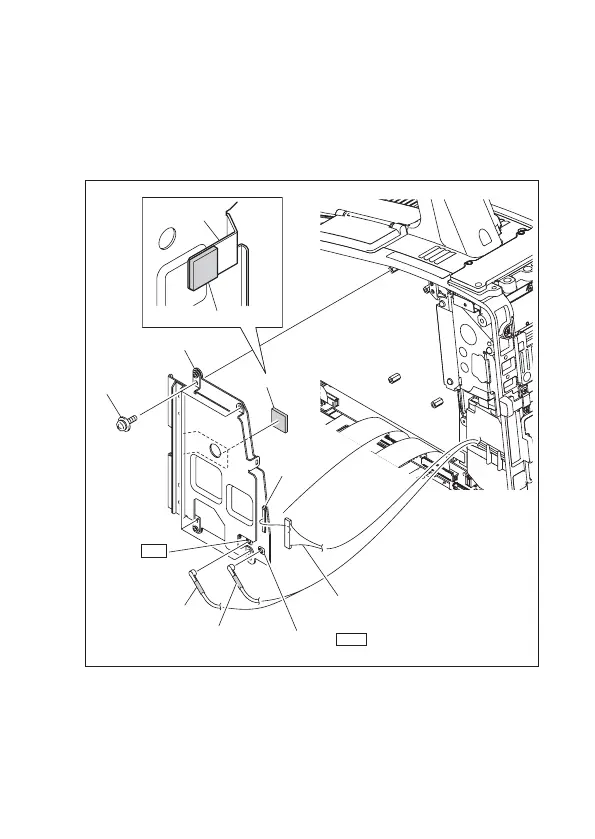
6. Remove the protection sheets on both sides of the radiation sheet and stick it on
the heatsink of the RX-119A board.
7. Install the RX-119A board with four screws (PSW2 x 5) and connect the coaxial
cable (black), coaxial cable (white), and harness to the connectors CN501 [BLK],
CN502 [WHT], and CN103 respectively on the RX-119A board.
Coaxial cable (black)
Coaxial cable (white)
CN502 WHT
CN501 BLK
CN103
Harness
PSW2 x 5
RX-119A board
Radiation sheet
Radiation sheet
Heatsink
8. Install the inside panel assembly by reversing the steps of removal.



 To Next Page