69
Additional information
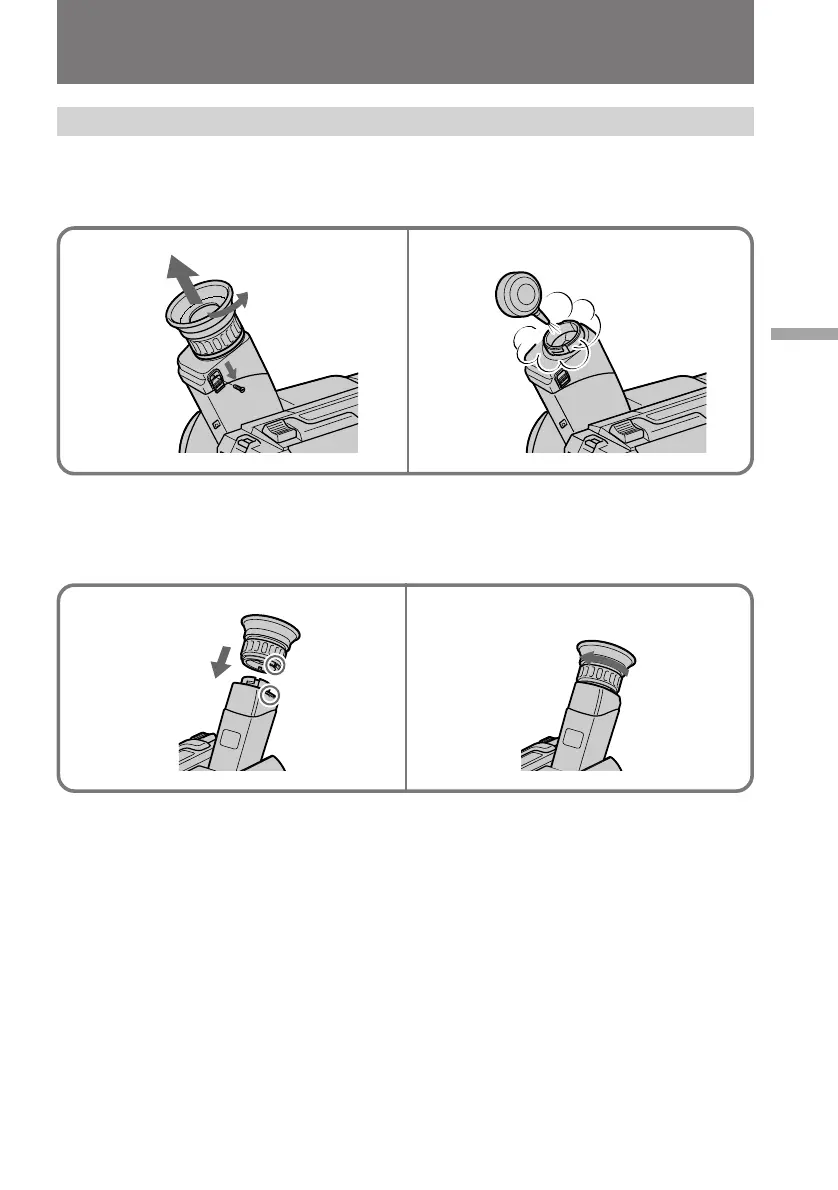
Removing dust from inside the viewfinder
(1) Remove the screw with a screwdriver (not supplied). Then, while sliding the
RELEASE knob, turn the eyecup in the direction of the arrow and pull it out.
(2) Clean the surface with a commercially available blower.
To reattach the eyecup
(1) Align the groove on the eyecup with the • mark on the barrel.
(2) Turn the eyecup in the direction of the arrow. Then replace the screw.
Caution
Do not remove any other screws. You may remove only the screw to remove the
eyecup.
Maintenance information and precautions
1
2
1
2











 To Next Page