39
Playback – Basics
Воспроизведение – Основные положения
To control the display of the
screen indicators
Press DISPLAY on your camcorder or the
Remote Commander (CCD-TRV49E/TRV59E/
TRV78E/TRV98E) supplied with your
camcorder.
The indicators appear on the LCD screen.
To make the indicators disappear, press
DISPLAY again.
DISPLAY
Playing back a tape
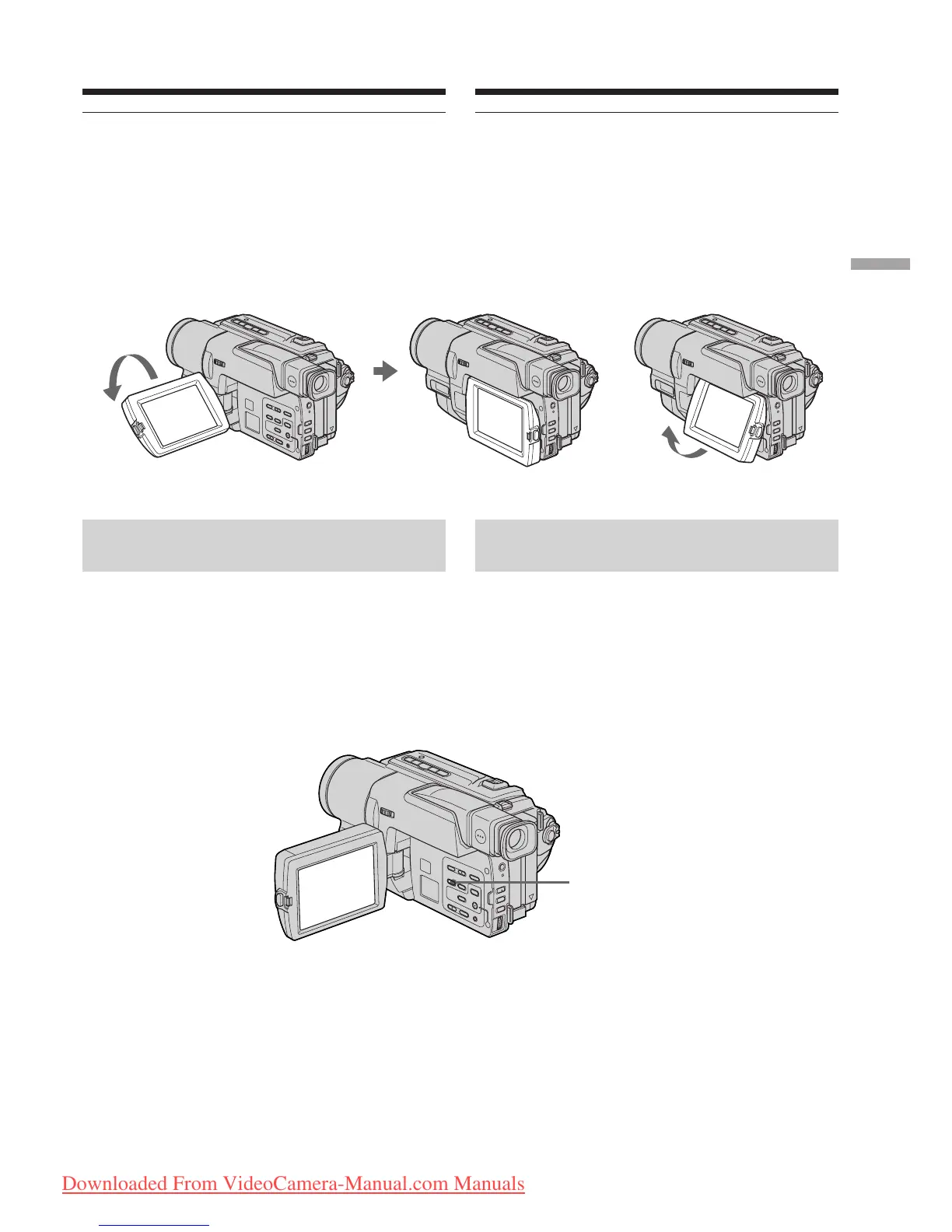
[a] [b]
When monitoring on the LCD screen
You can turn the LCD panel over and move it
back to the camcorder body with the LCD screen
facing out [a]. You can adjust the angle of the
LCD panel by lifting the LCD panel up by 23
degrees [b].
Для контроля экранных
индикаторов
Нажмите кнопку DISPLAY на Вашей
видеокамере или на пульте дистанционного
управления (модели CCD-TRV-49E/TRV59E/
TRV78E/TRV98E), который прилагается к
Вашей видеокамере.
На экране ЖКД появятся индикаторы.
Для того, чтобы индикаторы исчезли,
нажмите еще раз кнопку DISPLAY.
Воспроизведение ленты
Во время контроля на экране ЖКД
Вы можете повернуть панель управления и
придвинуть ее обратно на место к корпусу
видеокамеры, так что экран ЖКД будет
обращен наружу [a].Вы можете
отрегулировать угол панели ЖКД, подняв
панель ЖКД вверх на 23 градусов [b].
23°
Downloaded From VideoCamera-Manual.com Manuals








 To Next Page