Need help?
Do you have a question about the Sony CDX-G1170U and is the answer not in the manual?
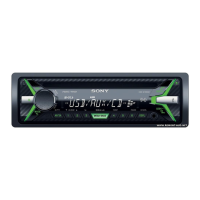
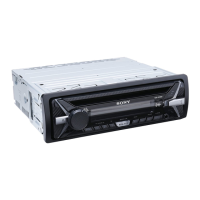
Identifies and describes the main operating controls and indicators on the front panel of the unit.
Details the controls and functions of the RM-X211 remote commander for operating the unit.
Instructions for safely removing and reattaching the detachable front panel of the unit.
Procedure to set the FM/AM tuning step according to country settings for radio reception.
Guide to adjusting the internal clock display and setting the correct time.
Steps for connecting external audio sources like USB devices and portable audio players.
Details on automatically and manually tuning, storing, and receiving preset radio stations.
Information on selecting program types and utilizing RDS clock time synchronization.
Instructions for inserting and playing audio CDs and connecting/playing music files from a USB device.
Methods for searching and playing tracks using modes like Quick-BrowZer and jump mode.
Procedure to disable the demonstration display that appears when the unit is off.
Overview of accessing and navigating general, sound, and display setup menus.
Details on clock adjustment, tuner steps, caution alarms, auto-off, and AUX settings.
Configuration for Mega Bass, equalizer presets, balance, fader, and subwoofer levels.
Settings for demonstration, black out, dimmer, sound sync, and auto scroll display features.
Important safety guidelines, handling heat, dust, and moisture condensation.
Guidelines for handling discs, including compatibility, unplayable types, and CD-R/RW notes.
Instructions for replacing the battery in the remote commander.
Procedure for cleaning the connectors between the unit and the front panel for proper function.
Details on FM and AM tuning ranges, steps, sensitivity, and frequency response.
Technical details for CD/USB playback, including codecs, limits, and interface.
Output power, impedance, dimensions, power requirements, and package contents.
Common problems like no power, no sound, memory loss, and fuse issues.
Troubleshooting for demonstration mode, display issues, radio reception, and RDS.
Resolving issues with CD/USB playback, file compatibility, and error messages.
Resolving issues like no playable files, USB overload, disc ejection, and character display.
Important safety guidelines for wiring, mounting location, and hardware usage during installation.
Inventory of installation parts and guidance on adjusting the unit's mounting angle.
Illustrates how to connect speakers, power, antenna, and other accessories.
Detailed steps for connecting power, ground, antenna, and remote amplifier signals.
Instructions for connecting a subwoofer directly to a rear speaker cord.
Steps to detach the protection collar and mounting bracket before installing the unit.
Guide to positioning and securing the unit within the vehicle's dashboard.
Steps to attach the unit to the bracket, replace the fuse, and specific mounting for Japanese cars.
 General
| CD Playback | Yes |
|---|---|
| MP3 Playback | Yes |
| USB Input | Yes |
| Display Type | LCD |
| AUX Input | Yes |
| WMA Playback | Yes |
| FLAC Playback | No |
| Detachable Faceplate | Yes |
| Channels | 4 |
| CD-R/RW Playback | Yes |
| Bluetooth | No |
| Remote Control | No |
| RMS Power Output | 17W x 4 |
| Radio Tuner | AM/FM |
| Power Output | 55W x 4 |

 To Next Page