EasyManua.ls Logo

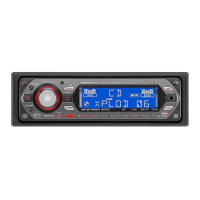
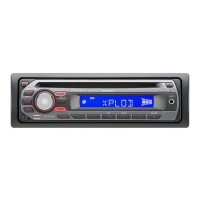
Sony CDX-GS500R - User Manual

Sony CDX-GS500R
43 pages
Print Icon
To Next Page IconTo Next Page
Loading...
4-427-706-11(1)
CDX-GS500R
FM/AM
Compact Disc
Player
Owner’s Record
The model and serial numbers are located on the bottom of the unit.
Record the serial number in the space provided below.
Refer to these numbers whenever you call upon your Sony dealer
regarding this product.
Model No. CDX-GS500R Serial No.
To cancel the demonstration (DEMO) display, see page 6.
Pour annuler l’affichage de démonstration (DEMO), reportez-
vous à la page 5.
Operating Instructions GB
Mode d’emploi FR

Other manuals for Sony CDX-GS500R

Question and Answer IconNeed help?

Do you have a question about the Sony CDX-GS500R and is the answer not in the manual?

Summary

Safety and Regulatory Information

FCC Compliance and Warnings

Details on FCC compliance, limits for digital devices, and potential interference causes.

General Cautions

Specific warnings regarding optical instrument use and California perchlorate material.

Getting Started

Control Layout

Main Unit Controls

Identification and function of controls on the main unit.

Remote Commander Usage

RM-X211 Remote Control Layout

Identification and function of controls on the RM-X211 remote commander.

Radio Operations

Station Tuning and Storage

Procedures for tuning, storing, and receiving radio stations.

CD Player Operations

Playing a Disc

Instructions for inserting and playing a CD disc.

USB Device Operations

Connecting and Playing USB Devices

Guide to connecting USB devices and playing back files.

iPod and iPhone Operations

Playing Back iPod

Steps for connecting and playing music from an iPod.

Pandora Internet Radio

Streaming Pandora via USB

Instructions for streaming Pandora internet radio from an iPhone.

App Remote Connectivity

Two-Way Music Control with iPhone

Enabling two-way music control between the unit and iPhone.

Track Searching and Playback

Playing Tracks in Various Modes

How to listen to tracks in repeat or random (shuffle) play modes.

Advanced Track Searching

Searching by Skip Items (Jump Mode)

Quickly searching items in categories using jump mode.

Illumination and Color Customization

Changing Display and Button Colors

Adjusting display and button colors using preset options.

Sound Settings and Setup Menu

Selecting Sound Quality (EQ7)

Choosing from 7 equalizer presets or custom settings.

Sound Optimization Features

Adjusting Listening Position

Fine-tuning the listening position for optimal sound staging.

Subwoofer and Bass Enhancer Setup

Rear Bass Enhancer Setup

Configuring the Rear Bass Enhancer for speaker output.

Using Optional Equipment

Auxiliary Audio Device Connection

Connecting and adjusting volume for auxiliary audio devices.

SiriusXM Connect Tuner Setup

Connecting and setting up a SiriusXM Connect tuner.

Troubleshooting Specific Issues

Playback and Display Problems

Troubleshooting playback errors, display issues, and file playback.

Radio and CD Playback Issues

Resolving problems with radio reception and CD playback.

USB Playback Error Messages

Troubleshooting: App and Service Issues

Troubleshooting: Tuner and System Errors

Support and Contact Information

Installation and Connections Guide

General Installation Cautions

Important safety precautions before installing the unit.

Wiring Diagrams and Connections

Component Identification

Identification of various components and connectors for wiring.

Mounting and Installation Procedures

Mounting Angle and Car Fitment

Guidance on mounting angle and ensuring fit in car dashboards.

Front Panel Management

Procedures for detaching and attaching the front panel.

Vehicle-Specific Mounting

Sony CDX-GS500R Specifications

General IconGeneral
BrandSony
ModelCDX-GS500R
CategoryCar Receiver
LanguageEnglish

Related product manuals