Digital Still Camera
DSC-QX10/QX100
White Balance
Adjusts color tones according to the surrounding light conditions.
1. Connect the camera and the smartphone via Wi-Fi, then touch (Settings).
The setting screen is displayed.
2. [White Balance] desired mode
Menu items
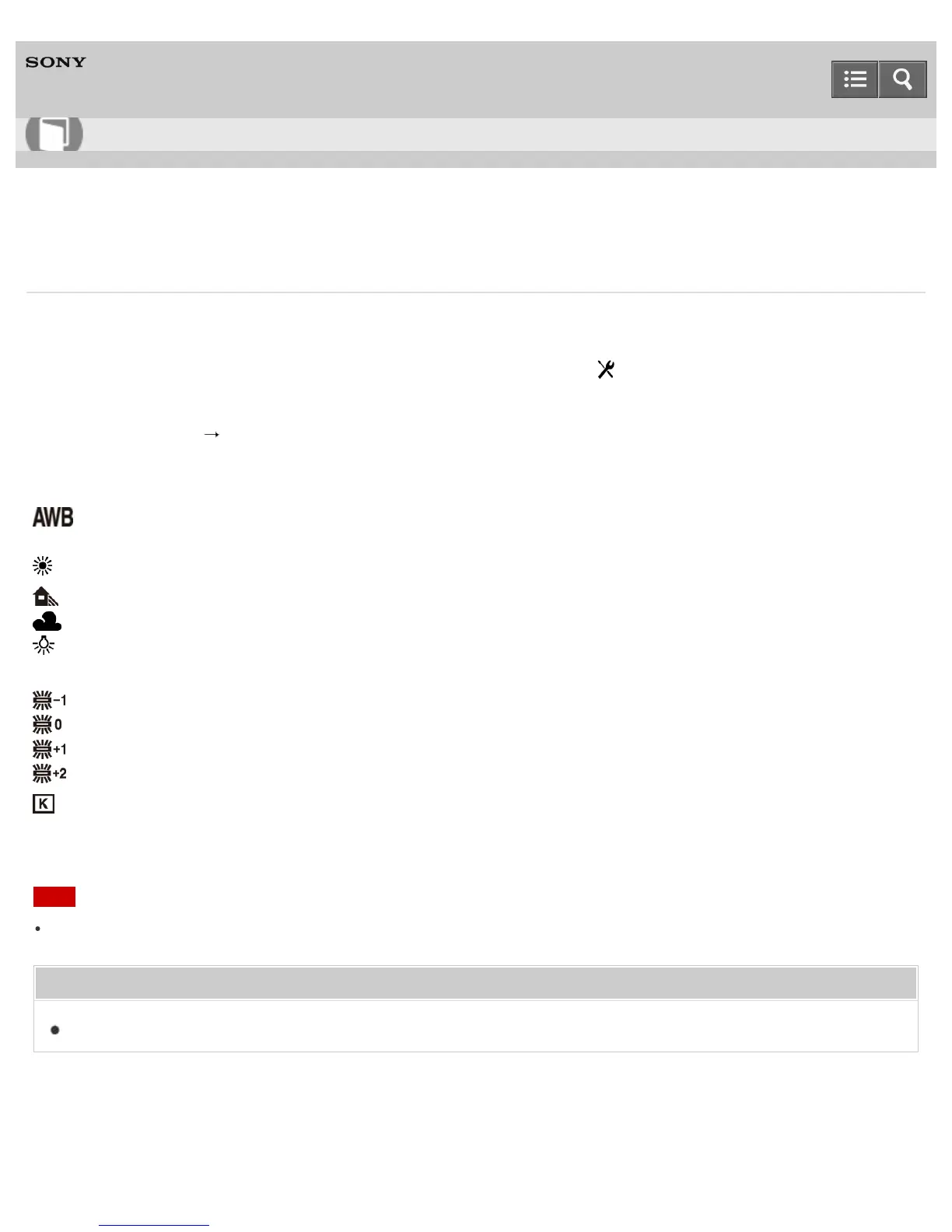
(Auto WB)(Default setting): Adjusts the white balance automatically so that the colors appear
natural.
(Daylight): Adjusts for outdoors conditions on a fine day.
(Shade)
*
: Adjusts for a shady location.
(Cloudy): Adjusts for a cloudy sky.
(Incandescent): Adjusts for places under incandescent lamp, or under bright lighting, such as in a
photo studio.
(Fluor.: Warm White)
*
: Adjusts for warm white fluorescent lighting.
(Fluor.: Cool White): Adjusts for cool white fluorescent lighting.
(Fluor.: Day White): Adjusts for day white fluorescent lighting.
(Fluor.: Daylight): Adjusts for daylight fluorescent lighting.
(Color Temp.)
*
: Adjusts for the color temperature of the light source. Increases the value to get a
more reddish color tone, and decrease the value to get a more bluish color tone.
*
DSC-QX100 only
Note
You cannot set the white balance when [Intelligent Auto] or [Superior Auto] is set.
Related Topic
Exposure Mode
Notes on use
4-477-311-12(1)
Help Guide
How to use



 To Next Page
 Loading...