EasyManua.ls Logo

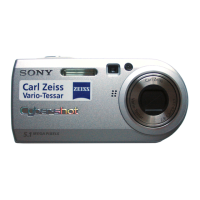
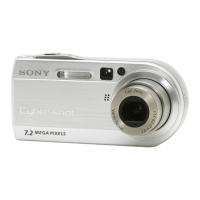
Sony Cyber-shot DSC-P1 - User Manual

Sony Cyber-shot DSC-P1
105 pages
Print Icon
To Next Page IconTo Next Page
Loading...
SERVICE MANUAL
DIGITAL STILL CAMERA
DSC-P1
Level 2
US Model
Canadian Model
AEP Model
UK Model
E Model
Hong Kong Model
Australian Model
Chinese Model
Korea Model
Tourist Model
Japanese Model
This service manual contains information for Japanese model as well.
On the BT-2, CA-66, DD-150, HI-74, MT-60, PS-440 boards
This service manual procides the information that is premised the circuit board replacement service and not intended repair inside the
BT-2, CA-66, DD-150, HI-74, MT-60, PS-440 boards.
Therefore, schematic diagram, printed wiring board and electrical parts list of the BT-2, CA-66, DD-150, HI-74, MT-60, PS-440 boards
are not shown.
The following pages are not shown.
BT-2 board
Schematic diagram .............................. Page 4-75 to 4-76
Printed wiring board ............................. Page 4-73 to 4-74
Electrical parts list................................ Page 6-5
CA-66 board
Schematic diagram .............................. Page 4-11 to 4-14
Printed wiring board ............................. Page 4-9 to 4-10
Electrical parts list................................ Page 6-5 to 6-6
DD-150 board
Schematic diagram .............................. Page 4-79 to 4-80
Printed wiring board ............................. Page 4-77 to 4-78
Electrical parts list................................ Page 6-6 to 6-7
When the machine needs to be repaired,
please refer to page 6 to discriminate the
type of LCD.
HI-74 board
Schematic diagram .............................. Page 4-43 to 4-50
Printed wiring board ............................. Page 4-39 to 4-42
Electrical parts list ................................ Page 6-7 to 6-10
MT-60 board
Schematic diagram .............................. Page 4-19 to 4-26
Printed wiring board ............................. Page 4-15 to 4-18
Electrical parts list................................ Page 6-10
PS-440 board
Schematic diagram .............................. Page 4-31 to 4-38
Printed wiring board ............................. Page 4-27 to 4-30
Electrical parts list ................................ Page 6-10 to 6-11
The above-described information is shown in service manual
Level 3.
Ver 1.0 2000. 10


Table of Contents

Questions and Answers

  • C
    Christopher HayesAug 17, 2025
    Why does my Sony Cyber-shot DSC-P1 Digital Camera not work?
    • A
      Adam HowellAug 17, 2025
      Your Sony Digital Camera may not be working due to several reasons. Ensure you are using an “InfoLITHIUM” battery pack. Try charging the battery pack. Also, make sure the camera is firmly connected to the DC IN jack and a wall outlet. If the issue persists, disconnect and then reconnect all power sources after one minute, then turn the power on to check if it works.
  • J
    Justin BrownAug 20, 2025
    Why is the picture too dark on my Sony Digital Camera?
    • C
      Cindy BensonAug 20, 2025
      If the picture on your Sony Digital Camera is too dark, try adjusting the exposure. You can also adjust the brightness of the LCD screen.
  • B
    Brandon ChambersAug 22, 2025
    What to do if my Sony Cyber-shot DSC-P1 Digital Camera battery life is short?
    • A
      Anthony RichardsonAug 22, 2025
      If you are experiencing short battery life with your Sony Digital Camera, ensure that you fully charge the battery pack. If the problem persists, consider replacing the battery pack with a new one.
  • R
    Richard McintyreAug 26, 2025
    What to do if the flash does not work on my Sony Digital Camera?
    • S
      Stephanie WaltonAug 26, 2025
      If the flash on your Sony Digital Camera is not working, set the flash to auto (no indicator). Alternatively, you can cancel the current mode or set the flash to . Also, ensure that the camera is set to STILL mode.
  • N
    Natalie MillerAug 28, 2025
    Why is the picture out of focus on my Sony Digital Camera?
    • C
      cheryl40Aug 28, 2025
      If the picture on your Sony Digital Camera is out of focus, try setting the macro recording mode. You can also press the zoom button to set it to the W (wide) side.
  • Z
    Zoe OrtizAug 30, 2025
    Why does my Sony Digital Camera not record images?
    • A
      Andrea MunozAug 30, 2025
      If your Sony Digital Camera is not recording images, make sure it is set to MOVIE or STILL mode. Also, ensure that a “Memory Stick” is inserted and that the camera is set to the recording position.
  • L
    Luke ReynoldsSep 1, 2025
    Why does the power go off on my Sony Cyber-shot DSC-P1?
    • C
      chernandezSep 2, 2025
      If the power goes off on your Sony Digital Camera even though the battery indicator shows sufficient power, fully charge the battery pack.
  • A
    Andrea BarberSep 4, 2025
    How to fix noisy picture on Sony Cyber-shot DSC-P1 Digital Camera?
    • E
      Emily CarrilloSep 4, 2025
      To fix a noisy picture on your Sony Digital Camera, move the camera away from potential sources of interference such as TVs.
  • J
    Jennifer BlackSep 6, 2025
    How to fix zoom not working on Sony Cyber-shot DSC-P1?
    • K
      Karen ReyesSep 7, 2025
      If the zoom function is not working on your Sony Digital Camera, cancel the Panfocus mode.
  • J
    James NashSep 9, 2025
    Why does my Sony Cyber-shot DSC-P1 Digital Camera cannot play back images?
    • R
      Randall SheaSep 9, 2025
      If your Sony Digital Camera is unable to play back images, ensure that the camera is set to PLAY mode.

Summary

Service Manual DSC-P1

Section 1 General Information

Identifying Camera Parts

Details and diagrams for identifying the various external components of the camera.

Safety and Handling Precautions

Essential warnings and guidelines for safe operation, storage, and handling of the camera.

Regulatory and Compliance Information

Covers FCC, EMC directives, and other compliance standards applicable to the device.

Section 2 Disassembly Procedures

Disassembly Flowchart and Overview

Provides a visual guide and sequence for the camera's disassembly process.

BT Lid Assembly Replacement

Procedure for replacing the BT lid assembly, noting variations based on model code.

Rear Cabinet, PD-137, and ZM-26 Board Replacement

Details for replacing the rear cabinet block, PD-137 board, and ZM-26 board.

SW-349 Board and LCD Module Replacement

Procedures for replacing the SW-349 board and the LCD module.

Aluminum Cabinet (Rear) Replacement Method

Method for replacing the rear aluminum cabinet assembly and related parts.

Inner Cabinet (Rear) Replacement Method

Procedure for replacing the rear inner cabinet assembly and associated components.

Jack Cover Replacement Method

Instructions for replacing the camera's jack cover.

Upper Cabinet, PW-122 Board, and Lens Block Replacement

Procedures for disassembling the upper cabinet, PW-122 board, and lens block.

CA-66, PS-440 Boards Replacement

Details for replacing the CA-66 and PS-440 circuit boards.

DD-150, ST-62, HI-74, MT-60 Boards Replacement

Procedures for replacing DD-150, ST-62, HI-74, and MT-60 circuit boards.

Circuit Boards Location Overview

Diagrams illustrating the physical placement of all major circuit boards within the camera.

Section 3 Block Diagrams

Overall Block Diagram

Provides a high-level overview of the camera's main functional blocks and their interconnections.

Power Block Diagram 1

Detailed schematic of the camera's power supply system, part 1.

Section 4 Printed Wiring Boards and Schematic Diagrams

Frame Schematic Diagrams

Overall schematic diagrams showing the frame and major board interconnections.

CD-290 (CCD Imager) PWB & Schematic

Printed wiring board and schematic for the CCD imager module.

Waveforms

Illustrations and descriptions of key signal waveforms for diagnostic purposes.

Parts Location Diagrams

Diagrams indicating the physical location of components on various circuit boards.

Section 5 Adjustments and Calibration

Discharging Flash Power Supply

Procedure to safely discharge the high-voltage capacitor in the flashlight circuit before adjustments.

Camera System: Flange Back Adjustment

Procedure for adjusting the lens flange back distance for optimal focus.

LCD System: Initial Data Input

Procedure for inputting initial data into the LCD system for proper display function.

Service Mode Operations

Instructions for operating the remote commander for calibration and data setting.

Section 6 Repair Parts List

Exploded Views of Upper Cabinet

Diagrams showing the assembly and part numbers for the upper cabinet section.

Exploded Views of Rear Panel

Diagrams showing the assembly and part numbers for the rear panel section.

Exploded Views of Main Section

Diagrams showing the assembly and part numbers for the main camera section.

Electrical Parts List (PD-137)

Detailed list of electrical components for the PD-137 board, including part numbers and specifications.

Sony Cyber-shot DSC-P1 Specifications

General IconGeneral
Image Resolution2048 x 1536
Digital Zoom2x
DisplayLCD
Screen size1.5 inches
Storage MediaMemory Stick
LensCarl Zeiss Vario-Tessar
Maximum ApertureF2.8
Aperturef/2.8 - f/5.6
ISO Sensitivity100, 200
BatteryInfoLithium

Related product manuals