110
GB
List of Control Menu Items for USB device
(DAV-DZ270 only)
Ti
• The Control Menu icon indicator lights up in yellow when you select any item except [OFF]
([PROGRAM], [SHUFFLE], [REPEAT], and [A/V SYNC] only). The [ORIGINAL/PLAY LIST] indicator lights
up in yellow when you select [PLAY LIST] (default setting).
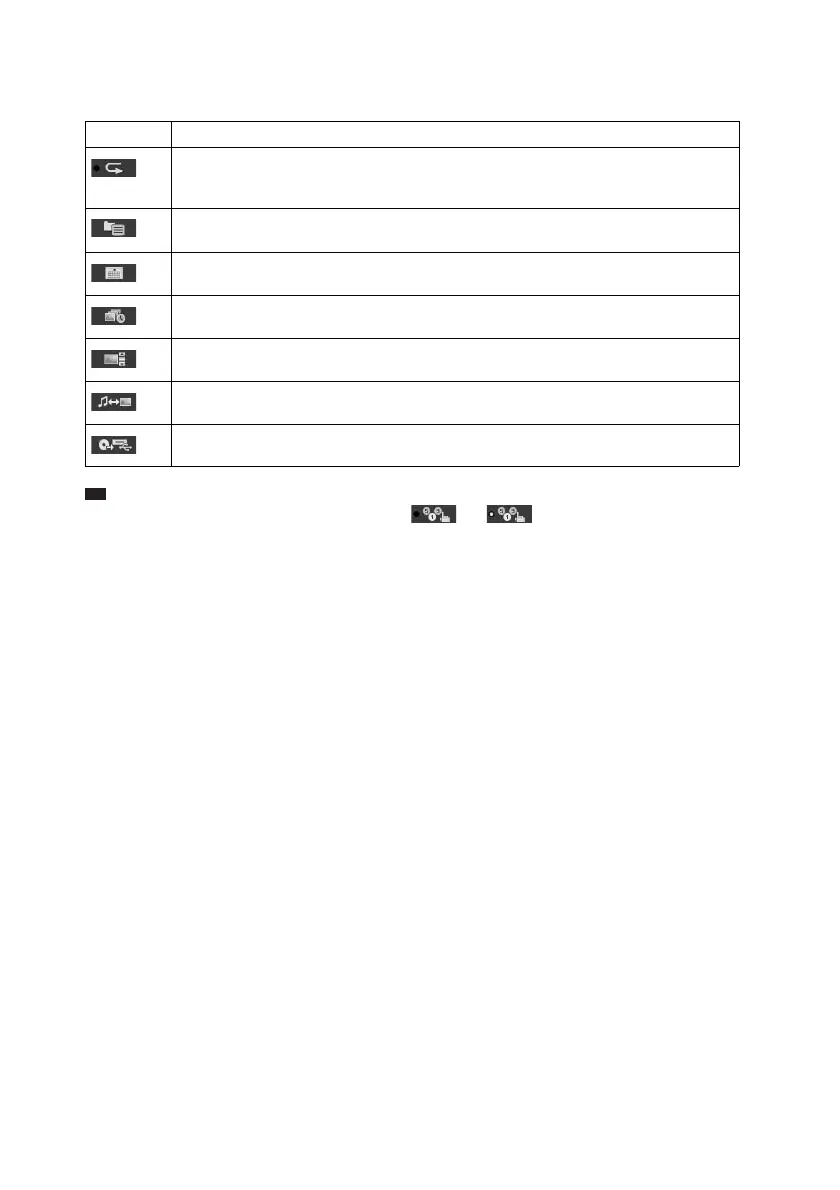
Item Item Name, Function, Relevant Disc Type
[REPEAT] (page 71)
You can play the entire USB device (all folders/all files) repeatedly or one folder/file
repeatedly.
[BROWSING] (page 70)
You can display the list of folders/JPEG image files.
[DATE] (page 72)
You can display the date the picture was taken by a digital camera.
[INTERVAL] (page 70)
You can select the duration for which the slides are displayed on the TV screen.
[EFFECT] (page 70)
You can select the effects to be used for changing slides during a slide show.
[MODE (MUSIC, IMAGE)] (pages 68, 69)
You can select the data type; audio file or JPEG image file, when playing a USB device.
[USB RECORDING] (page 73)
You can record tracks on an audio CD or copy MP3 files on an DATA CD to a USB device.
t



 To Next Page