Other Operations
85
GB
Returning to the Default
Settings
1 Press "/1 to turn on the system.
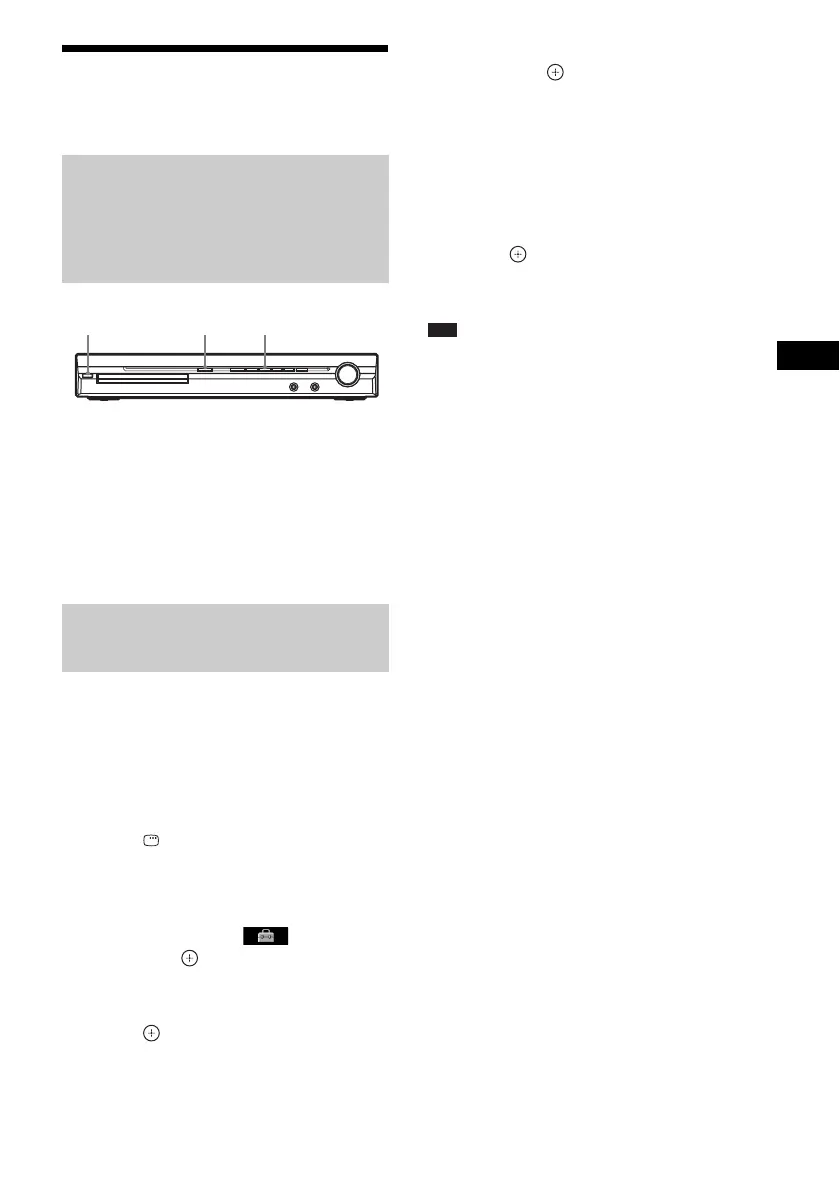
2 Press x, A, and "/1 on the unit at the
same time.
“COLD RESET” appears in the front panel
display and the system returns to default
settings.
You can return the [SETUP] settings (page 52)
other than [PARENTAL CONTROL] to the
default settings.
1 Press FUNCTION +/– repeatedly until
“DVD” appears in the front panel
display.
2 Press DISPLAY while the system is
in stop mode.
The Control Menu display appears on the
TV screen.
3 Press X/x to select [SETUP],
then press .
The options for [SETUP] appear.
4 Press X/x to select [CUSTOM], then
press .
The Setup Display appears.
5 Press X/x to select [SYSTEM SETUP],
then press .
The options for [SYSTEM SETUP] appear.
6 Press X/x to [RESET] and press c.
7 Press C/c to select [YES].
You can also quit the process and return to
the Control Menu display by selecting [NO]
here.
8 Press .
Do not press [/1 while resetting the system
as it takes a few seconds to complete.
Note
• The [MODE (MUSIC, IMAGE)], [INTERVAL],
[EFFECT], and [MULTI/2CH] settings are also
return to the default settings.
Returning the system
parameters, such as preset
stations, to the default
settings
Returning the [SETUP] settings
to the default
A
"/1
x



 To Next Page