84
GB
To check DATA CD/DATA DVD
(MP3 file/DivX video file
3)
) text
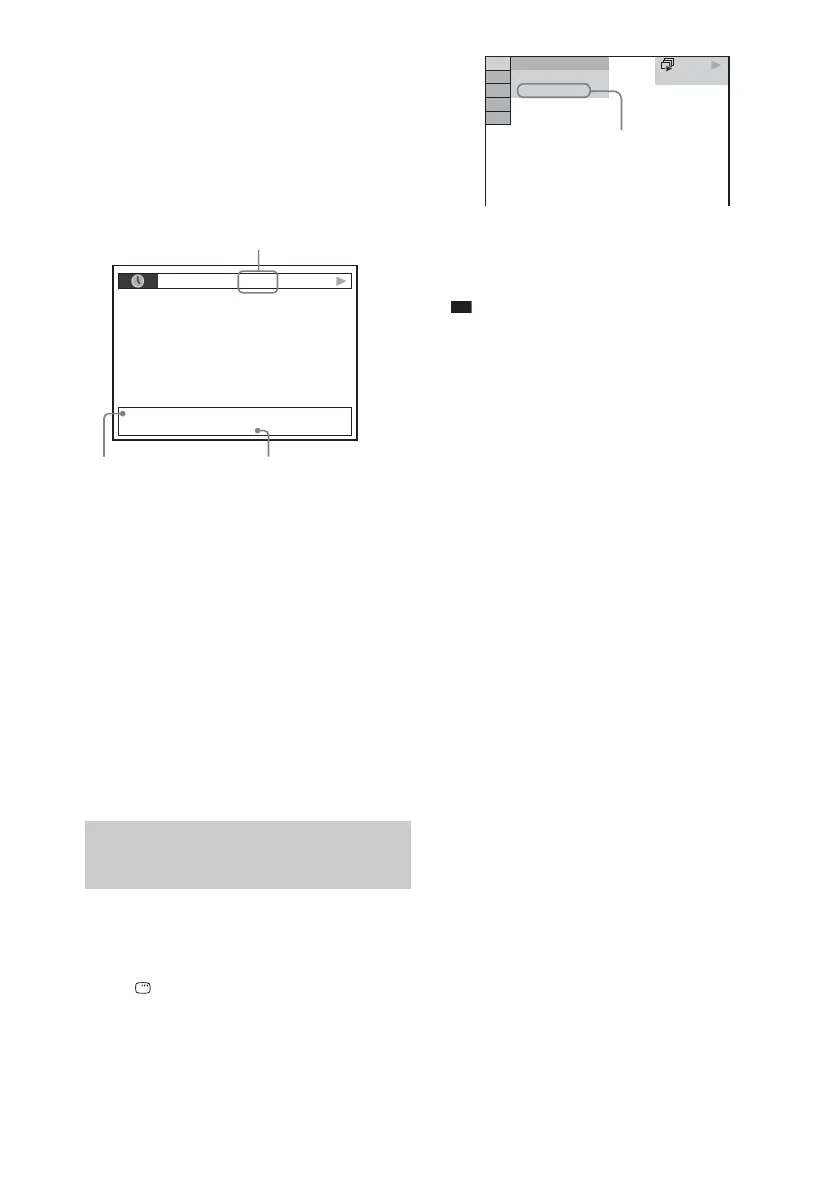
By pressing DISPLAY while playing MP3 files
or DivX video files
3)
on a DATA CD/DATA
DVD, you can display the name of the folder/
MP3 file/DivX video file
3)
, and the audio bit
rate (the amount of data per second of the
current audio) on the TV screen.
1)
Appears when:
– playing an MP3 file on a DATA CD/DATA DVD.
– playing a DivX video file that contains MP3 audio
signals on a DATA CD/DATA DVD (except for
United Kingdom and North American models).
2)
If an MP3 file has the ID3 tag, the system will display
a folder name/track (file) name from the ID3 tag
information.
The system can support ID3 ver 1.0/1.1/2.2/2.3.
ID3 ver 2.2/2.3 tag information display has priority
when both ID3 ver 1.0/1.1 and ver 2.2/2.3 tags are
used for a single MP3 file.
3)
Except for United Kingdom and North American
models.
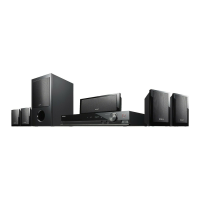
You can check the date information during
playback when the Exif* tag is recorded in the
JPEG image file.
Press DISPLAY twice during playback.
The Control Menu display appears on the TV
screen.
* “Exchangeable Image File Format” is a digital
camera image format defined by the Japan
Electronics and Information Technology Industries
Association (JEITA).
Ti
• Date information is [MM/DD/YYYY].
MM: Month
DD: Day
YYYY: Year
• Date information varies depending on the area.
Checking the date information
of JPEG image file
T 0: 13 192k MP3
2002_Remixes
Soul_Survivor_rap_version
Bit rate
1)
Folder name
2)
MP3 File
2)
/DivX video file
3)
name
DATA CD JPEG
10( 15)
5( 8)
9/18/2002
Date information



 To Next Page