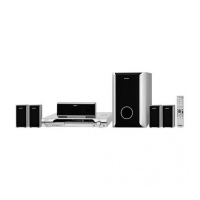
SUBWOOFER
SUR L
SUR R
FRONT R
CENTER
FRONT L
Main unit
4-262-756-11(1)
©2011 Sony Corporation Printed in China
(1)
Quick Setup Guide
1
Connecting the speakers
Rear panel of the main unit
SPEAKERS
SUR R
SUR L
TV
OPTICAL
DIGITAL
IN
SPEAKERS
SUBWOOFER
CENTER
FRONT R
FRONT L
TV
R
Green
Purple
Red
White
Blue
Gray
2
Connecting your TV/set-top box
DAV-DZ340/DZ740
Depending on the jacks on your TV or set-top box, select the video and audio connection method.
Connecting the video to your TV
VIDEO
EURO AV
OUTPUT(TO TV)
EURO AV
Method 1*
Method 2*
*Not supplied.
Connecting the audio from your set-top box
If you do not use a set-top box, refer to “Connecting your TV/set-top box” in the Operating Instructions.
AUDIO
TV
OPTICAL
DIGITAL
IN
COAXIAL
DIGITAL OUT
DIGITAL OUT
COAXIAL
OPTICAL
TV
AUDIO OUT
L
R
TV/VIDEO
OPTICAL
DIGITAL OUT
Not supplied
For details, refer to the Operating Instructions.
DAV-DZ340 is the model used for illustration purposes.
For DAV-DZ740, speaker assembly is necessary. Refer to the supplied “Speaker Installation Guide.”
For all models, connect the speaker cords to match the color of the SPEAKERS jacks of the unit.
To connect speaker cords to the speaker
Connect the cord so that the cord’s color tube
matches the color of the label on the rear of the
speaker.
Rear of the front, surround, and center
speakers



 To Next Page