Various Functions for Playing Discs
47
GB
x When playing a VIDEO CD (with PBC
functions)
• **:**
Playing time of the current scene
x When playing a VIDEO CD (without
PBC functions) or CD
• T **:**
Playing time of the current track
• T–**:**
Remaining time of the current track
• D **:**
Playing time of the current disc
• D–**:**
Remaining time of the current disc
x When playing a DATA CD (MP3
audio) or DATA DVD (MP3 audio)
• T **:**
Playing time of the current track
x When playing a DATA CD (DivX
video) or DATA DVD (DivX video)
• **:**:**
Playing time of the current file
Note
• Only alphabetical letters and numbers can be
displayed.
• Depending on the type of disc being played, the
system can only display a limited number of
characters. Also, depending on the disc, not all text
characters will be displayed.
Checking the play information
of the disc
To check DVD/CD text
Press DISPLAY repeatedly in Step 2 to display
text recorded on the DVD/CD.
The DVD/CD text appears only when text is
recorded in the disc. You cannot change the text.
If the disc does not contain text, “NO TEXT”
appears.
To check DATA CD/DATA DVD
(MP3 audio/DivX video) text
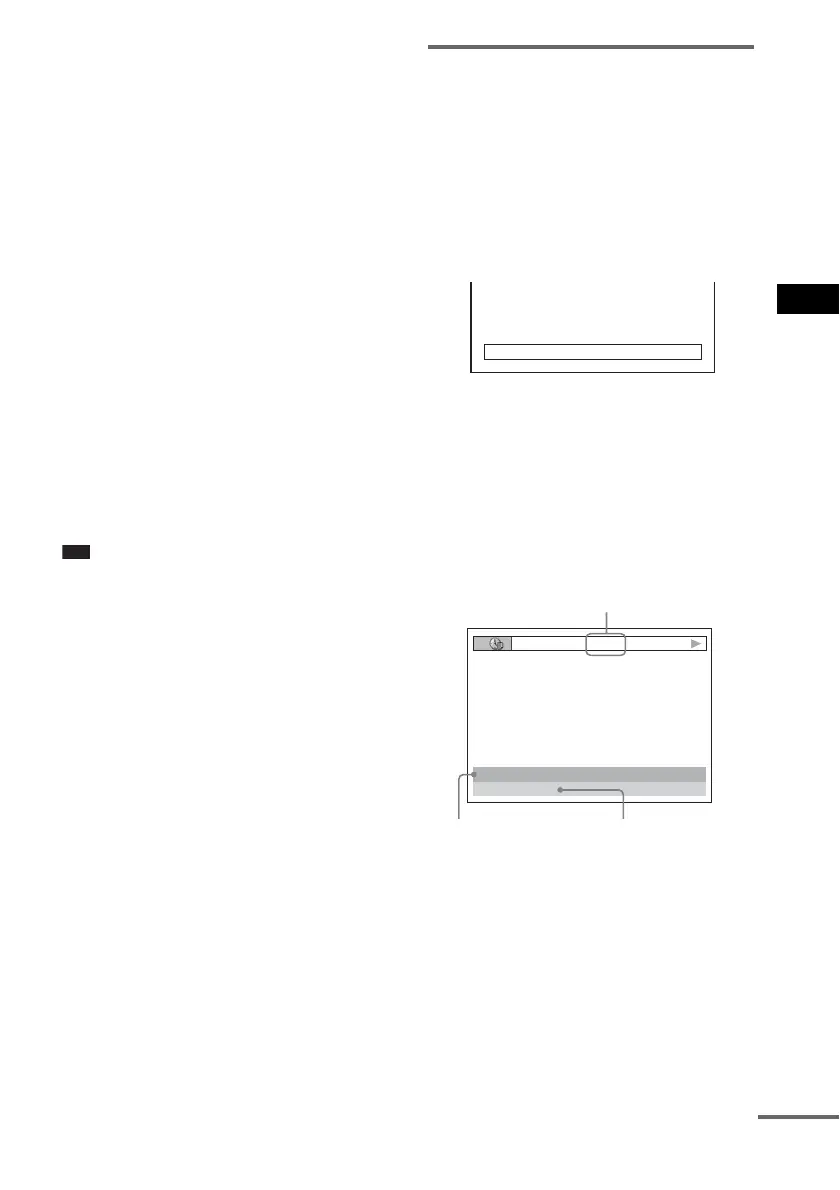
By pressing DISPLAY while playing MP3
audio tracks or DivX video files on a DATA
CD/DATA DVD, you can display the name of
the album/track/file, and the audio bit rate (the
amount of data per second of the current audio)
on your TV screen.
* Appears when:
– playing an MP3 audio track on DATA CDs/DATA
DVDs.
– playing a DivX video file that contains MP3 audio
signals on DATA CDs/DATA DVDs.
BRAHMS SYMPHONY
17:30T
JAZZ
RIVER SIDE
128k
Bit rate*
Album name Track/file name
continued



 To Next Page