72
GB
5 Press C/c to select a setting.
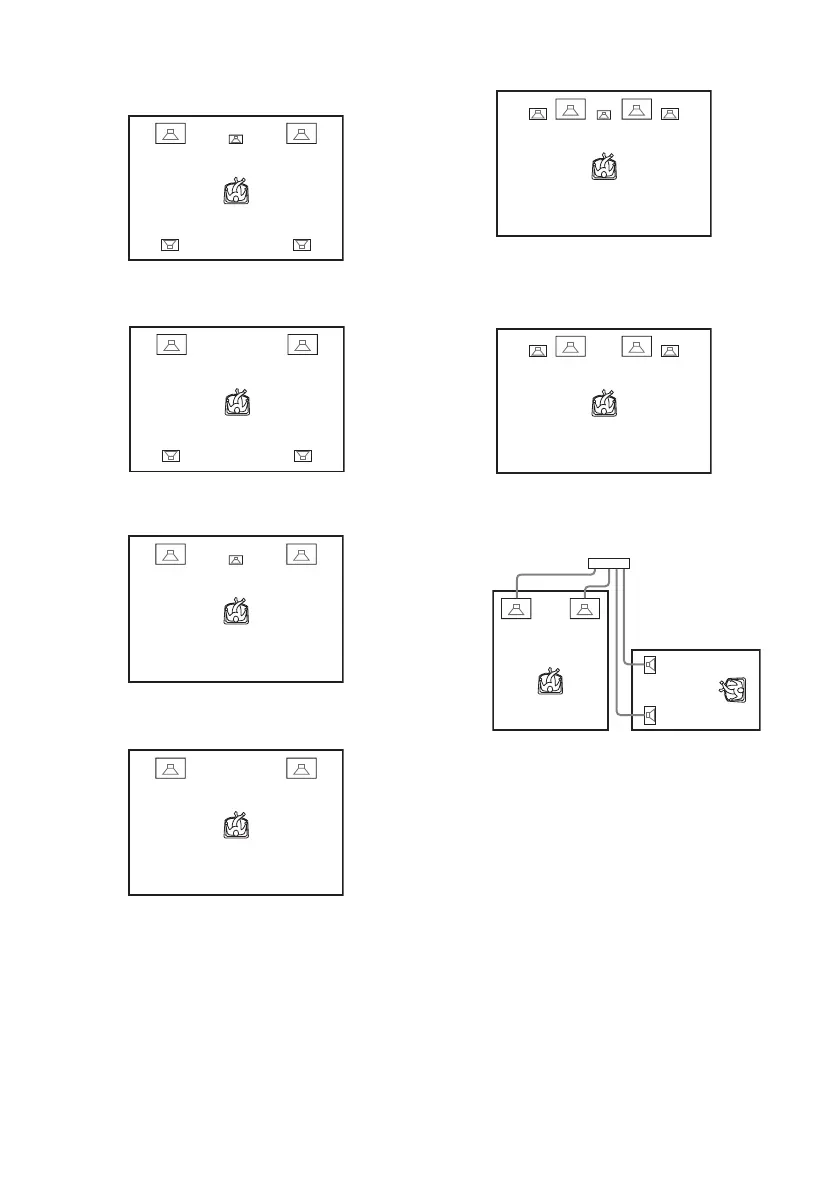
• [STANDARD]: when installing all the
speakers normally.
• [NO CENTER]: when installing the front
and surround speakers.
• [NO SURROUND]: when installing the
center and front speakers.
• [FRONT ONLY]: when installing the
front speakers.
• [ALL FRONT]: when installing all the
speakers in front of the listening position.
• [ALL FRONT - NO CENTER]: when
installing the front and surround speakers
in front of the listening position.
• [SECOND ROOM]: when installing the
front speakers in one room and surround
speakers in another.
6 Press ENTER.
The selected setting takes effect.



 To Next Page