Playback
45
GB
You can check the audio information by
pressing AUDIO (page 38). When playing a
karaoke DVD, [ ] appears as the current audio
format.
Example:
Displaying the
Information of a Disc/
USB Device
Press DISPLAY repeatedly during
playback.
Information on the TV screen
1 [T **:**:**/C **:**:**/D **:**:**]
Playing time of the current item
“T” stands for title/track, “C” stands for
chapter, and “D” stands for disc.
[T-**:**:**/C-**:**:**/D-**:**:**]
Remaining time of the current item
“T” stands for title/track, “C” stands for
chapter, and “D” stands for disc.
[**:**:**]
Playing time of the current scene/video file
2 Bit rate
Appears when playing an audio file.
3 File type
Appears when playing an audio/video file.
4 Folder/file name
Appears when playing an audio file/JPEG
image file/video file.
If an MP3 file has an ID3 tag, the system
will display an album name/title name from
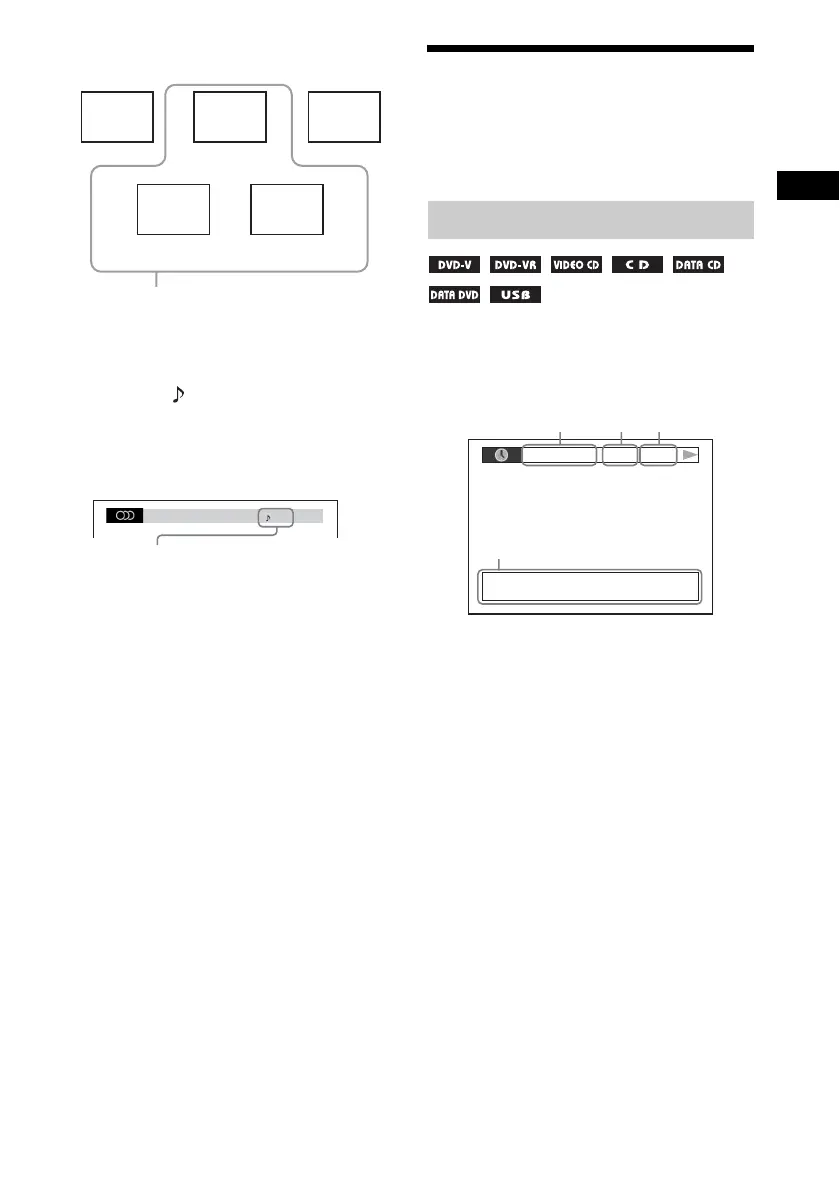
Guide melody
Accompaniment
Accompaniment
Guide vocal 1
Guide vocal 2
You can select any of these. These are output
from the respective speakers.
Front
(L)
Front
(R)
Center
Surround
(L)
Surround
(R)
1: ENGLISH
DOLBY DIGITAL 3 / 2
2/0: Recorded only with
accompaniment.
3/0: Recorded with guide melody.
3/1: Recorded with guide melody and
one guide vocal.
3/2: Recorded with guide melody and
two guide vocals.
Viewing playback information
Dvorak/Tchaikovsky/NedPho/Kreizberg
Adagio - Allegro molto
192k MP3T 0: 13
4, 5



 To Next Page