EasyManua.ls Logo

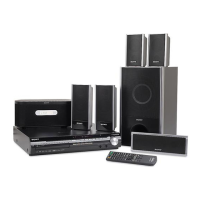
Sony DAV-HDX975WF - User Manual

Sony DAV-HDX975WF
128 pages
Print Icon
To Next Page IconTo Next Page
Loading...
©2008 Sony Corporation
3-283-033-12(1)
DVD Home Theatre
System
Operating Instructions
DAV-HDX575WC / HDX578W / HDX678WF / HDX975WF

Table of Contents

Other manuals for Sony DAV-HDX975WF

Question and Answer IconNeed help?

Do you have a question about the Sony DAV-HDX975WF and is the answer not in the manual?

Summary

Safety and Precautions

Important Safety Instructions

Key warnings and guidelines to ensure safe operation and prevent hazards.

Owners Record

Section for recording system model and serial numbers for reference.

Getting Started: Unpacking and Assembly

Unpacking Components

Details the process of unpacking all system components and accessories before setup.

Assembling the Speakers

Step-by-step guide on how to assemble the speaker stands and attach speakers.

Getting Started: System Setup

Positioning the System

Guidance on optimal placement of speakers and system components for surround sound.

Connecting the System

Detailed connection diagrams for speakers, TV, and other audio/video sources.

Initial Setup Procedures

Performing the Quick Setup

Basic system adjustments including language, TV type, and speaker setup.

Video Output Settings

Configuration of video signal output to match connected TV.

Sound Adjustment

Enjoying Surround Sound by Decoding Mode

Selection of pre-programmed modes to enhance surround sound experience.

Selecting the Sound Mode

Choosing suitable sound modes for movies, music, sports, and news.

Disc Playback Operations

Playing a Disc

Instructions for loading, playing, and controlling playback of various disc types.

Using Play Modes

Options for program play, shuffle play, and repeat play.

Playing MP3;JPEG Files

Guide to playing audio and image files from data discs.

Tuner Operations

Presetting Radio Stations

Procedure for storing FM and AM radio stations.

Listening to Radio Stations

Tuning into preset and non-preset radio stations.

HDMI Control and BRAVIA Sync

Using the Control for HDMI Function

Enabling simplified operation between compatible Sony components via HDMI.

Wireless S-AIR System

Using S-AIR Products

Overview of S-AIR products and establishing wireless sound transmission.

Establishing S-AIR Transmission (ID Setting)

Setting unique IDs to establish reliable wireless sound transmission.

Optimizing Surround Sound

Optimizing Surround Sound for Room

Adjusting speaker settings based on room acoustics and layout.

Automatic Settings Calibration

Using the calibration microphone for automatic surround sound setup.

Remote Control and System Operations

Controlling the TV with the Remote

Instructions for programming the remote to control the TV.

Returning to Default Settings

Resetting system parameters and setup settings to factory defaults.

Troubleshooting

Troubleshooting Common Issues

Solutions for power, picture, sound, and operation problems.

Troubleshooting S-AIR Issues

Resolving problems related to wireless S-AIR connection and sound.

Reference Information

System Specifications

Technical details and specifications of the audio system and components.

Index and Overviews

Lists of parts, controls, and indicators for easy reference.

Summary

Safety and Precautions

Important Safety Instructions

Key warnings and guidelines to ensure safe operation and prevent hazards.

Owners Record

Section for recording system model and serial numbers for reference.

Getting Started: Unpacking and Assembly

Unpacking Components

Details the process of unpacking all system components and accessories before setup.

Assembling the Speakers

Step-by-step guide on how to assemble the speaker stands and attach speakers.

Getting Started: System Setup

Positioning the System

Guidance on optimal placement of speakers and system components for surround sound.

Connecting the System

Detailed connection diagrams for speakers, TV, and other audio/video sources.

Initial Setup Procedures

Performing the Quick Setup

Basic system adjustments including language, TV type, and speaker setup.

Video Output Settings

Configuration of video signal output to match connected TV.

Sound Adjustment

Enjoying Surround Sound by Decoding Mode

Selection of pre-programmed modes to enhance surround sound experience.

Selecting the Sound Mode

Choosing suitable sound modes for movies, music, sports, and news.

Disc Playback Operations

Playing a Disc

Instructions for loading, playing, and controlling playback of various disc types.

Using Play Modes

Options for program play, shuffle play, and repeat play.

Playing MP3;JPEG Files

Guide to playing audio and image files from data discs.

Tuner Operations

Presetting Radio Stations

Procedure for storing FM and AM radio stations.

Listening to Radio Stations

Tuning into preset and non-preset radio stations.

HDMI Control and BRAVIA Sync

Using the Control for HDMI Function

Enabling simplified operation between compatible Sony components via HDMI.

Wireless S-AIR System

Using S-AIR Products

Overview of S-AIR products and establishing wireless sound transmission.

Establishing S-AIR Transmission (ID Setting)

Setting unique IDs to establish reliable wireless sound transmission.

Optimizing Surround Sound

Optimizing Surround Sound for Room

Adjusting speaker settings based on room acoustics and layout.

Automatic Settings Calibration

Using the calibration microphone for automatic surround sound setup.

Remote Control and System Operations

Controlling the TV with the Remote

Instructions for programming the remote to control the TV.

Returning to Default Settings

Resetting system parameters and setup settings to factory defaults.

Troubleshooting

Troubleshooting Common Issues

Solutions for power, picture, sound, and operation problems.

Troubleshooting S-AIR Issues

Resolving problems related to wireless S-AIR connection and sound.

Reference Information

System Specifications

Technical details and specifications of the audio system and components.

Index and Overviews

Lists of parts, controls, and indicators for easy reference.

Sony DAV-HDX975WF Specifications

General IconGeneral
Audio Channels5.1
Total Power Output1000 W
DVD PlaybackYes
Blu-ray PlaybackNo
Wireless Rear SpeakersYes
HDMI Outputs1
USB PlaybackYes
FM TunerYes
Dimensions (Main Unit)430 x 64 x 305 mm
Weight (Main Unit)3.5 kg
BluetoothNo
Optical Digital Input1
Speaker TypeSatellite
Subwoofer TypeActive
Remote ControlYes

Related product manuals