Page 4 of 11 Last Modified: 8/12/03
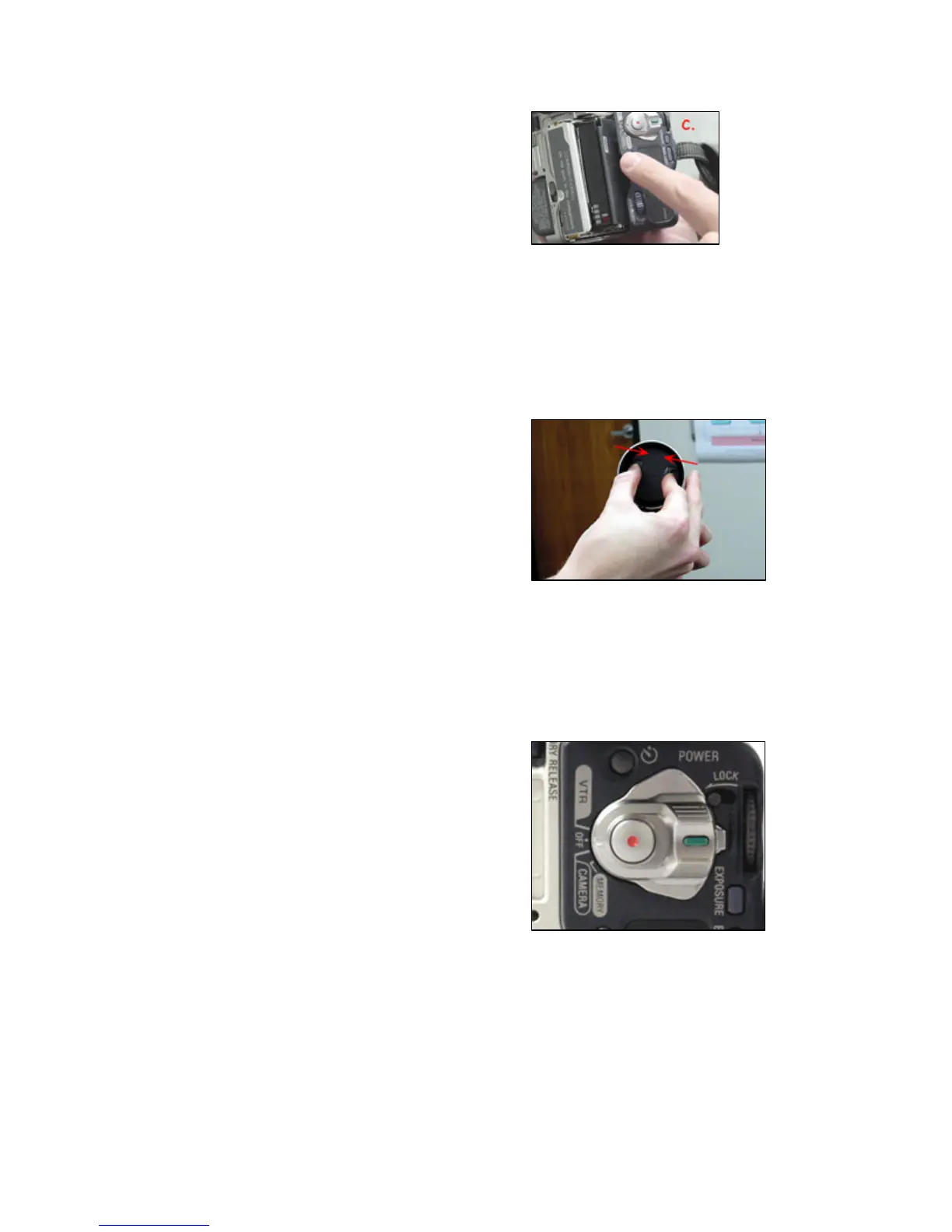
c. After inserting the tape gently push
the tape compartment closed.
d. Close the cover.
Eject the DV tape:
To eject the tape simply repeat the steps
to “Inserting a DV tape.”
Lens Cover
To remove the lens cover:
On lens cover, press the finger tabs to
release the cover.
To replace the lens cover:
Press the finger tabs and release them
when the cover is on the lens.
Note: Always replace the lens cover when not in
use.
CAMERA/VTR/Memory Power
Switch
a. CAMERA: Records digital video.
b. VTR: This setting is for playback of
recorded video.
c. MEMORY: This setting is designed
to work with the memory stick to
take still photographs. Set switch to
MEMORY, select photo image,
press PHOTO until still photo is
taken.
Note: The Memory feature cannot be used
for video.
Note: The CAMERA/VTR/MEMORY Power
Switch includes a lock (See image) to ensure
that the setting will not move during
utilization.
Note: If the camera is not in use the camera
will automatically shut itself off after five
minutes.















 To Next Page