33
Getting Started Préparatifs
3
FN
SETUP MENU
CLOCK SET
USB STREAM
LANGUAGE
DEMO MODE
EXIT
RET.
EXEC
––:––:––
5
9
6
7
8
SETUP MENU
CLOCK SET
USB STREAM
LANGUAGE
DEMO MODE
EXIT
RET.
EXEC
SETUP MENU
CLOCK SET
USB STREAM
LANGUAGE
DEMO MODE
EXIT
RET.
EXEC
2003
1
1
0 00 17 00
17 30
SETUP MENU
CLOCK SET
USB STREAM
LANGUAGE
DEMO MODE
EXIT
RET.
EXEC
2003
7
4
2003
7
4
SETUP MENU
CLOCK SET
USB STREAM
LANGUAGE
DEMO MODE
EXIT
RET.
EXEC
SETUP MENU
CLOCK SET
USB STREAM
LANGUAGE
DEMO MODE
EXIT
RET.
EXEC
47
2003
17:30:20
2003
1
1
0 00
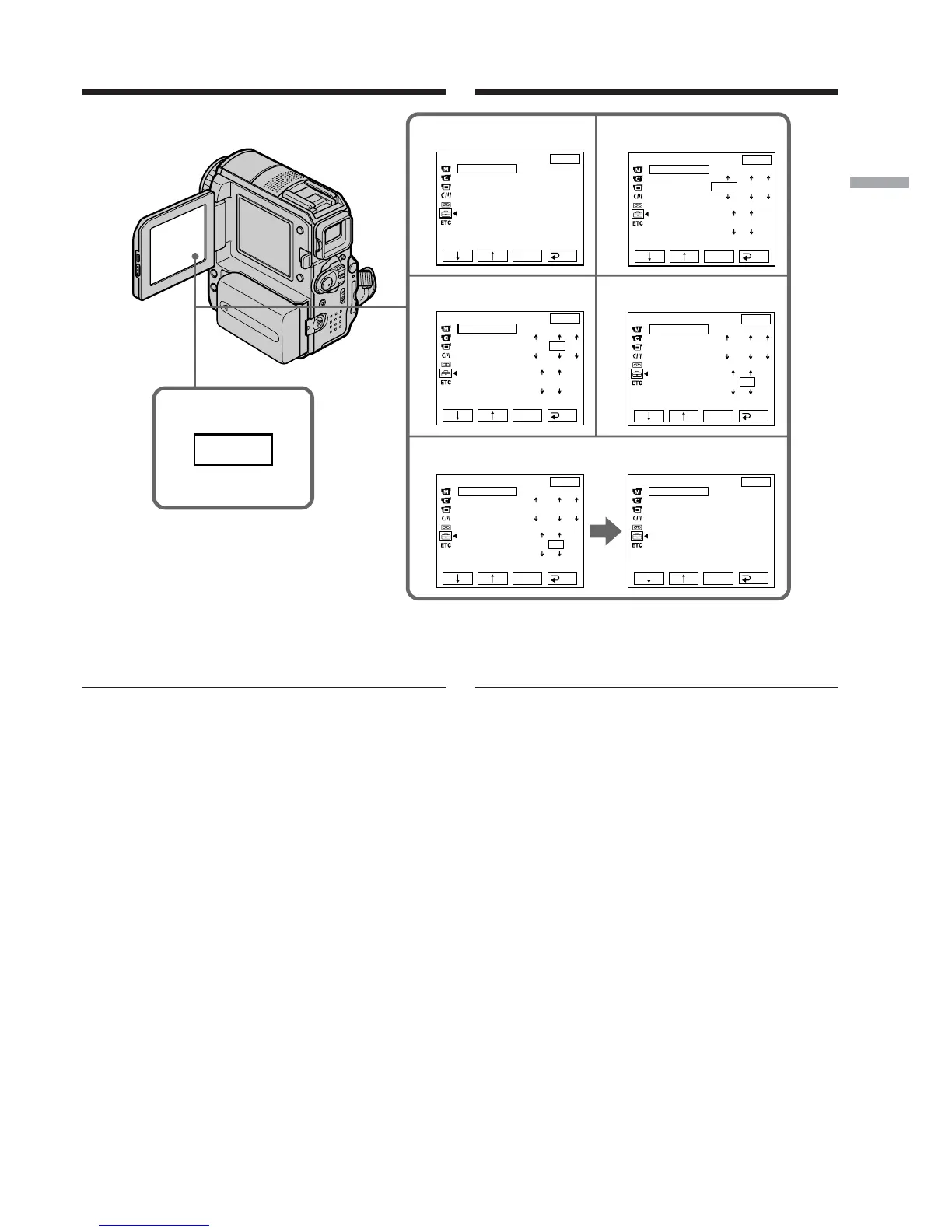
Step 3 Setting the date and time
To return to FN (Function)
Press EXIT.
Note on the time indicator
The internal clock of your camcorder uses a
24-hour cycle.
Etape 3 Réglage de la date et de
l’heure
Pour revenir à FN (Fonction)
Appuyez sur EXIT.
Remarque sur l’indicateur horaire
L’horloge interne de votre caméscope utilise un
cycle de 24 heures.














 To Next Page