EasyManua.ls Logo

Sony DCX-930 - Page 30

Sony DCX-930
158 pages
Print Icon
To Next Page IconTo Next Page
To Previous Page IconTo Previous Page
Loading...
Adjusting
the
Black
Balance
In
the
following
cases,
it
is
necessary
to
adjust
the
black
balance
so
that
the
lower
video
level
portions
of
the
output
image
are
of
correct
tones:
¢
when
using
the
camera
for
the
first
time;
e
when
using
the
camera
after
a
week
or
longer
period
without
using
it;
or
¢
when
using
the
camera
after
the
temperature
has
changed
dramatically.
The
black
balance
setting
is
preserved
even
when
you
turn
off
the
power,
and
it
is
not
normally
necessary
to
re-adjust
it
after
you
turn
on
the
power
again.
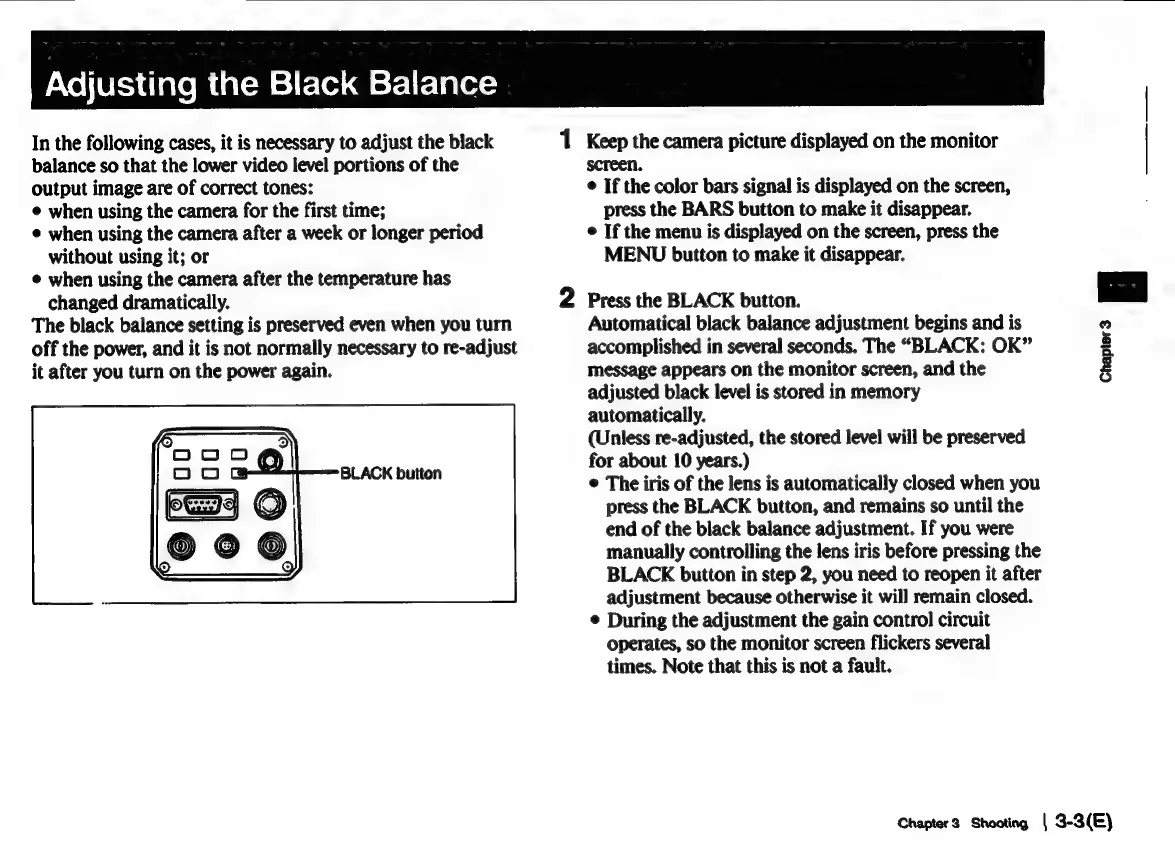
2
Press
the
BLACK
button.
screen.
¢
If
the
color
bars
signal
is
displayed
on
the
screen,
press
the
BARS
button
to
make
it
disappear.
©
If
the
menu
is
displayed
on
the
screen,
press
the
MENU
button
to
make
it
disappear.
1
Keep
the
camera
picture
displayed
on
the
monitor
|
Automatical
black
balance
adjustment
begins
and
is
accomplished
in
several
seconds.
The
“BLACK:
OK”
message
appears
on
the
monitor
screen,
and
the
adjusted
black
level
is
stored
in
memory
automatically.
(Unless
re-adjusted,
the
stored
level
will
be
preserved
for
about
10
years.)
¢
The
iris
of
the
lens
is
automatically
closed
when
you
press
the
BLACK
button,
and
remains
so
until
the
end
of
the
black
balance
adjustment.
If
you
were
manually
controlling
the
lens
iris
before
pressing
the
BLACK
button
in
step
2,
you
need
to
reopen
it
after
adjustment
because
otherwise
it
will
remain
closed.
©
During
the
adjustment
the
gain
control
circuit
operates,
so
the
monitor
screen
flickers
several
times.
Note
that
this
is
not
a
fault.
Chapter3
Shooting
|
3-3(E)

Related product manuals