EasyManua.ls Logo

Sony DCX-930 - Page 39

Sony DCX-930
158 pages
Print Icon
To Next Page IconTo Next Page
To Previous Page IconTo Previous Page
Loading...
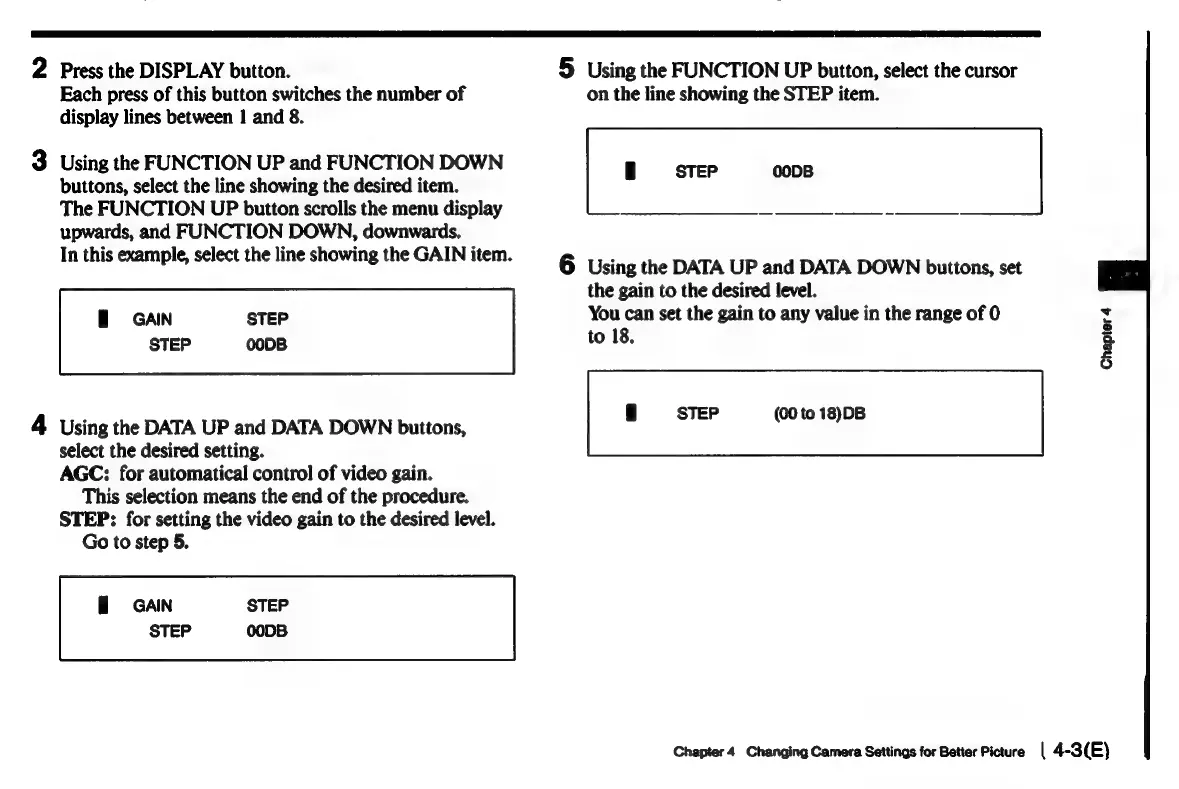
2
Press
the
DISPLAY
button.
5
Using
the
FUNCTION
UP
button,
select
the
cursor
Each
press
of
this
button
switches
the
number
of
on
the
line
showing
the
STEP
item.
display
lines
between
1
and
8.
3
Using
the
FUNCTION
UP
and
FUNCTION
DOWN
buttons,
select
the
line
showing
the
desired
item.
The
FUNCTION
UP
button
scrolls
the
menu
display
upwards,
and
FUNCTION
DOWN,
downwards.
In
this
example,
select
the
line
showing
the
GAIN
item.
6
Using
the
DATA
UP
and
DATA
DOWN
buttons,
set
the
gain
to
the
desired
level.
GAIN
STEP
You
can
set
the
gain
to
any
value
in
the
range
of
0
M
STEP
00DB
to
18.
2
(00
to
18)DB
4
Using
the
DATA
UP
and
DATA
DOWN
buttons,
select
the
desired
setting.
AGC:
for
automatical
control
of
video
gain.
This
selection
means
the
end
of
the
procedure.
STEP:
for
setting
the
video
gain
to
the
desired
level.
Go
to
step
5.
GAIN
STEP
STEP
00DB
Chapter
4
Changing
Camera
Settings
for
Better
Picture
|
4-3(E)

Related product manuals