Quick Start Guide
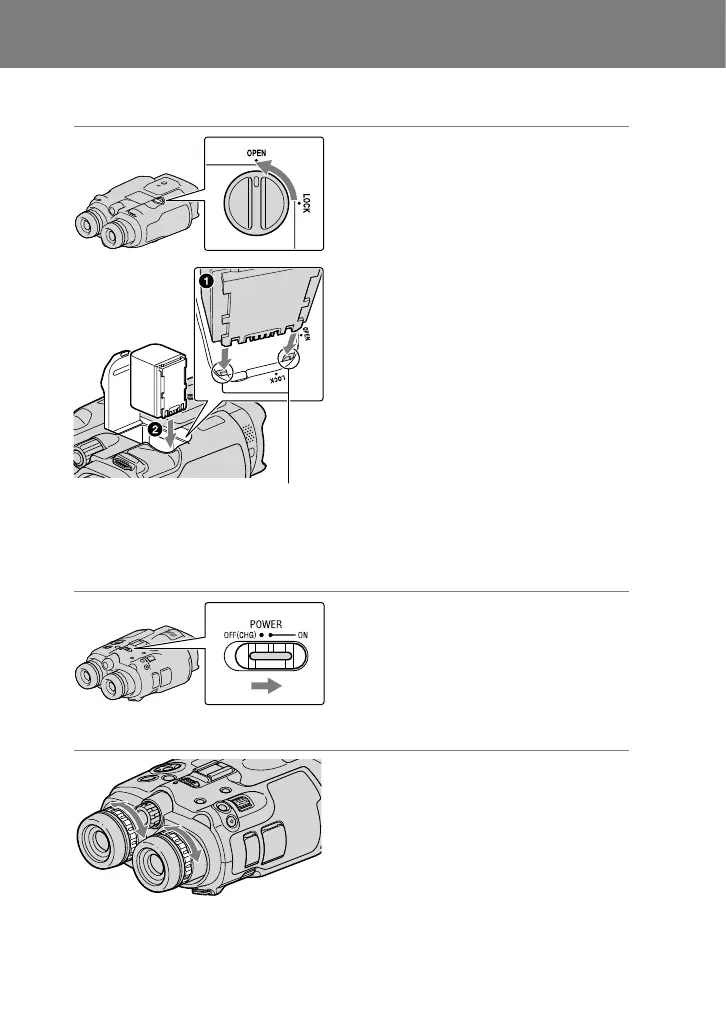
1 Installing the battery pack
Turn the battery cover lock to OPEN
and open the battery cover.
Align the battery
with the groove.
Align the battery with the groove in
the battery compartment (), and
slide the battery until it clicks ().
Close the battery cover and turn the
battery cover lock to LOCK.
Please be sure to charge the battery pack before use.
2 Turning on the power
Set the POWER switch to ON by
pressing the green button.
3 Adjusting the diopter
Adjust the diopter until you can see a
clear image with each eye by turning
the diopter adjustment dial.
If this product is used by more than one
person, adjust the diopter each time the
user changes.
Adjust the diopter for each eye separately.



 To Next Page