9-16
DFP-3000
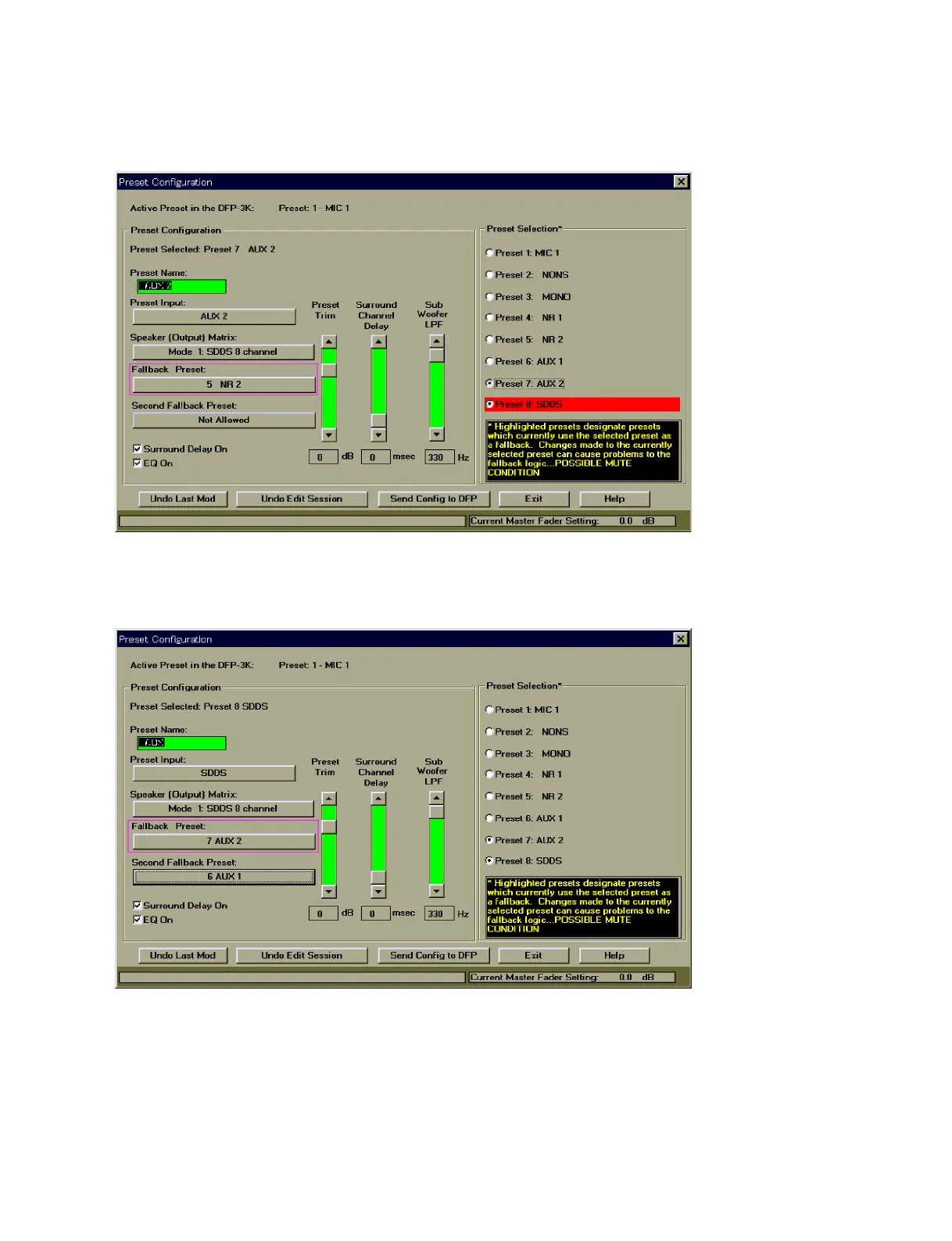
For this connection, open the Preset Configuration screen of the DFP-D3000 setup software, and set the
Primary Fallback setting to “NR2” in the preset corresponding to the AUX2 input.
Preset Configuration Screen (When AUX2 is selected)
If Fallback must be performed in the order of AUX2 input and Analog input from SDDS, set the Primary
Fallback setting to “AUX2” in the preset corresponding to the SDDS.
Preset Configuration Screen (When SDDS is selected)



 To Next Page