9-46
DFP-3000
5. Check that the Master Output level is _10 dBu on the screen shown in Fig. 2.
(Setting at shipment)
If the setting is different, change the setting. After setting, press the Done button to exit this screen.
(Returns to the screen in Fig .1.)
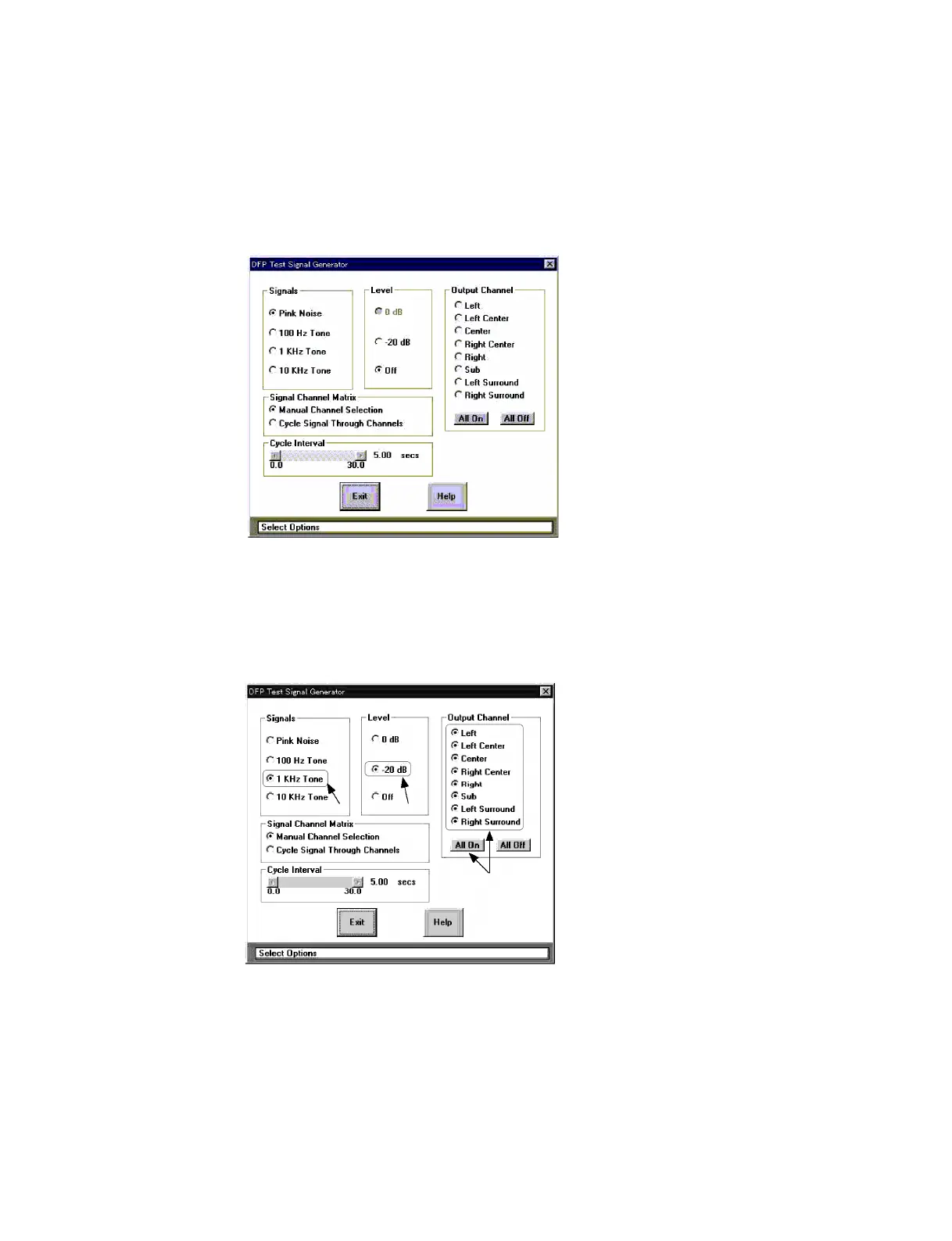
6. Select “Signal Generation” from the “Test” menu at the screen shown in Fig. 1. The screen shown in
Fig. 3 will be displayed.
Fig. 3. Setting Screen of DFP-D3000 Oscillator
7. Change the oscillator settings as follows at this screen. (Refer to Fig. 4.)
Signals: Select “1 kHz Tone”.
Level: Select “_20 dB”.
Output channel: Press “All On” and select all outputs.
Fig. 4. DFP-D3000 Oscillator Setting in Surround EX Processor Level Adjustments
The message shown in Fig. 5 appears. Press the “Yes” button.
Push the "All On" Button, and
so that the signals send to all
outputs.
Setting to this Setting to this



 To Next Page