The MD Deck — Editing/Sound Adjustment
45
Selecting the Preset
Equalizer menu
The Preset Equalizer enables you to select the
sound characteristic among 5 sound effects
according to the type of music you are listening to.
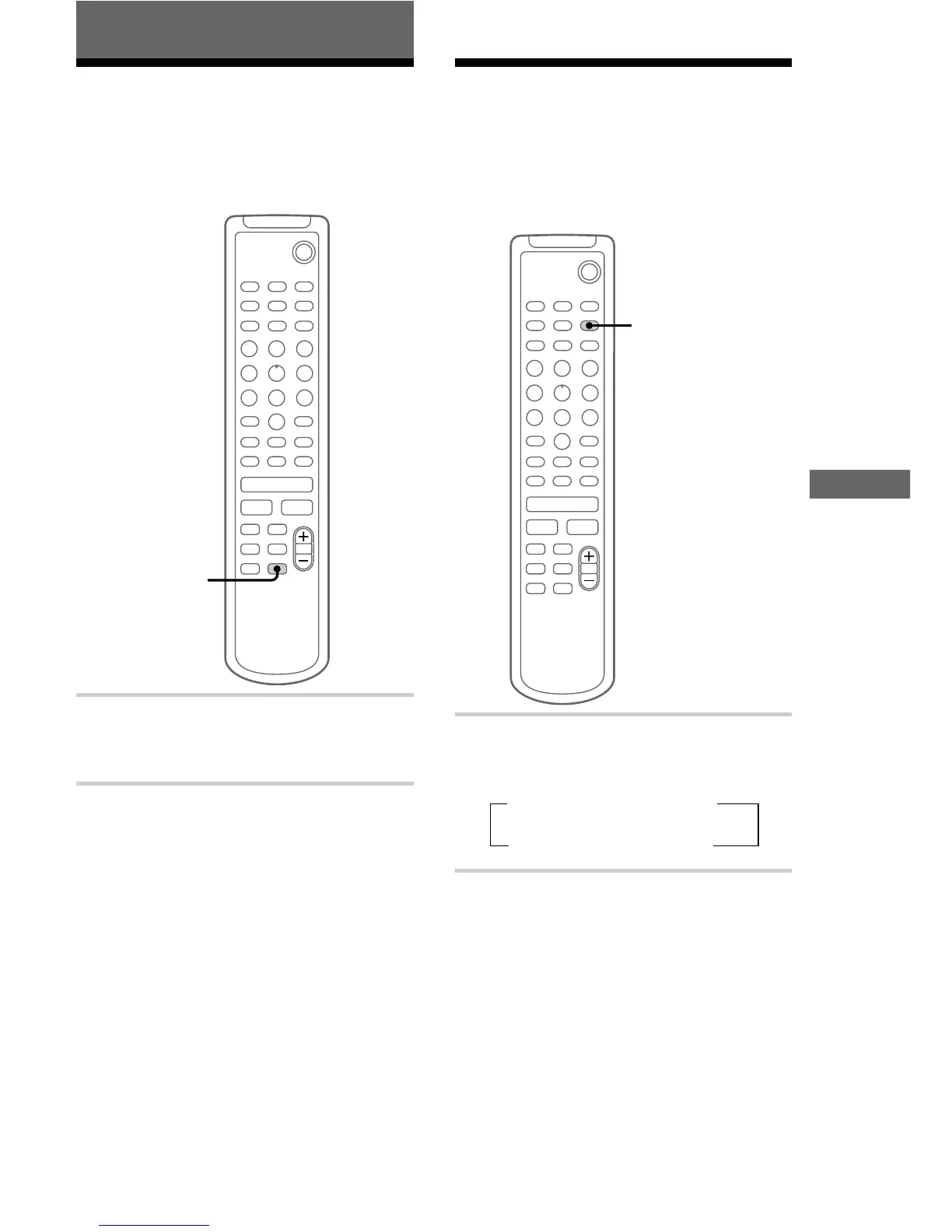
, Press MUSIC MENU repeatedly.
Each time you press the button, the display
changes as follows:
t ROCK t POP t CLASSIC
FLAT T DANCE T JAZZ T
To cancel the Preset Equalizer
Press MUSIC MENU repeatedly until “FLAT”
appears.
Tips
• The Preset Equalizer menu is factory set to
“ROCK.”
• The Preset Equalizer effect is not recorded on an
MD or a tape.
Sound Adjustment
Reinforcing the bass
sound
— DBFB
You can listen to music with stronger bass tones
or a more powerful sound.
x
.
>
H
`/1
X
M
m
DBFB
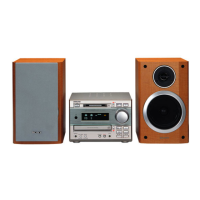
, Press DBFB*.
“DBFB” appears in the display.
Press again to cancel DBFB.
* DBFB: Dynamic Bass Feedback
Tip
DBFB is factory set to on.




 To Next Page