Using the Magnetic Charging Dock
Selecting an attachment for your phone
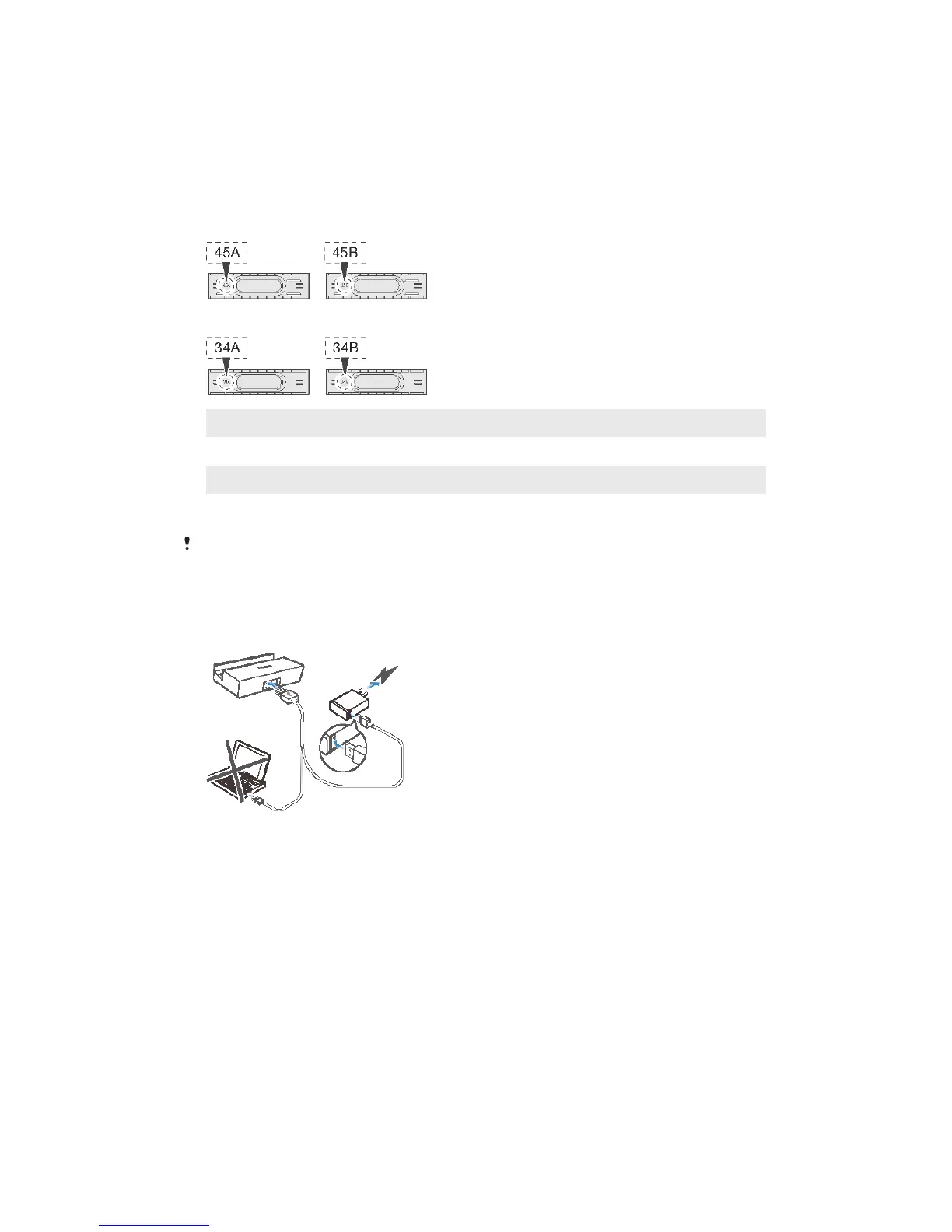
Four attachments of different widths come with your charging dock at purchase.
Each attachment can fit into the charging dock and hold your phone in place while
it’s charging. You need to select the appropriate attachment for your phone before
placing it in the charging dock.
Attachment marked with “34A” Fits Xperia™ Z3 Compact without a protective case
Attachment marked with “34B” Fits Xperia™ Z3 Compact with a protective case
Attachment marked with “45A” Fits Xperia™ Z3 without a protective case
Attachment marked with “45B” Fits Xperia™ Z3 with a protective case
The attachment marked with “34B” or “45B” may not be compatible with all protective cases.
Charging your phone
To charge your phone using the Magnetic Charging Dock
4
This is an Internet version of this publication. © Print only for private use.


 To Next Page