Using the DK60 USB Type-C™
Charging Dock
Using the attachments
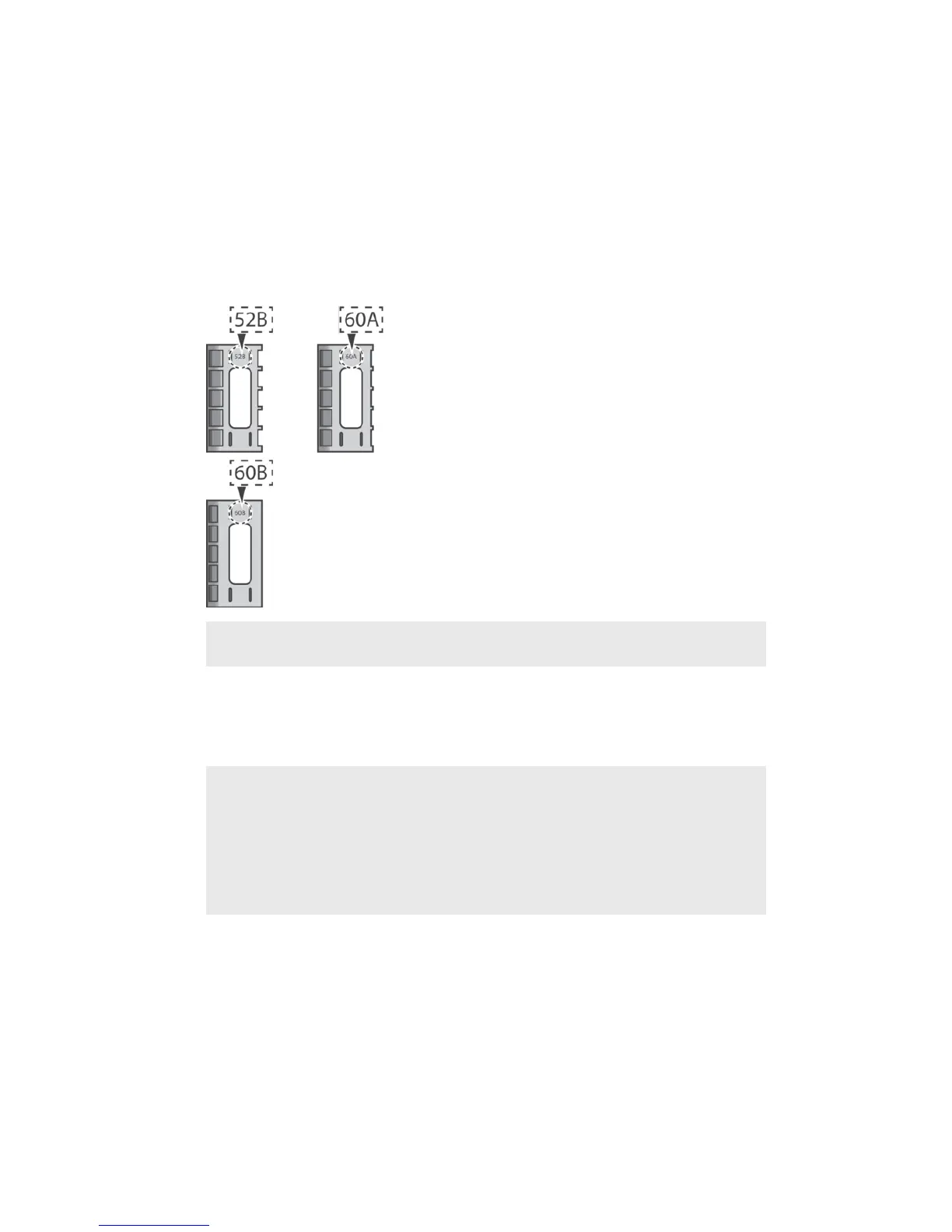
Three attachments of dierent widths come with your DK60 USB Type-C™
Charging Dock. Each attachment can fit into the DK60 USB Type-C™ Charging Dock
and hold your phone in place while it’s charging. You need to select the
appropriate attachment for your phone before placing it in the DK60 USB Type-C™
Charging Dock.
Attachment
type
Supported device
52B Xperia™ XZ1
Xperia™ XZ1 Compact
Xperia™ XZ
Xperia™ XZs, XZ Premium, XA1, XA1 Ultra, L1
60A Xperia™ XZ1
Xperia™ XZ1 Compact
Xperia™ X Compact
Xperia™ XZ with protective case
Xperia™ X Compact with protective case
Xperia™ XZs, XZ Premium, XA1, XA1 Ultra, L1 with protective case
4
This is an internet version of this publication. © Print only for private use.



 To Next Page