GettingStarted
①Attachedstand
②Selectlanguage
Selectthelanguagewhichyou
want,thentouch[Next]
②PowerON
Selecttheareawhereyouuse,
thentouch[Next]
③Selecttimezone
DigitalPhotoFrame
ReadThisFirst
④ WirelessLANSetting
Selectthemethodtoconnect
theAccessPoint
utton
button Usually,selectWPS
IfAccessPointdon’tsupport
WPS,Select[Search]
WPS(PushButton)
Forthefirsttimeuse
ccess
Point,thenTouch[Start]
②Ifsucceed,Touch[Finish].
①‐1Touchthedisplayonce
WPS(PIN)
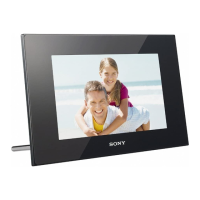
Digitalphotoframe(1)
Stand(1)
ACAdaptor(1)
①‐2Accordingtonavigation,
Touchthebluecircle
SettheWPSPINcode
whichdisplayonDPF,
thentouch[Start]
SeetheInstructionof
AccessPoint,howto
inputtoAccessPoint
CD‐ROM(DigitalPhotoFrameHandbook)(1)
Warranty(1)
①‐3Touch[Next]
②Ifsucceed,Touch
[Finish].
ThenstartSlideshow

 Need help?
 General

 To Next Page