
 Need help?
Do you have a question about the Sony DREAM MACHINE ICF-CD815 and is the answer not in the manual?
Record the model and serial numbers for future reference and dealer inquiries.
Information for US customers on online product registration for updates and notifications.
Highlights key features of the CD Clock Radio, including display, connectivity, and alarm functions.
Important advice for safe operation, placement, and cleaning of the unit.
Guidance for resolving common issues like incorrect time, alarm failures, or CD player problems.
Technical details of the CD player, radio, general components, power requirements, and dimensions.
Instructions on how to adjust the brightness level of the clock display.
Step-by-step guide to accurately set the current time on the clock radio.
Instructions for playing compact discs, including track selection and playback controls.
Information on compatibility with CD-Rs/CD-RWs and music discs with copyright protection.
Best practices for handling compact discs to ensure playback quality and prevent damage.
Steps to tune into FM and AM radio stations and adjust the volume.
Tips for enhancing FM and AM radio signal reception.
Guide for connecting and listening to external audio devices via the AUDIO IN jack.
Detailed instructions for setting dual alarms (A and B) with CD, radio, or buzzer options.
Explanation of the snooze feature and how to extend the alarm delay time.
Procedures for stopping an active alarm and deactivating future alarms.
Instructions for setting the sleep timer to automatically turn off audio playback.
Guidance on combining sleep timer functionality with alarm settings.
Essential warnings to prevent fire, electric shock, and damage from improper use or environment.
Warning regarding increased eye hazard when using optical instruments with this product.
Key guidelines for safe operation, installation, and maintenance of the apparatus.
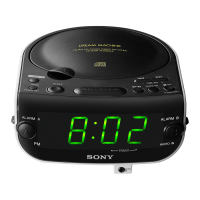
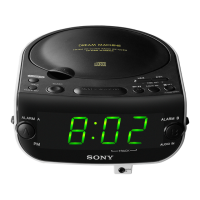
The Sony ICF-CD815 Dream Machine is a CD clock radio designed for versatile audio playback and alarm functions. It features a large, easy-to-read LCD display with three brightness levels, making it suitable for various lighting conditions. The device supports CD playback, FM/AM radio, and offers a sleep timer function for convenience.
The primary function of this device is to serve as a clock radio with CD playback capabilities. It allows users to listen to audio CDs, FM/AM radio broadcasts, and set alarms. The alarm can be set to wake you up with a CD, radio, or a buzzer. A snooze function is also included, providing an extra few minutes of sleep before the alarm sounds again. The device also features a sleep timer, which automatically turns off the audio after a set period, allowing you to fall asleep to music or radio.
The ICF-CD815 features a large LCD display that shows the time, alarm status, and other relevant information. The display brightness can be adjusted to three levels (High, Medium, or Low) to suit your preference. The controls are intuitively placed, with buttons for setting the clock, alarms, radio tuning, CD playback, and volume. A "There is a tactile dot beside volume to show the direction to turn up the volume" feature helps users adjust the volume without looking.
To set the clock, you press and hold the "CLOCK SET" button, then use the "TIME SET +" or "TIME SET –" buttons to adjust the hour and minute. The clock can be set to a 12-hour or 24-hour format.
The device supports two independent alarms, ALARM A and ALARM B. To set an alarm, you select either ALARM A or ALARM B, then press and hold the "ALARM SET" button. You can then choose the alarm source (CD, radio, or buzzer) and adjust the alarm time using the "TIME SET +" or "TIME SET –" buttons. The alarm volume can also be adjusted independently. The "Alarm Mode" switch allows you to select the desired alarm source.
To play a CD, you open the CD compartment, insert a CD with the label side up, and close the compartment. The CD will start playing automatically. You can control playback using buttons for play/pause, stop, skip forward/backward, and fast forward/rewind. The device supports CD-R/RW discs and can play MP3 files stored on CD-R/RW discs. The "AMS" (Automatic Music Sensor) function allows you to quickly locate the beginning of a track.
To listen to the radio, you select either FM or AM using the "BAND" button. You can then tune to your desired station using the "TUNING DIAL." The device features a telescopic antenna for FM reception and a built-in ferrite bar antenna for AM reception. For better reception, you can adjust the position of the unit or extend the FM antenna.
The sleep timer allows you to fall asleep to music or radio. To activate it, you press the "SLEEP" button repeatedly to cycle through different sleep durations (e.g., 90, 60, 30, 15 minutes, or off). The audio will automatically turn off after the selected time.
When the alarm sounds, pressing the "SNOOZE/SLEEP OFF" button will temporarily silence the alarm for approximately 10 minutes, allowing you to get a few extra minutes of sleep.
The device includes an "AUDIO IN" jack, allowing you to connect external audio players such as portable CD players or MP3 players. To use this feature, you connect the external device to the "AUDIO IN" jack using an audio connecting cable (not supplied) and then select the "AUDIO IN" source.
To clean the cabinet, use a soft cloth dampened with a mild detergent solution. Avoid using abrasive pads, scouring powder, or solvents such as alcohol or benzine, as these can damage the finish. For cleaning the CD lens, use a commercially available CD lens cleaner.
When handling CDs, always hold them by the edges to avoid touching the surface. Do not attach stickers or paper to the CD. If a CD is dirty, wipe it with a soft cloth from the center out.
The unit operates on AC power. Ensure the power cord is securely plugged into an easily accessible AC outlet. In case of an abnormality, disconnect the main plug immediately. For optimal performance and safety, avoid placing the unit in confined spaces or near heat sources.
The manual provides a troubleshooting guide for common issues such as the clock not showing the correct time, the alarm not functioning, no sound from the CD or radio, and poor radio reception. For example, if the clock loses time, it may be due to power interruptions, and the clock will need to be reset. If there is no sound, check the volume level, connections, and ensure the correct function is selected. For poor radio reception, adjust the antenna or reposition the unit.
To ensure the longevity of the device, avoid exposing it to rain or moisture, and do not place objects filled with liquids on top of it. Ensure proper ventilation by not covering the ventilation openings. The unit is designed for indoor use and should be kept away from direct sunlight, extreme temperatures, and dusty environments.
 CD Player Section
| system | Compact disc digital audio system |
|---|---|
| laser output | Less than 44.6 µW |
| frequency response | 20 - 20 000 Hz |
Radio Section| FM frequency range | 87.5-108 MHz |
|---|---|
| AM frequency range | 530-1 710 kHz |
| wow and flutter | Below measurable limit |
General| time display format | 12-hour system |
|---|---|
| speaker diameter | 57 mm (2 1/4 inches) |
| power outputs | 0.7 W + 0.7 W (at 10% harmonic distortion) |
| power requirements | 120 V AC, 60 Hz |
| dimensions | Approx. 190 × 93 × 222 mm (w/h/d) |
| mass | Approx. 1.5 kg (3 lb 5 oz) |


 To Next Page