10
B Setup
Placing the Drive
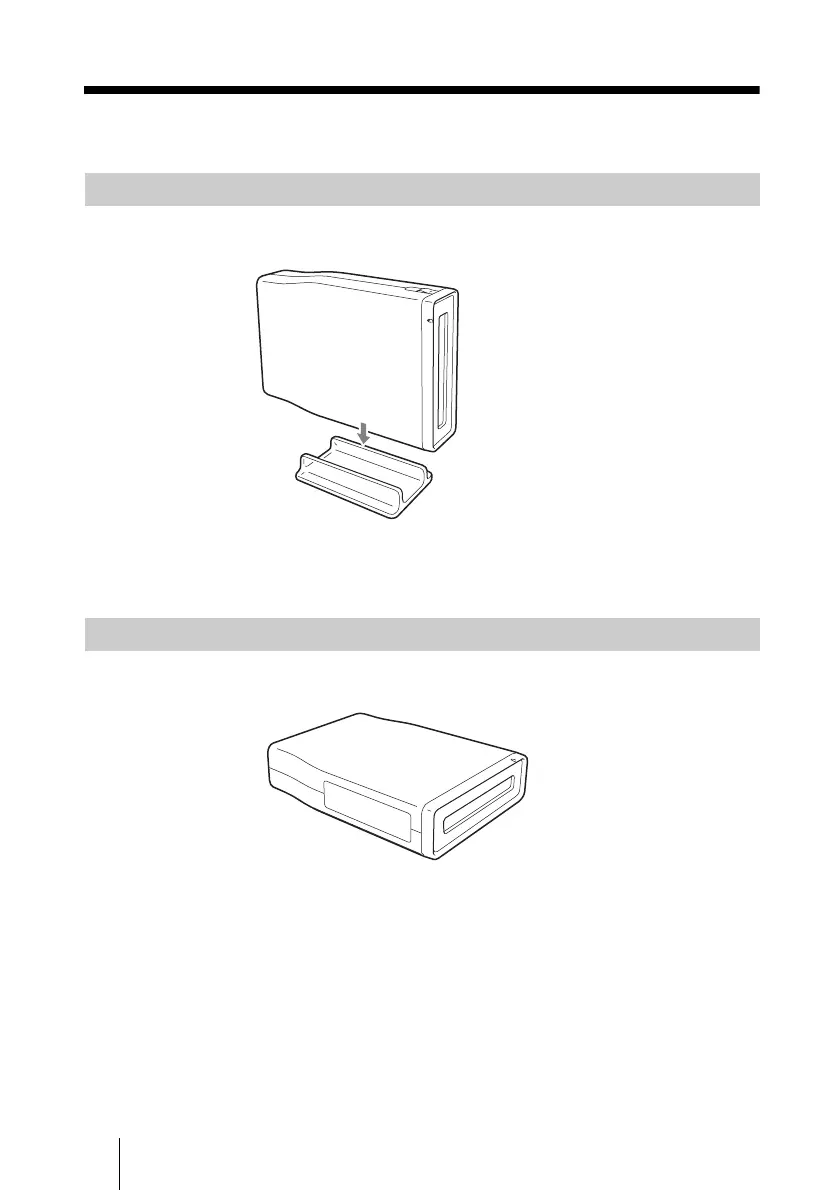
Attach the supplied stand as illustrated below to use the drive vertically.
Position the drive so that the stand straddles the two anti-vibration pads on the
drive bottom and then press it into place.
Place the drive as illustrated below to use the drive horizontally.
Using the Drive Vertically
Using the Drive Horizontally



 To Next Page