When using the viewfinder
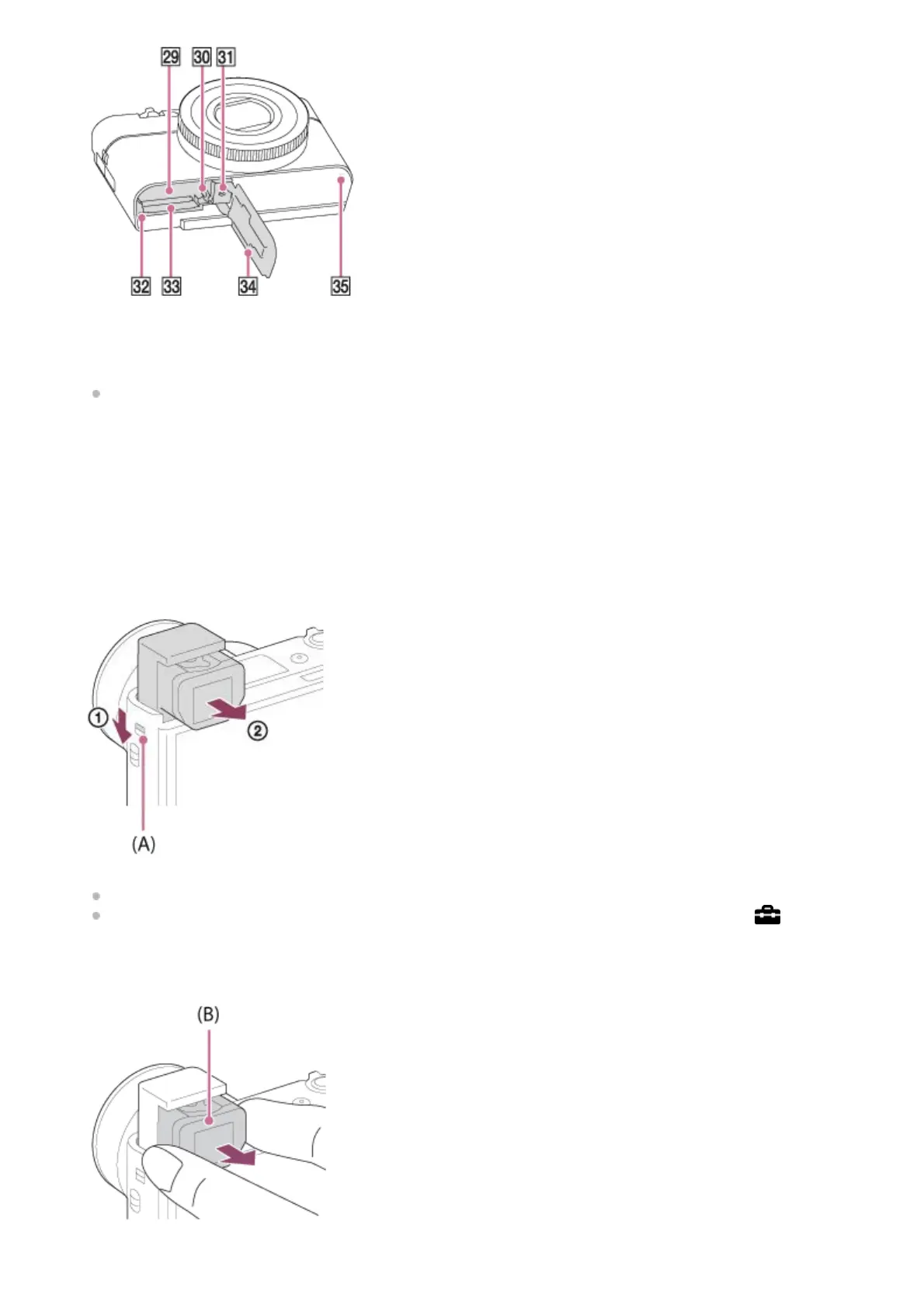
Battery insertion slot29.
Battery lock lever30.
Tripod socket hole
Use a tripod with a screw less than 5.5 mm (7/32 inches) long. Otherwise, you cannot firmly secure the camera,
and damage to the camera may occur.
31.
Access lamp32.
Memory card slot33.
Battery/Memory card cover34.
Speaker35.
Slide down the viewfinder pop-up switch (A).
If you slide the viewfinder pop-up switch when the power is off, the camera turns on.
To choose whether or not to turn the camera off when the viewfinder is stowed, select MENU →
(Setup) →
[Function for VF close].
1.
Grasp both sides of the eyepiece (B) and pull it towards the monitor side until it clicks.
2.
Adjust the diopter-adjustment lever to your eyesight until the display appears clearly in the viewfinder.3.











 To Next Page