1-3
ENGLISH JAPANESE
ENGLISH JAPANESE
DSC-W220_L2
Usually, the camera has been set so as to disable the data writing from the PC to the internal memory of the camera.
This setting must be changed temporarily when the data is to be written to the internal memory such as a case after the board replacement.
To change settings is enabled with using the writing enabler tool (WriteEnableTool) on the Adjust manual is activating from the Adjust
station.
Data writing method
1) Start the Adjust manual from the Adjust station.
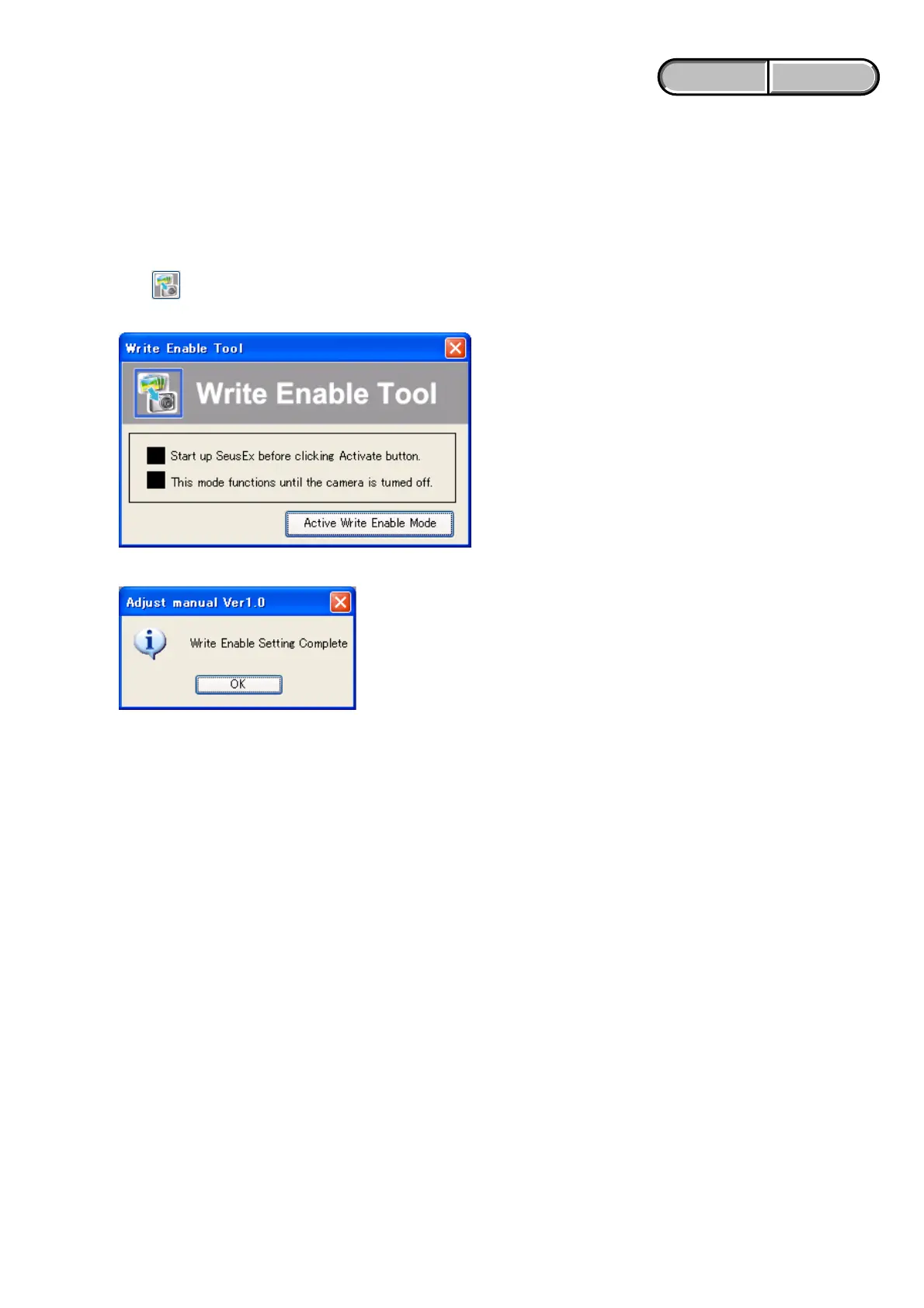
2) Click (WriteEnableTool) button.
3) Click “Activate Write Enable Mode” button.
4) Upon completion of the setting change, the following message will be displayed.
5) Return the driver to the original one, and connect the PC to the camera (USB mode: Mass Storage).
6) Write the data read out into the PC to the internal memory of the camera.
7) Disconnect the PC from the camera, and turn off the camera.
Note: By turning off the camera, the write enable setting is reset.
1-4. HOW TO WRITE DATA TO INTERNAL MEMORY












 To Next Page