13
GB
x
To remove the memory card/battery pack
Memory card: Push the memory card in once to eject the memory card.
Battery pack: Slide the battery eject lever. Be sure not to drop the battery pack.
Inserting a memory card (sold separately)
1
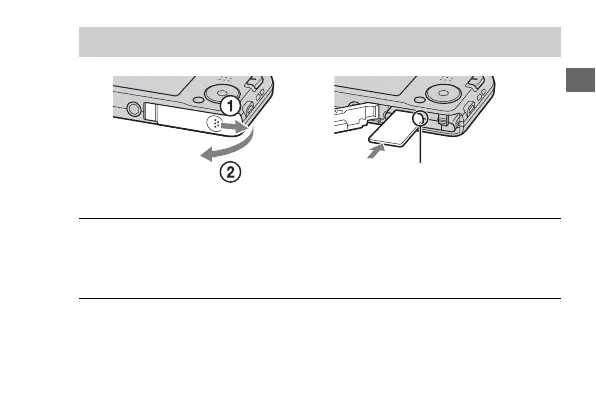
Open the cover.
2
Insert the memory card (sold separately).
Ensure the notched corner
faces correctly.



 To Next Page