22GB
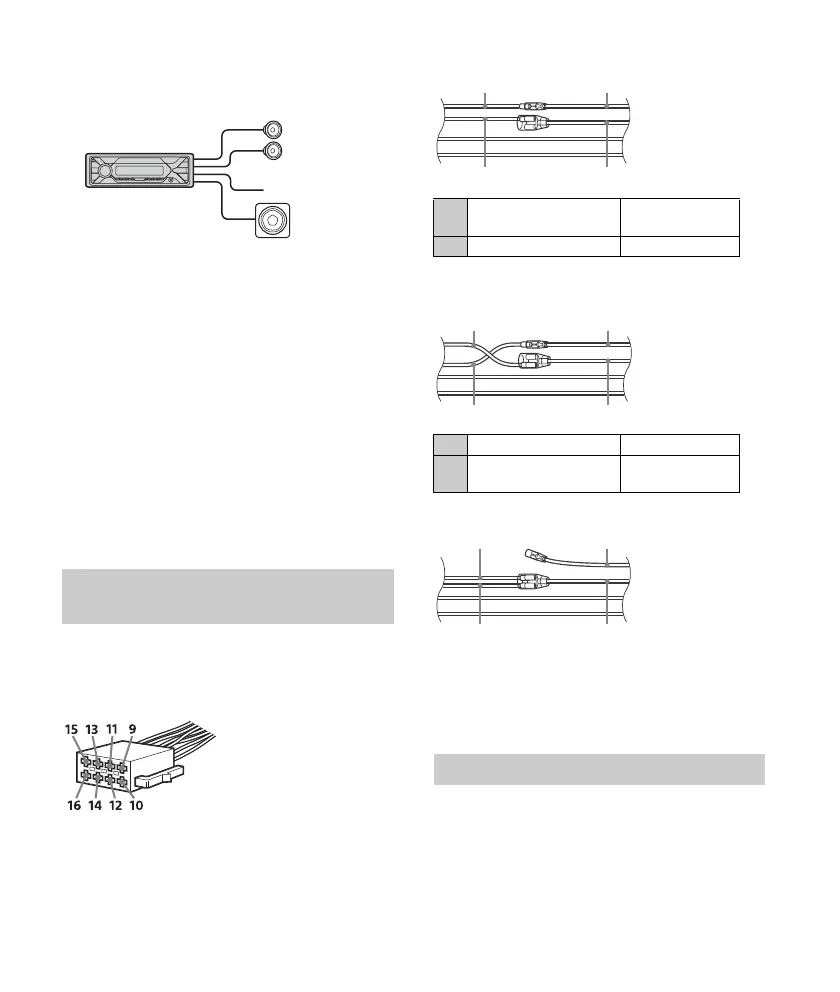
Subwoofer Easy Connection
You can use a subwoofer without a power amplifier
when it is connected to a rear speaker cord.
Notes
Preparation of the rear speaker cords is required
(Argentine models only).
Use a subwoofer with an impedance of 4 Ω to 8 Ω,
and with adequate power handling capacities to
avoid damage.
Memory hold connection
When the yellow power supply lead is connected,
power will always be supplied to the memory
circuit even when the ignition switch is turned off.
Speaker connection
Before connecting the speakers, turn the unit off.
Use speakers with an impedance of 4
Ω to 8 Ω,
and with adequate power handling capacities to
avoid damage.
Make sure your car’s auxiliary power connector, and
match the connections of cords correctly
depending on the car.
Common connection
When the positions of the red and yellow
leads are inverted
When the car without ACC position
After matching the connections and switching
power supply leads correctly, connect the unit to
the car’s power supply. If you have any questions
and problems connecting your unit that are not
covered in this manual, consult the car dealer.
1 To enable the wired remote control, set
[STR CONTROL] in [SET STEERING] to
[PRESET] (page 11).
Power connection diagram (Argentine
models only)
Auxiliary power connector
12
continuous power
supply
Yellow
15 switched power supply Red
12 switched power supply Yellow
15
continuous power
supply
Red
Using the wired remote control



 To Next Page