EasyManua.ls Logo

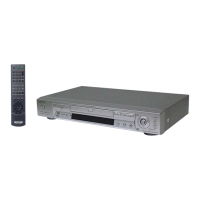
Sony DVP-NS710H - User Manual

Sony DVP-NS710H
61 pages
Print Icon
To Next Page IconTo Next Page
Loading...
4-130-258-12(2)
mmm
I::::E!Ll
~
[Q]O~@
V
IDE
[DIGITAL
VIDEO)
DVP-NS710H
DVP-NS718H
DVP-NS728H
© 2009 Sony Corporation
CDIDVD
Player
Model No. DVP-NS71OH
Serial No. _
For Customers in Canada
If
this product
is
not working properly, please call 1-877-602-2008 for
Peace
of
Mind Warranty Replacement service.
For other product related questions please contact our Customer
Information Service Centre
at 1-877-899-7669
or
write to us at:
Customer Information Service 115 Gordon Baker Road, Toronto,
Ontario, M2H 3R6
For customers in the U.S.A
Owner's Record
The model and serial numbers are located at the rear
of
the unit.
Record the serial number
in
the space provided below. Refer to them
whenever you call upon your Sony dealer regarding this product.
Operating
Instructions
_____
Manual
de
instrucciones-.lm

Other manuals for Sony DVP-NS710H

Question and Answer IconNeed help?

Do you have a question about the Sony DVP-NS710H and is the answer not in the manual?

Summary

Operating Instructions

Owners Record

Record model and serial numbers for future reference.

Customer Support Information

Contact details for warranty and service in Canada.

Safety Warnings

Disc Handling Guidelines

Instructions for proper disc care and handling.

Important Safety Instructions

General Precautions

Precautions regarding power, placement, and usage.

Hookups and Settings

Connecting to Your TV

Connect player to TV using video or HDMI cables.

HDMI and BRAVIA Sync

Details on HDMI/DVI connection and BRAVIA Sync features.

Connecting Audio Components

Connect player to audio systems for sound output.

Power and Remote Setup

Connect power cord and prepare the remote control.

TV Remote Control and Quick Setup

Use remote for TV control and perform initial player setup.

USB Device Connection

Connect and use USB storage devices.

Playback Operations

Playing Discs

Load and play various disc types.

Playback Modes

Program, Shuffle, Repeat, and A-B Repeat playback options.

Customizing Playback

Adjust picture, AV sync, and other playback settings.

Parental Controls

Set playback restrictions and lock discs.

Media File Playback

Play video, photo, and music files from discs/USB.

Advanced Playback Features

VIDEO CD PBC, Control Menu, BRAVIA Sync, Slideshows.

Settings and Adjustments

Setup Menu Navigation

How to access and use the setup menus.

Display and Language Settings

Adjust screen aspect ratio, language, and display options.

Audio Configuration

Set audio output, DRC, downmix, Dolby, DTS, and PCM.

HDMI and Custom Settings

Configure HDMI output, USB, auto power, dimmer, and pause modes.

Additional Information

Troubleshooting and Self-Diagnosis

Solutions for common issues and interpreting error codes.

Media Compatibility and Restrictions

Playable media, region codes, and file format notes.

Technical Specifications

Player's system, outputs, power, dimensions, and temperature specs.

Reference Code Lists

Lists of language and parental control area codes.

Summary

Operating Instructions

Owners Record

Record model and serial numbers for future reference.

Customer Support Information

Contact details for warranty and service in Canada.

Safety Warnings

Disc Handling Guidelines

Instructions for proper disc care and handling.

Important Safety Instructions

General Precautions

Precautions regarding power, placement, and usage.

Hookups and Settings

Connecting to Your TV

Connect player to TV using video or HDMI cables.

HDMI and BRAVIA Sync

Details on HDMI/DVI connection and BRAVIA Sync features.

Connecting Audio Components

Connect player to audio systems for sound output.

Power and Remote Setup

Connect power cord and prepare the remote control.

TV Remote Control and Quick Setup

Use remote for TV control and perform initial player setup.

USB Device Connection

Connect and use USB storage devices.

Playback Operations

Playing Discs

Load and play various disc types.

Playback Modes

Program, Shuffle, Repeat, and A-B Repeat playback options.

Customizing Playback

Adjust picture, AV sync, and other playback settings.

Parental Controls

Set playback restrictions and lock discs.

Media File Playback

Play video, photo, and music files from discs/USB.

Advanced Playback Features

VIDEO CD PBC, Control Menu, BRAVIA Sync, Slideshows.

Settings and Adjustments

Setup Menu Navigation

How to access and use the setup menus.

Display and Language Settings

Adjust screen aspect ratio, language, and display options.

Audio Configuration

Set audio output, DRC, downmix, Dolby, DTS, and PCM.

HDMI and Custom Settings

Configure HDMI output, USB, auto power, dimmer, and pause modes.

Additional Information

Troubleshooting and Self-Diagnosis

Solutions for common issues and interpreting error codes.

Media Compatibility and Restrictions

Playable media, region codes, and file format notes.

Technical Specifications

Player's system, outputs, power, dimensions, and temperature specs.

Reference Code Lists

Lists of language and parental control area codes.

Sony DVP-NS710H Specifications

General IconGeneral
BrandSony
ModelDVP-NS710H
CategoryDVD Player
LanguageEnglish

Related product manuals