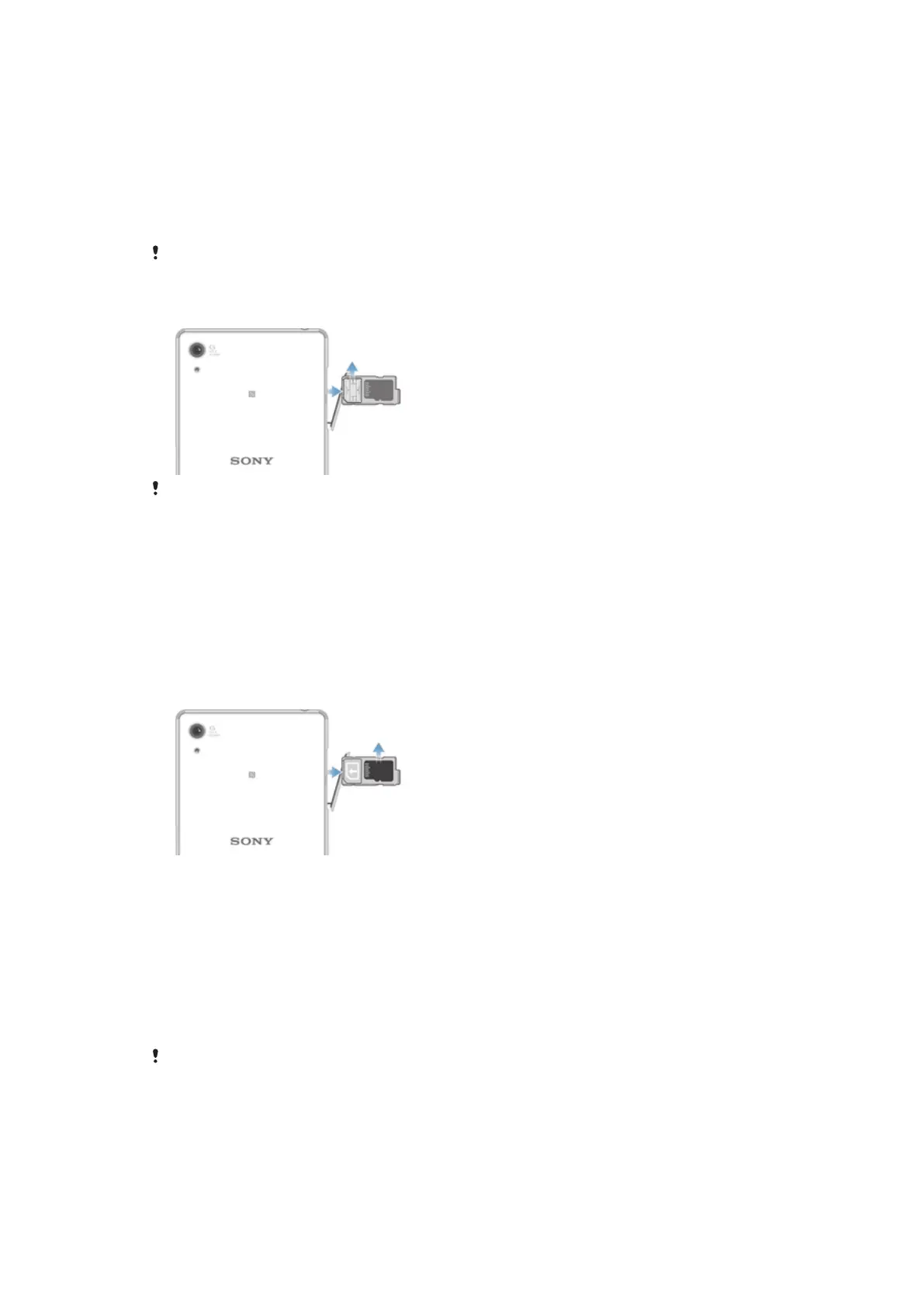
To insert a memory card
1 Turn off the device.
2 Open the cover for the nano SIM card and memory card slot.
3 Using a fingernail or other similar object, drag out the holder for the nano SIM card
and memory card.
4 Place the memory card in the memory card slot in the holder, then re-insert the
holder.
5 Close the cover.
If you drag out the holder for the nano SIM and memory card when the device is powered on,
the device restarts automatically.
To Remove the Nano SIM Card
The nano SIM card and the memory card share the same holder. If a memory card is already
inserted in your device, you must first turn off the device or unmount the memory card before
you drag the holder out to remove the SIM card. You can unmount the memory card under
Settings by tapping Storage > Unmount SD card.
1 Open the cover for the nano SIM card and memory card slot.
2 Using a fingernail or other similar object, drag the holder for the nano SIM card
and memory card out.
3 Remove the nano SIM card in the nano SIM card slot in the holder and then
reinsert the holder.
4 Close the cover.
To remove the memory card
1 Turn off the device and open the cover for the nano SIM card and memory card
slot.
2 Using a fingernail or other similar object, drag out the holder for the nano SIM card
and memory card.
3 Remove the memory card from the memory card slot in the holder, then re-insert
the holder.
4 Close the cover.
Screen protection
Before using your device, remove the transparent protection film by pulling up on the
protruding tab.
It is recommended to protect your device with a Sony-branded screen cover or protector
intended for your Xperia™ model. The use of third party screen protection accessories
may prevent your device from working by covering sensors, lenses, speakers, or
microphones and it can invalidate the warranty.
9
This is an Internet version of this publication. © Print only for private use.








 To Next Page