18
Basic Functions
Parameters
mm: Mask setting list
Mask Name mm (Hex) Mask Name mm (Hex)
Mask_A 00h Mask_M 0Ch
Mask_B 01h Mask_N 0Dh
Mask_C 02h Mask_O 0Eh
Mask_D 03h Mask_P 0Fh
Mask_E 04h Mask_Q 10h
Mask_F 05h Mask_R 11h
Mask_G 06h Mask_S 12h
Mask_H 07h Mask_T 13h
Mask_I 08h Mask_U 14h
Mask_J 09h Mask_V 15h
Mask_K 0Ah Mask_W 16h
Mask_L 0Bh Mask_X 17h
Note
The priority order of the mask display is in the sequence from A
(highest) to X (lowest).
When you set the parameters of masks non-sequentially, it is
recommended that you set the mask whose priority order is higher,
first.
nn:Setting
nn Setting
00 Resetting the zone size (the value of w,h)
for the existing mask.
01 Setting newly the zone size (the value of
w,h).
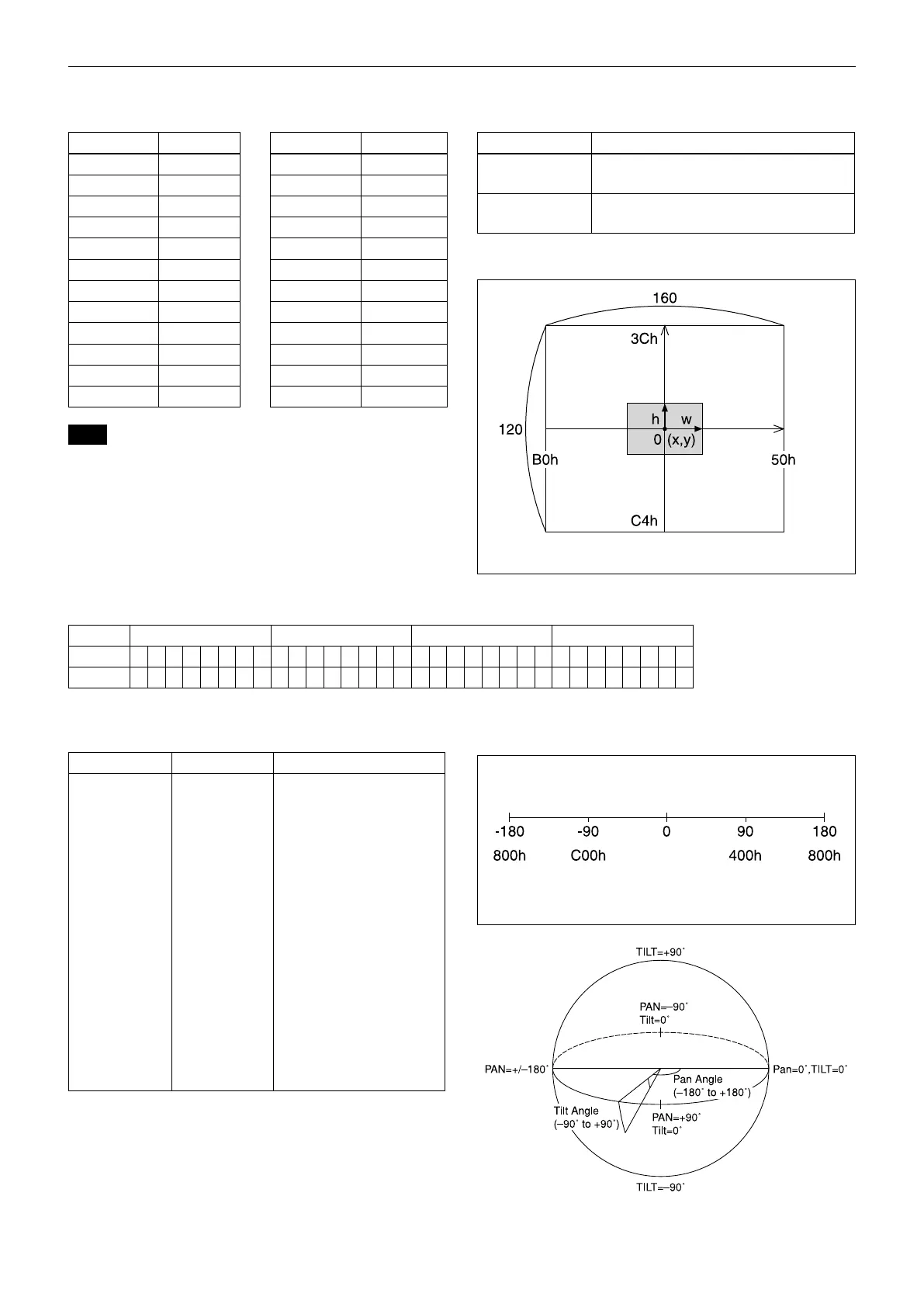
pp: x, qq: y, rr: w, ss: h
mask
Effective display area
pp pp pp pp: Mask bit
pp pp pp pp
bit 7 6 5 4 3 2 1 0 7 6 5 4 3 2 1 0 7 6 5 4 3 2 1 0 7 6 5 4 3 2 1 0
Mask - - X W V U T S - - R Q P O N M - - L K J I H G - - F E D C B A
The “-” must be “0”.
qq, rr: Color code
Mask (Color) Code (qq, rr) Semi-transparency (qq, rr)
Black 00h 10h
Gray1 01h 11h
Gray2 02h 12h
Gray3 03h 13h
Gray4 04h 14h
Gray5 05h 15h
Gray6 06h 16h
White 07h 17h
Red 08h 18h
Green 09h 19h
Blue 0Ah 1Ah
Cyan 0Bh 1Bh
Yellow 0Ch 1Ch
Magenta 0Dh 1Dh
Mosaic 7Fh –
Setting pan/tilt angle
Angle/Parameter of Angle (ppp, qqq)
Set the angle resolution to 360 (degree)/4096 (1000h).



 To Next Page