FCB-ER8550/CR8550(GB) D-201-100-12(1)
10
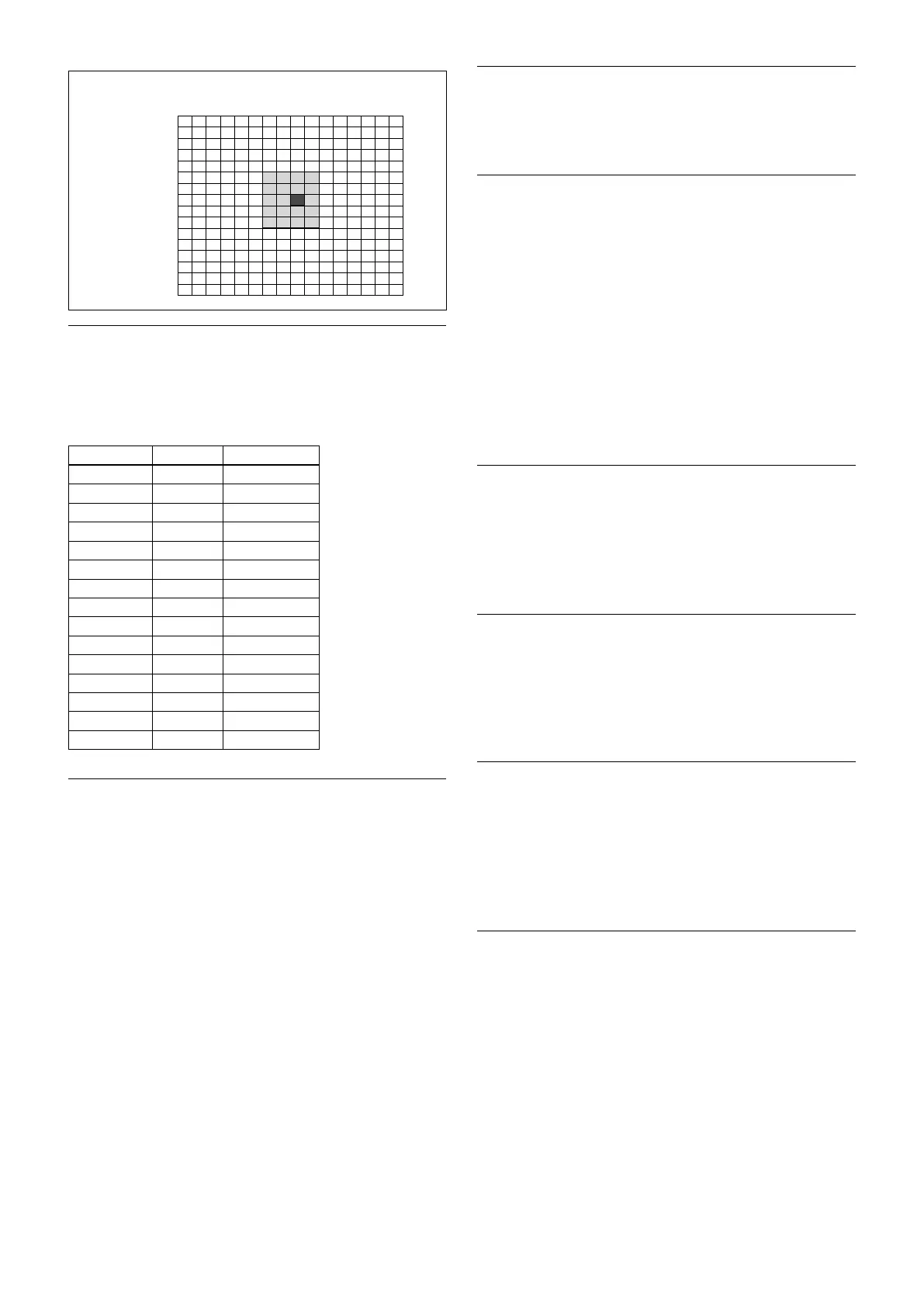
(8,7)
Horizontal 16
Vertical 16
0
0
1
2
3
4
5
6
7
8
9
A
B
C
D
E
F
1 2 3 4 5 6 7 8 9 A B C D E F
Exposure Compensation
Exposure compensation is a function which offsets the
internal reference brightness level used in the AE
mode, by steps of 1.5 dB.
Data Step
Setting value
0E +7 +10.5 dB
0D +6 +9 dB
0C +5 +7.5 dB
0B +4 +6 dB
0A +3 +4.5 dB
09 +2 +3 dB
08 +1 +1.5 dB
07 0 0 dB
06 −1 −1.5 dB
05 −2 −3 dB
04 −3 −4.5 dB
03 −4 −6 dB
02 −5 −7.5 dB
01 −6 −9 dB
00 −7 −10.5 dB
Slow AE (Auto Exposure)
The slow AE Response function allows you to reduce
the exposure response speed. Usually the camera is set
up so that the optimum exposure can be obtained
automatically within about 1 second. However, using
the slow AE response function allows you to lengthen
the auto exposure response speed from the initial setup
speed (01h) to approx. 10 minutes (30h) (at normal
shutter speed).
For example, with the normal setting (about 1 second),
if the headlights of a car are caught by the camera, the
camera automatically adjusts the exposure so that it can
shoot a high-intensity subject (in this case, the
headlights). As a result, images around the headlights,
that is, the rest of the subject, except the headlights,
becomes relatively dark, and poorly distinguished.
However, using the slow AE function means the AE
response speed will be slower, and response time will
be longer. As a result, even if the camera catches a high-
intensity subject (e.g., the headlights) for a moment,
you can still easily distinguish the portions of the image
surrounding the headlights.
High Resolution Mode
This mode enhances edges and produces higher
definition images.
Aperture Control
Aperture control is a function which adjusts the edge
enhancement of objects in the picture.
When it is set to Auto, the adjustment is performed
automatically.
When it is set to Manual, you can adjust multiple
setting items. Sometimes, the noise particle that is
generated when the gain is increased becomes
noticeable because its edge is enhanced by this
function. In this case, lower the edge enhancement
level or adjust the edge enhancement amount of noise
by “Crispening”.
Backlight Compensation
When the background of the subject is too bright, or
when the subject is too dark due to shooting in the AE
mode, back light compensation will make the subject
appear clearer.
Visibility Enhancer (VE)
Depending on the imaging scene, the Visibility
Enhancer function makes the darker part of a camera
image brighter, and automatically correct brightness
and contrast to show bright parts clearly.
Defog mode
When the surrounding area of the subject is foggy and
low contrast, the defog mode will make the subject
appear clearer.
You can select four levels for this function: OFF, Low,
Middle and High.
Highlight Compensation (HLC)
HLC (highlight correction) is a function to adjust AE
and AF, and to perform the masking of light area as
required when a high intensity spot light is detected.
It allows you to easily read the number of vehicles and
number plate in the indoor parking area or in the
outdoor during the night.


 To Next Page