EasyManua.ls Logo

Sony PVE-500 - User Manual

Sony PVE-500
100 pages
Print Icon
To Next Page IconTo Next Page
Loading...
01993
by
Sony Corporation

Table of Contents

Question and Answer IconNeed help?

Do you have a question about the Sony PVE-500 and is the answer not in the manual?

Summary

Chapter 2 Names and Functions of Parts

Control Panel

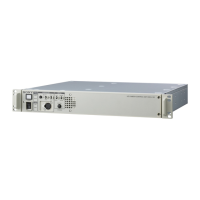
Describes the layout and functions of the PVE-500's main control interface, including various sections and buttons.

Connector Panel

Details the various input and output connectors on the PVE-500 unit, specifying port types and connections.

Chapter 3 Preparations

Connections

Explains how to connect the PVE-500 to various external equipment for different editing systems.

Preparations for Editing

Covers essential steps and settings required before starting an editing session, including VTR adjustments.

PVE-500 Setup (Initialization)

Guides on initializing and configuring the unit using setup menus and controls for optimal operation.

Chapter 4 Basic Editing - Cut Edits

Selecting the Edit Mode

Explains how to choose between assemble and insert editing modes based on recording requirements.

Selecting the Player

Guides on selecting the VTR connected to PLAYER 1 or PLAYER 2 as the source for editing.

Confirming and Adjusting Edit Points

Explains how to verify, adjust, and delete edit points with precision, including one-frame adjustments.

Previewing the Edit

Describes how to conduct a rehearsal of the edit before final execution, displaying results without recording.

Executing the Edit

Details the procedure for automatically performing the set edit, including recorder run and stop actions.

Chapter 5 Editing with Two Players - A;B Roll Edits

Selecting FROM and TO Sources

Guides on choosing the source players (FROM/TO) for A/B roll transitions and understanding indicator states.

Setting Edit Points

Details setting IN/OUT points for both players and the recorder in A/B roll editing for accurate transitions.

Summary

Chapter 2 Names and Functions of Parts

Control Panel

Describes the layout and functions of the PVE-500's main control interface, including various sections and buttons.

Connector Panel

Details the various input and output connectors on the PVE-500 unit, specifying port types and connections.

Chapter 3 Preparations

Connections

Explains how to connect the PVE-500 to various external equipment for different editing systems.

Preparations for Editing

Covers essential steps and settings required before starting an editing session, including VTR adjustments.

PVE-500 Setup (Initialization)

Guides on initializing and configuring the unit using setup menus and controls for optimal operation.

Chapter 4 Basic Editing - Cut Edits

Selecting the Edit Mode

Explains how to choose between assemble and insert editing modes based on recording requirements.

Selecting the Player

Guides on selecting the VTR connected to PLAYER 1 or PLAYER 2 as the source for editing.

Confirming and Adjusting Edit Points

Explains how to verify, adjust, and delete edit points with precision, including one-frame adjustments.

Previewing the Edit

Describes how to conduct a rehearsal of the edit before final execution, displaying results without recording.

Executing the Edit

Details the procedure for automatically performing the set edit, including recorder run and stop actions.

Chapter 5 Editing with Two Players - A;B Roll Edits

Selecting FROM and TO Sources

Guides on choosing the source players (FROM/TO) for A/B roll transitions and understanding indicator states.

Setting Edit Points

Details setting IN/OUT points for both players and the recorder in A/B roll editing for accurate transitions.

Sony PVE-500 Specifications

General IconGeneral
BrandSony
ModelPVE-500
CategoryControl Unit
LanguageEnglish

Related product manuals