Help Guide
Digital 4K Video Camera Recorder
FDR-AX43/AX43A/AX45/AX45A/AX60
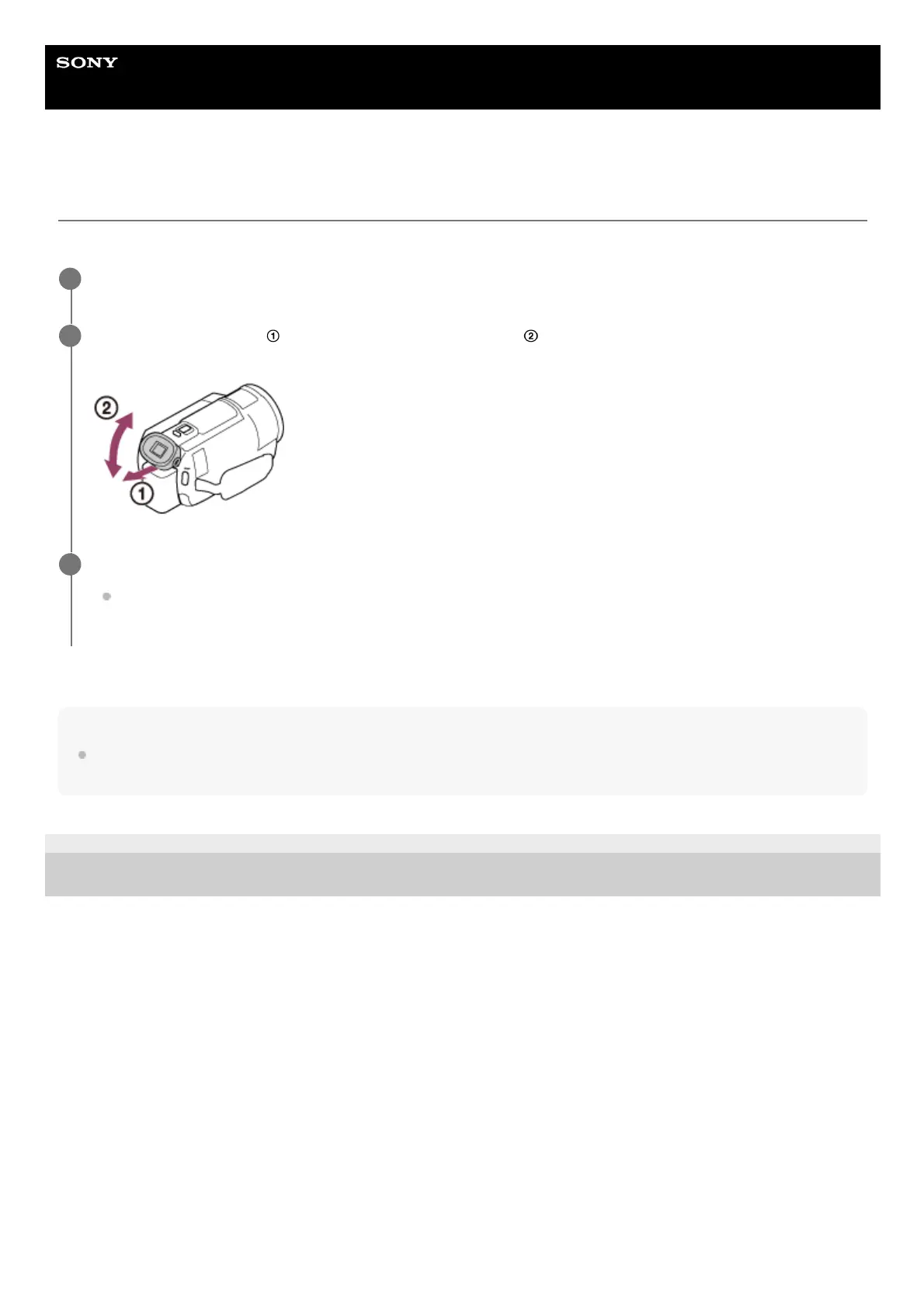
Adjusting the angle of the viewfinder for easier viewing (models with the viewfinder)
You can adjust the angle of the viewfinder for easier viewing.
Note
If this product is not operated for a certain period, the power will turn off and the screen in the viewfinder will disappear. To display
the screen again, retract the viewfinder and pull it out again to turn the power on.
4-734-284-22(1)
Copyright 2020 Sony Corporation
Close the LCD monitor.
1
Pull out the viewfinder (
) then adjust the angle you want ( ).
2
Move your eye close to the viewfinder.
If the indicators on the viewfinder appear blurred, adjust it using the viewfinder lens adjustment dial located on
the side of the viewfinder.
3



 To Next Page