Help Guide
Digital 4K Video Camera Recorder
FDR-AX43/AX43A/AX45/AX45A/AX60
Deleting the selected images
Select and delete unnecessary images.
Hint
You cannot delete protected images (
). Release the protection of the data before deleting.
To delete the unwanted part of a movie, divide the movie and then delete that part.
Related Topic
Press the
button on this product to enter the playback mode.
1
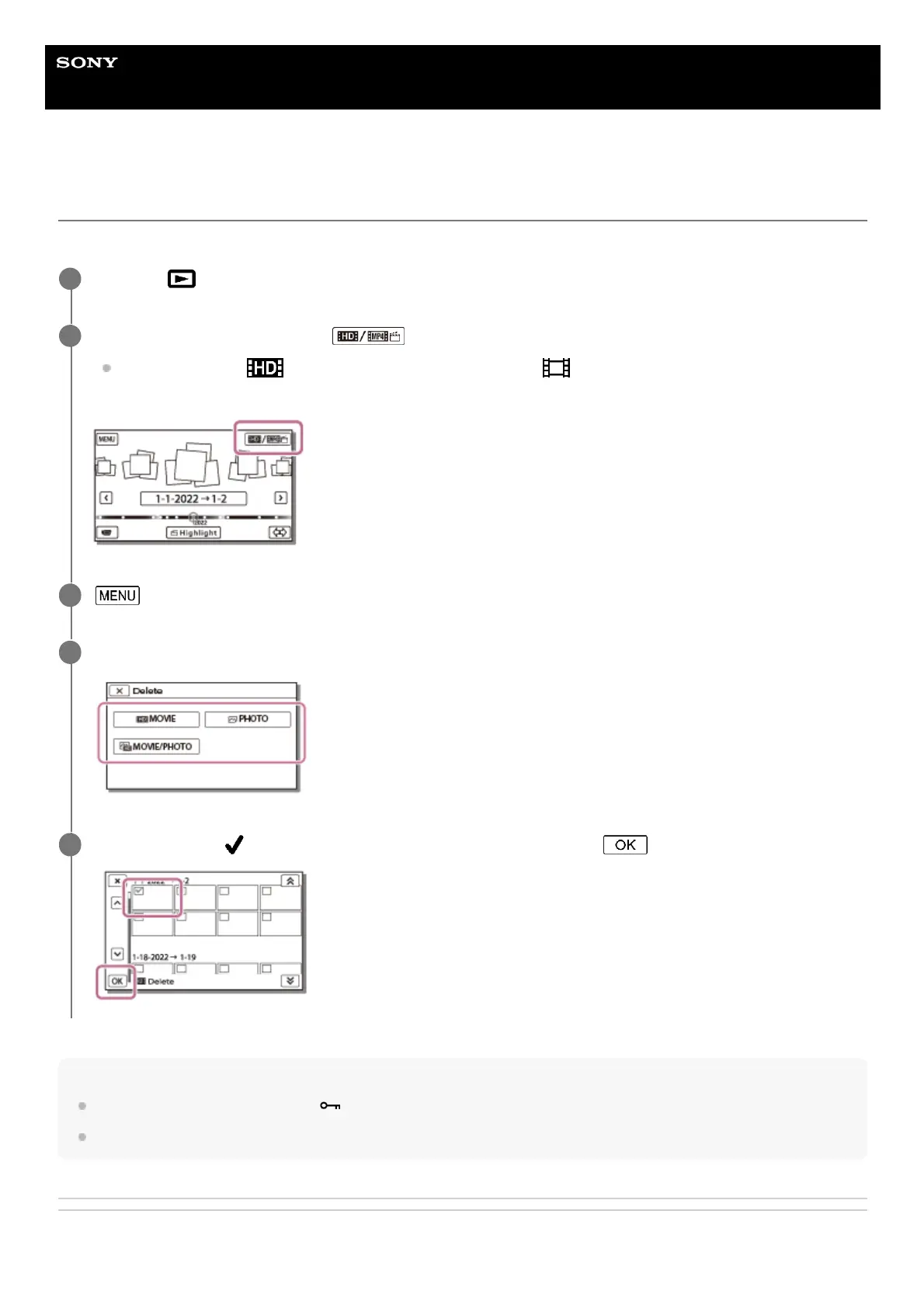
On the Event View screen, select , and then select the movie format you want to delete.
An icon other than
may be displayed depending on the [ File Format] setting and playback movie
format setting.
2
- [Edit/Copy] - [Delete].
3
Select [Multiple Images], and then select the type of image you want to delete.
4
Add check marks
to the movies or photos to be deleted and select .
5



 To Next Page