Help Guide
Digital 4K Video Camera Recorder
FDR-AX43/AX43A/AX45/AX45A/AX60
Saving the desired images in this product to the external media device
Save selected movies and photos on an external media device such as a USB external hard disk drive.
Hint
If you want to copy images that have not yet been copied, select
- [Edit/Copy] - [Direct Copy] while this product is
connected to the external media device.
Related Topic
Notes on use of the USB external hard disk
4-734-284-22(1)
Copyright 2020 Sony Corporation
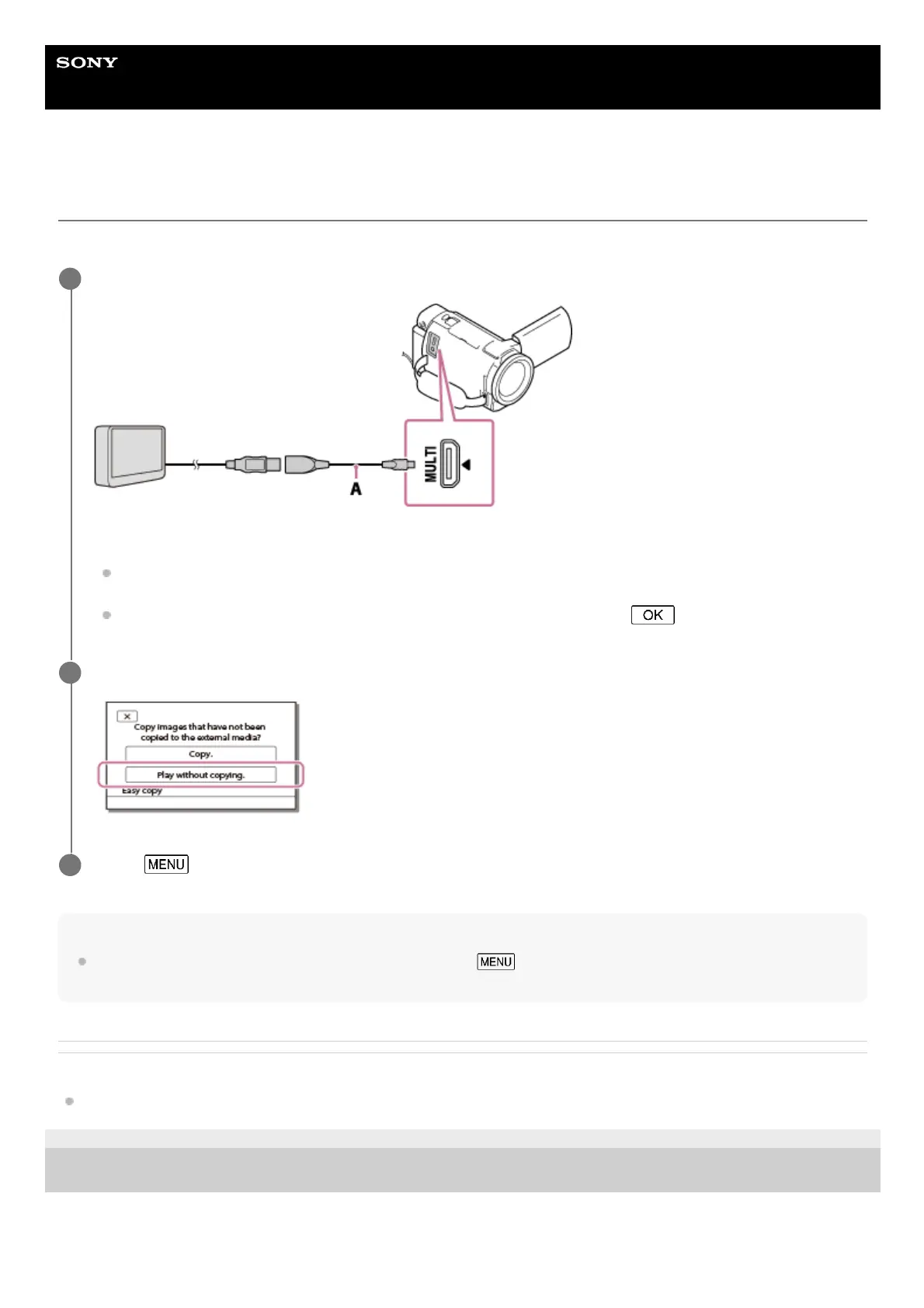
Connect this product to the external media device using a USB Adaptor Cable (sold separately).
A: USB Adaptor Cable (sold separately)
Make sure not to disconnect the USB Cable while [Preparing image database file. Please wait.] is displayed on
the LCD monitor.
If [Repair Img. DB F.] is displayed on the LCD monitor of this product, select
.
1
Select [Play without copying.].
2
Select
- [Edit/Copy] - [Copy], and then follow the on-screen instructions to save images.
3



 To Next Page