EasyManua.ls Logo

Sony FH-B50CD - Page 56

Sony FH-B50CD
77 pages
Print Icon
To Next Page IconTo Next Page
To Previous Page IconTo Previous Page
Loading...
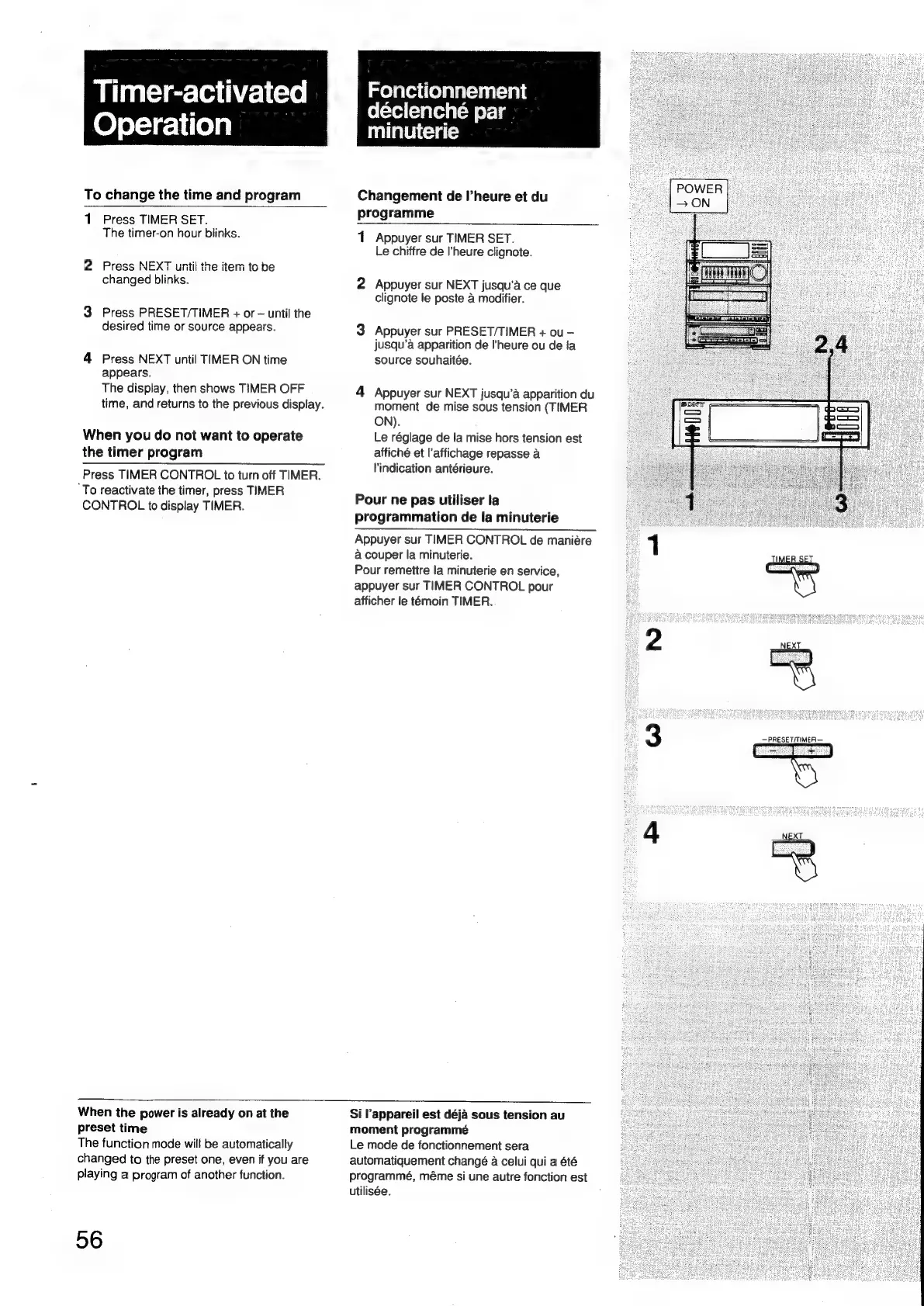
Timer-activated
Operation
To
change
the
time
and
program
1
Press
TIMER
SET.
The
timer-on
hour
blinks.
2
Press
NEXT
until
the
item
to
be
changed
blinks.
3
Press
PRESET/TIMER
+
or
until
the
desired
time
or
source
appears.
4
Press
NEXT
until
TIMER
ON
time
appears.
The
display,
then
shows
TIMER
OFF
time,
and
returns
to
the
previous
display.
When
you
do
not
want
to
operate
the
timer
program
Press
TIMER
CONTROL
to
turn
off
TIMER.
‘To
reactivate
the
timer,
press
TIMER
CONTROL
to
display
TIMER.
Fonctionnement
déclenché
par
minuterie
Changement
de
I’heure
et
du
programme
1
Appuyer
sur
TIMER
SET.
Le
chiffre
de
l'heure
clignote.
2
Appuyer
sur
NEXT
jusqu’a
ce
que
clignote
le
poste
4
modifier.
3
Appuyer
sur
PRESET/TIMER
+
ou
jusqu’a
apparition
de
l'heure
ou
de
{a
source
souhaitée.
4
Appuyer
sur
NEXT
jusqu’a
apparition
du
moment
de
mise
sous
tension
(TIMER
ON).
Le
réglage
de
la
mise
hors
tension
est
affiché
et
l’affichage
repasse
a
l'indication
antérieure.
Pour
ne
pas
utiliser
la
programmation
de
la
minuterie
Appuyer
sur
TIMER
CONTROL
de
maniére
a
couper
la
minuterie.
Pour
remettre
la
minuterie
en
service,
appuyer
sur
TIMER
CONTROL
pour
afficher
le
temoin
TIMER.
When
the
power
is
already
on
at
the
preset
time
The
function
mode
will
be
automatically
changed
to
the
preset
one,
even
if
you
are
playing
a
program
of
another
function.
56
Si
Pappareil
est
déja
sous
tension
au
moment
programmé
Le
mode
de
fonctionnement
sera
automatiquement
changé
a
celui
qui
a
été
programmé,
méme
si
une
autre
fonction
est
utilisée.
TIM
T
—PRESET/TIMER—

Related product manuals