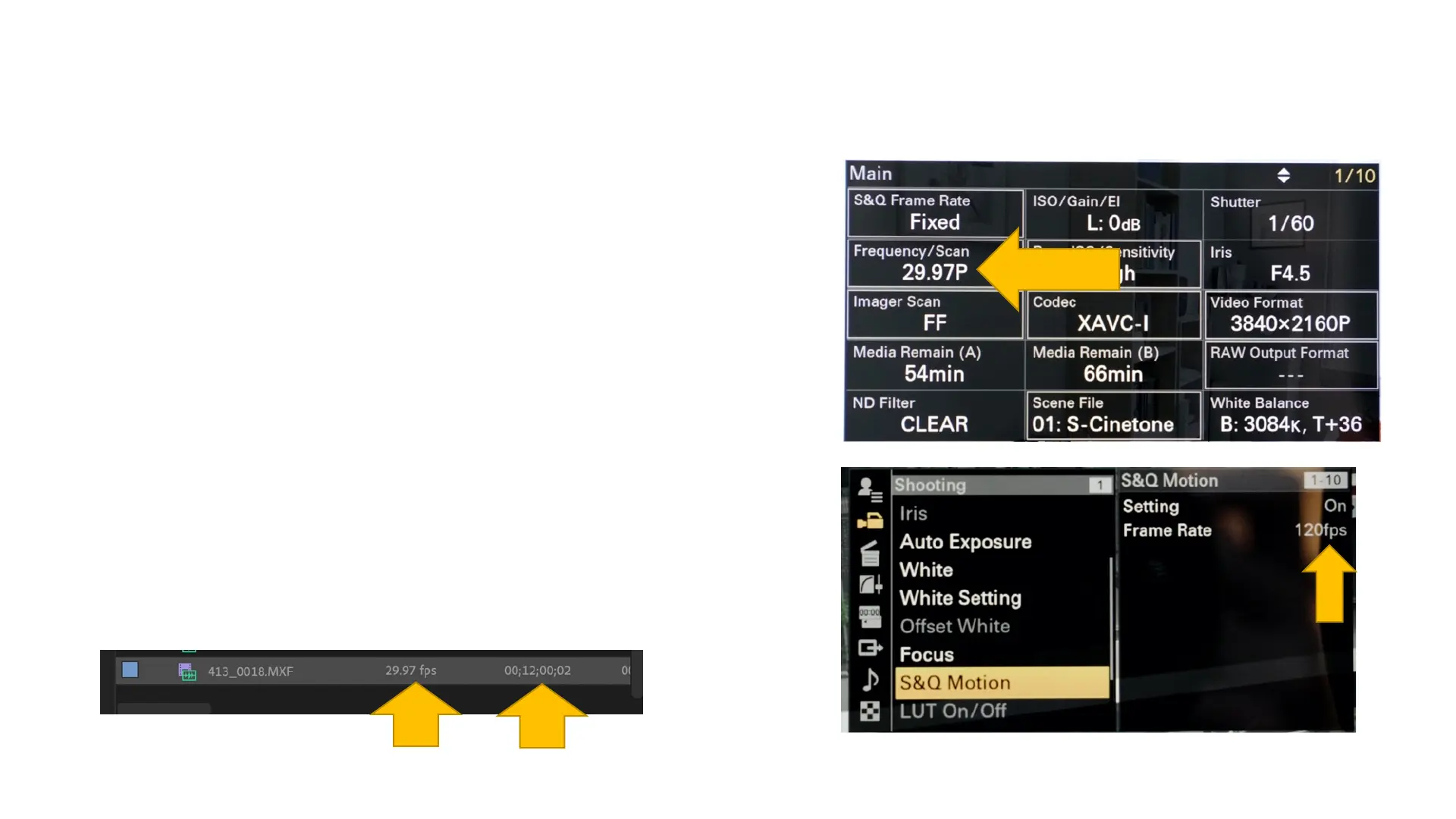
S & Q: menu settings
1. The base frame rate:
On status page 1, the frequency/scan has been set to
29.97 fps. This is the project frame rate and the rate
at which all clips will be played back.
2. The S & Q frame rate:
In Menu/Shooting/S & Q Motion: Enter a S and Q
frame rate.
In this case, once S and Q is turned on, the video clip
will be shot at 120 fps and then played back at 29.97
fps. So, the clip will play back in Adobe Premiere (or
other software) at 25 percent speed. Below is how
the a clip shot for three minutes at 120 fps will
appear in Premiere.
frame rate length



 To Next Page