Menu navigation
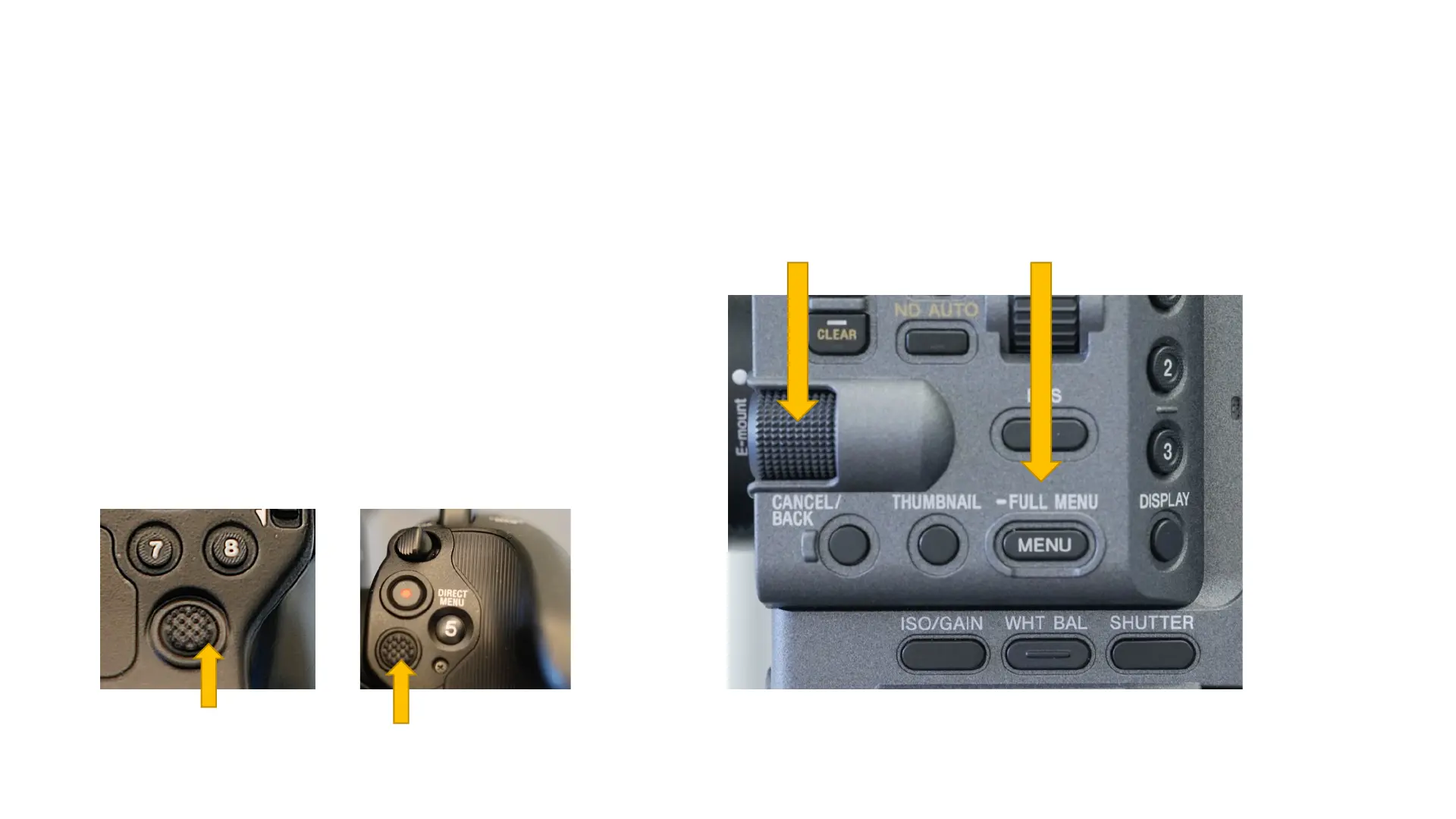
Once you have pressed the FULL MENU
button on the side the camera you can get
into two of the three menus (read on).
The easiest way to navigate the camera
menus is to use the large dial on the side of
the camera. Push the button in and turn the
dial. Option two is using the multi-selectors
on the top handle or the grip.
Multi-selectors
Menu dial Access to status pages and menu.



 To Next Page