Exposure: ND Presets
The traditional way to work with ND filters is by selecting a
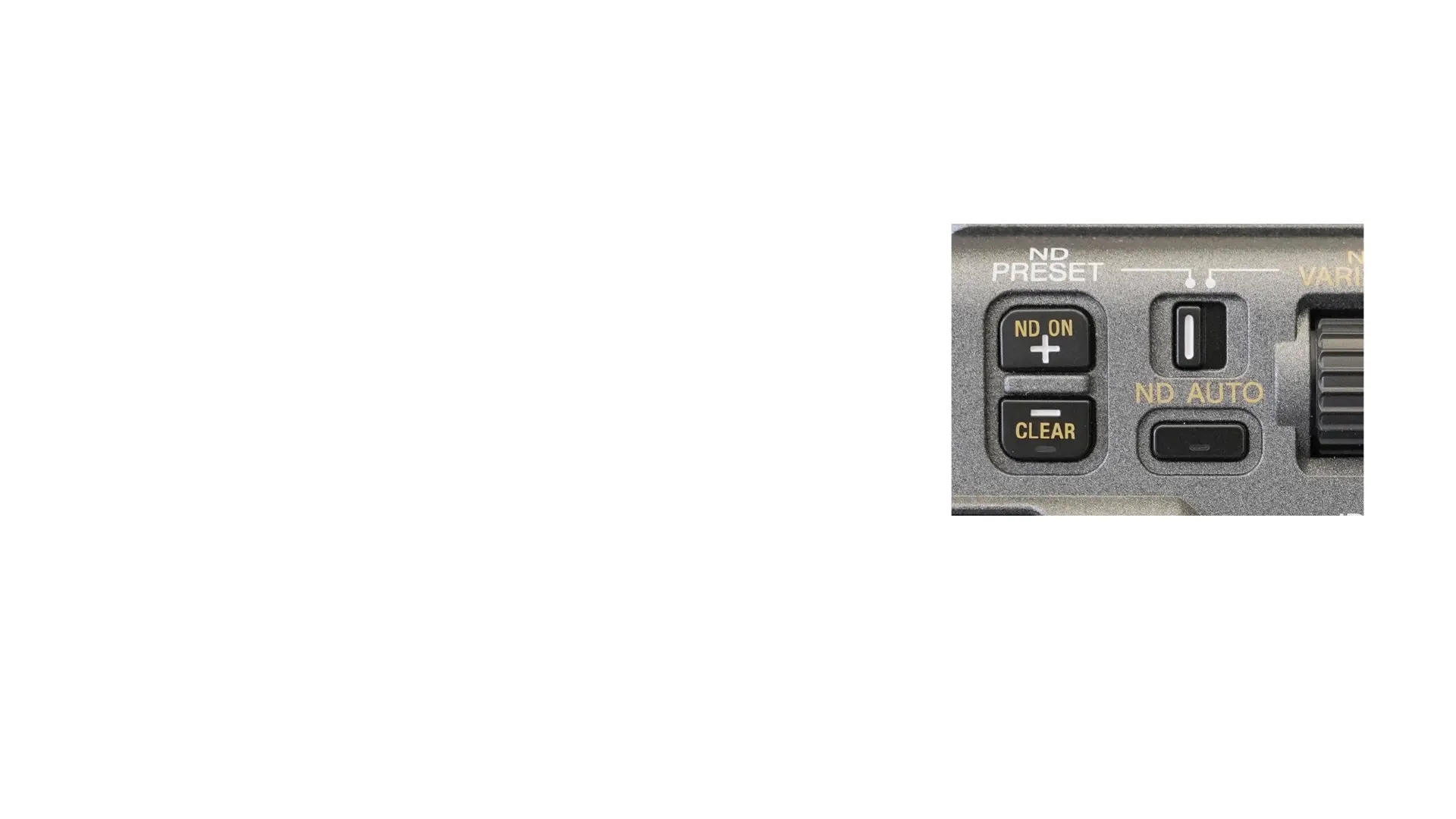
preset. There is a section for ND on the side of the camera.
Turn ND ON
Press ND AUTO button until it goes off (if a light was on).
Switch to ND PRESET: this allows you to toggle between the
three ND preset settings (made in the Full Menu/Shooting
menu/ND Filter).
Pressing the ND ON + will cycle up through the three presets
Pressing the CLEAR – will cycle down through the three presets
and also allow you to choose CLEAR (no ND filter).
When no ND is applied, a light will appear on the CLEAR button.



 To Next Page